How to build a social media website: builder or custom, features, stack, and cost


To make a social media website, first decide whether the network is your product: a community around an existing brand or course fits a website builder or a hosted community platform, and a network that is the business needs a custom build. At Ronas IT, a web MVP for testing the idea with a closed group of early members starts from $10,000, with design, the backend, and project management included.
A full first version with design and a moderation admin panel starts from $20,000; an optional analysis phase comes before it only when the scope is not written yet. Both prices already cover the reporting and blocking tools, the review queue, and the content filter that store rules and content laws call for; a build that only your own team tests keeps the filter and can start without the report, block, and review tools, from $5,000.
This guide covers the types of social media websites, how to choose between a ready-made tool and a custom build, the steps, the features of a first version, a platform we built, whether to start with a website or an app, how the feed, real-time messages, media, and moderation work, the rules for user content, our stack, and the cost.
What is a social media website, and what types are there?
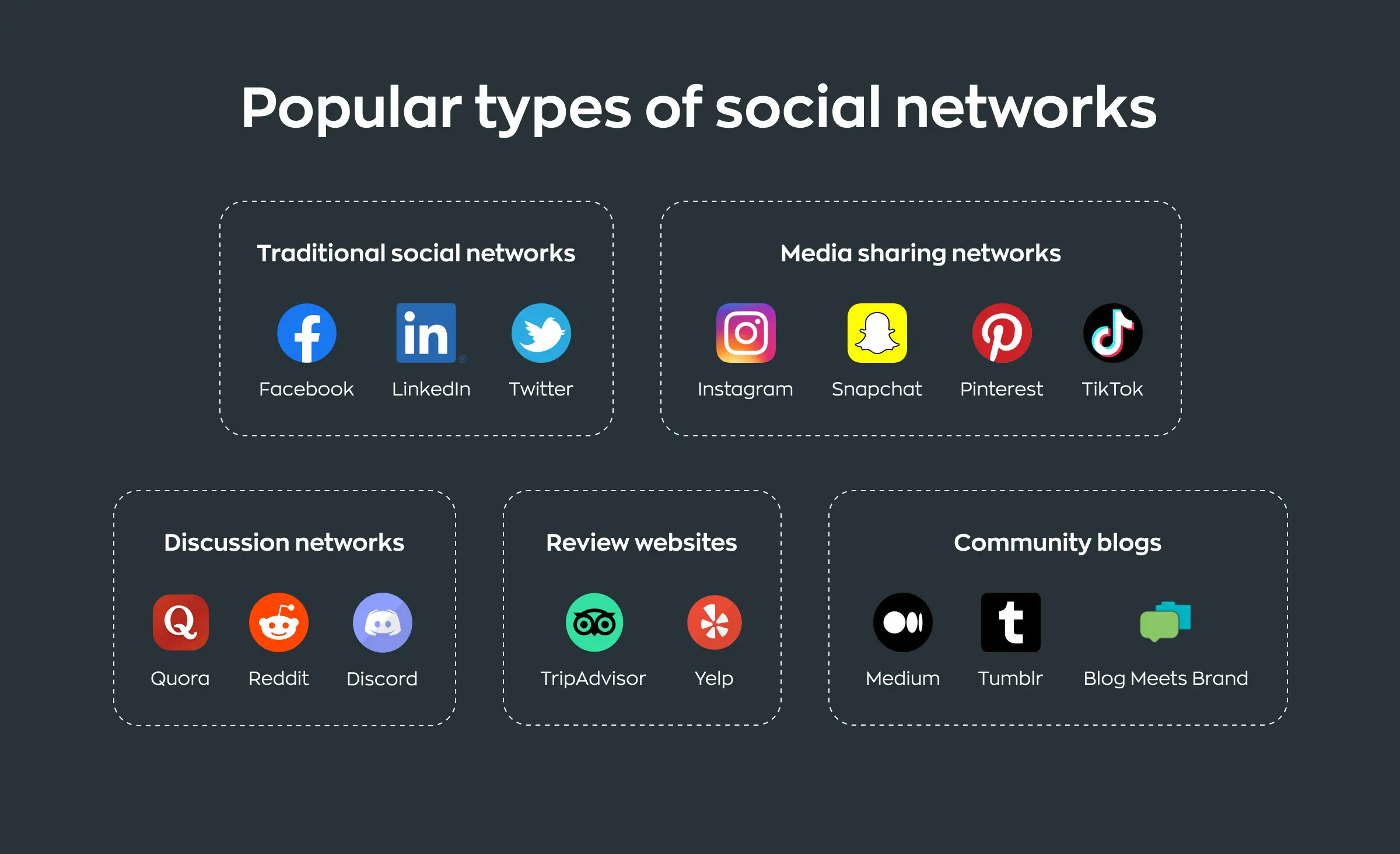
A social media website is a web product where users create profiles, publish content, and react to each other's posts. What users share and how they connect sets the type of network, and the type decides which features the first version needs most.
| Type | What users do | Example | What the build needs most |
|---|---|---|---|
| General social network | Post updates, follow friends, comment | A feed, connections, and notifications | |
| Media sharing | Share photos and videos | Instagram, YouTube | Media upload, processing, and delivery |
| Professional network | Keep a work profile, connect, post jobs | Detailed profiles, search, and messages | |
| Discussion community | Ask, answer, and vote in topics | Reddit, Quora | Threads, voting, and moderation |
| Review platform | Rate and review businesses | Yelp, Tripadvisor | Reviews, business pages, and checks for fake reviews |
| Niche community | Members of one profession, hobby, or region talk and share | A network for one trade | Membership rules, groups, and moderation |
Which route fits: a ready-made tool or a custom build?
Use a ready-made tool when the community supports another business, and build your own when the network is the business. Three questions decide it: do you need your own data and rules, do you need features no template offers, and do you plan mobile apps and your own way to make money?
| Route | When it fits | Limits |
|---|---|---|
| Website builder with a members area, such as Wix | A brand, a club, or a creator adds member profiles or groups to a site | You work within the features the builder offers |
| Hosted community platform, such as Circle or Mighty Networks | A paid community, a course, or a membership with events and discussions | You rent the product: the vendor sets the features, the design options, and the price |
| Open-source social software, such as HumHub or BuddyPress for WordPress | An internal or niche network where your team can host and extend the code | You own the hosting, the updates, and the security, and deep changes happen inside another project's architecture |
| Custom build | The network is the product: a new format, your own rules for the feed or membership, your own data, mobile apps, and your own way to make money | A higher cost and a longer start, and a team to keep the system running after launch |
You can also start on a platform to check that people will come, and move to a custom build when the platform starts to limit the product. If you plan this, check how the platform exports members and content before you choose it.
“The sign to move is a request from your members that only the vendor can meet, such as a different order of posts in the feed or a stricter rule for who can join.”
Roman Surikov, CEO at Ronas IT
How to make a social media website step by step
The path from idea to launch has eight steps. The first three are choices you make before any development, and the third tells you whether you need a custom build. If you do, these choices go into a scope and an estimate, which our analysis phase can write if you do not have them yet. Design and development then run in sprints, which at Ronas IT usually last one to three weeks and end with something you can open.
- Pick the first community: name the group of people you start with and what they do not get from the networks they use now. A small active group in one niche teaches you more than an empty general network.
- Choose the core action: decide the one thing members will do again and again, such as posting a photo, asking a question, reviewing a place, or sharing a result. Every feature of the first version should support it.
- Choose the route: a builder, a hosted platform, open-source software, or a custom build, as compared above.
- Run an analysis phase if the scope is not written yet: we write down who does what on the site, draw the main user flows, check the architecture, and give you a scope with a budget and a timeline. Our guide to the discovery phase explains this step in detail.
- Design the interface: a UI kit of reusable parts, and the screens members see before there is content: an empty feed, a profile without a photo, a first conversation. Design these empty states first, and have a second designer review the result.
- Build the backend, the website, and the admin panel: the admin panel is where your team reviews reports, blocks accounts, and removes content, so it ships with the first version.
- Test with a closed group: invite the first members, add starter content yourself, and fix the problems they find before the public launch.
- Launch and add features one by one: watch what members do, then add the feature they ask for or would use most.
Features a social media website needs
A first version needs the features that let a member join, share something, and get a reply, plus the tools your team needs to keep the site safe. Everything else can wait until you see how members use the site.
First version
- Sign-up and profiles: email or social login, a profile with a photo and a short bio, and privacy settings.
- Connections: follow or friend requests, and a way to find people to follow.
- Posts: text, images, and video if your format needs it, with editing and deleting.
- Feed: posts from the people and groups a member follows, newest first.
- Reactions and comments: likes, replies, and mentions.
- Notifications: on the site and by email; add push notifications with the mobile app.
- Search: people, groups, and posts.
- Groups or topics: if your community is organized around interests.
- Reporting and blocking: a report button on every post and profile, and a way for a member to block another member.
- Admin panel: a review queue for reports, user management, and basic statistics.
What can wait
- Real-time messages for many members at once: they need a real-time server that can handle that load, and more moderation. Start with comments if your format allows it.
- A ranked feed: ranking by interest needs data about what members read and react to. A feed sorted by time works until you have that data.
- Live video: streaming adds its own infrastructure.
- Ads and paid plans: add them once you have members to show ads to or sell plans to.
- Mobile apps: the section on web and mobile below explains when to add them.
A social trading platform we built for a UK client
A client from the UK asked us to build a website where Forex traders publish their trading results and connect with each other. Besides analytics, we built social features from the list above: profiles with a trader's results and posts, requests to connect, direct messages, forums, and a home screen where traders could see their network's trades, read posts, and share their own.
We ran real-time updates over WebSockets integrated with Laravel. The client planned to add features after the first release, so we started from a mind map of every feature, put the navigation in a sidebar so new sections would not crowd the screen, and built a UI kit for new screens. The client kept developing the platform with us for eight years. The Forex social trading platform case study shows the screens; we built that platform on Vue.js and Laravel.
Website first, or a mobile app too?
Start with a website if your members find content through search and links, or use the network at work on a computer. Start with a mobile app if the core action happens on a phone, such as taking photos or posting away from a computer. With one backend behind both, whichever you add second reuses the same accounts, posts, and rules.
A website has two more advantages for a first version: search engines can index public profiles and posts, and a fix goes live without an app store review. When you add a mobile app, we usually build it with React Native, so one codebase runs on iOS and Android. The app then has to meet the store rules for user content described below.
How a social media website works: feed, real-time, media, and moderation
Four parts of a social media website need technical decisions early: the feed, real-time messages and notifications, media, and moderation. None of them needs a complex design in the first version, but each needs a plan for growth, because changing them after launch means moving live data.
Feed
In a first version, the server builds a member's feed when the member opens it: it takes the posts of the accounts the member follows and sorts them by time. As the network grows, we prepare feeds in advance when a post is published and keep them in a fast cache, so opening the feed stays quick for members who follow many accounts. Ranking the feed by interest comes after that, once there is data about what members read and react to.
Real-time messages and notifications
Direct messages, typing indicators, and live notifications need a connection that stays open between the browser and the server. In Laravel projects we use Laravel Reverb, a WebSocket server for Laravel applications. When one server is not enough, Reverb can run on several servers and use Redis to pass each incoming message to the other servers.
“Decide early which events must reach the screen at once and which can wait. A new message has to arrive right away, while a like counter can update on the next refresh. Every event you keep out of the real-time channel is load your servers do not carry.”
Alexander Storozhevsky, Lead developer at Ronas IT
Media
Photos and videos go to cloud object storage, not into the database, and reach members through a content delivery network (CDN), a set of servers that keeps copies of files close to users. Images are resized on upload, and videos are converted into sizes that play on slow connections. If your format is video-first, a video service can take over storage, conversion, and playback as a third-party integration.
Moderation
Every post and profile needs a report button, every member needs a way to block another member, and your team needs a queue in the admin panel to review reports and act on them. An app in the App Store also needs a method for filtering objectionable material before it is posted, so the first store release of an app includes a filter for posts. Automatic filters for images and text from an outside service can be added as a third-party integration to shorten the queue, while a person still decides the hard cases.
Rules for user content to check before launch
A social media website hosts content that other people upload, and app stores and laws set requirements for it. The list below covers common ones. Which of them apply depends on your markets and your users, so check them with a lawyer before launch.
- App Store: Apple's App Review Guideline 1.2 requires apps with user-generated content or social networking services to include a method for filtering objectionable material, a way to report offensive content with timely responses, the ability to block abusive users, and published contact information.
- Google Play: its user-generated content policy requires users to accept the app's terms before they create or upload content, and an in-app system for reporting and blocking objectionable content and users.
- Copyright in the US: to qualify for the DMCA safe harbor that covers material users store on a service, the service must designate an agent to receive notices of claimed copyright infringement, publish the agent's contact information on its website, and register that designation with the US Copyright Office.
- Children: the FTC's COPPA Rule applies to commercial sites directed to children under 13 that collect, use, or disclose personal information from children, and to general audience sites with actual knowledge that they collect, use, or disclose personal information from children under 13. Among other things, it requires verifiable parental consent, with limited exceptions, before collecting that information.
- Users in the EU: the Digital Services Act requires hosting services, including online platforms, to let anyone report content they consider illegal through an easy electronic mechanism. When a service removes or restricts content as illegal or against its terms, it has to give the affected user a clear and specific statement of reasons, with a few exceptions, such as when it has no electronic contact details for that user.
Most of these rules lead to a few features: terms that members accept, published contact details, the report and block buttons and the review queue from the first-version list, and, in an app, the filter that stops objectionable posts. We put them into the scope of the first public release, whether an MVP or a first version, so a store review or a complaint does not force them in later.
Tech stack for a social media website
We usually build a social network on a React frontend and a Laravel backend, with one API behind the website, the admin panel, and the mobile apps. The table shows each layer, what we choose for it, and what it does; the choice can change to fit your project.
| Layer | What we use | What it does |
|---|---|---|
| Website | React with Next.js | Renders public profiles and posts on the server, so search engines can read them |
| Backend and API | Laravel | Accounts, posts, the feed, permissions, and the API for the website, the apps, and the admin panel |
| Database | PostgreSQL | Keeps members, posts, comments, and connections as related records |
| Cache and queues | Redis | Prepared feeds, counters, and background jobs such as sending notifications |
| Real-time | Laravel Reverb | Direct messages and live notifications over WebSockets |
| Admin panel | Laravel Backpack as the default, or Laravel Nova | The review queue, user management, and statistics |
| Mobile apps | React Native | One codebase for iOS and Android |
| Infrastructure | Terraform and Terragrunt | Every environment is described as code and changed through review |
Media storage and the CDN come from your cloud provider, and we set them up in your own cloud account next to production.
How much does a social media website cost?
A web MVP starts from $10,000 at Ronas IT, and its price includes design, the backend, and project management. It covers sign-up, posts, connections, a feed, and comments, plus the report, block, and review tools and the filter for objectionable posts that a network open to outside members needs. For a network that launches on phones, the MVP is a cross-platform app for iOS and Android at the same starting price, with the same tools, which Apple and Google require before a store release. A build that only your own team tests still has the filter but not the report, block, and review tools, and starts from $5,000. A full first version for running the network in public is a complex web product that starts from $20,000, with search, groups, and the moderation admin panel.
With real-time messages and notifications that must work for many members online at once, the build becomes an advanced web app: it starts from the same $20,000, and the real-time layer and the load raise the price. Video, extra roles, and integrations raise it too, as the list below the table shows.
| What you build | Starting price | Timeline | When you need it |
|---|---|---|---|
| Analysis phase | $1,000–$2,000 | At least 1 week | Optional, before the build: the scope, an architecture check, the budget, and the timeline |
| Web MVP | From $10,000 | At least 5 weeks | A test of the idea on the web with invited or public members; design, the backend, and the moderation tools included |
| Phone-first MVP | From $10,000 | At least 5 weeks | A cross-platform app for iOS and Android instead of the web MVP; design, the backend, and the moderation tools included |
| Internal test build | From $5,000 | At least 2 weeks | Only your own team tests it, so it has no report, block, or review tools yet |
| Full first version | From $20,000 | At least 8 weeks | Profiles, connections, posts, the feed, comments, search, groups, and the moderation admin panel; real-time features for many members online at once raise the price |
| Each extra platform | From 50% of the first | With the build | A cross-platform mobile app next to the web product, or a website next to a phone-first app |
| Support for the whole system | From $2,000 per month | Ongoing | Monitoring, fixes, and updates when the website and its mobile apps run together, with the backend; new features are estimated separately |
| Support for one app | From $1,000 per month | Ongoing | Instead of whole-system support, when you run one web or mobile app: monitoring, fixes, and updates for that app and its backend |
Each starting sum covers design, development, testing, the backend, the admin panel, the connection to a content filter, and project management. The optional analysis phase is not in them.
- A web MVP: from $10,000.
- A phone-first MVP as a cross-platform app: from $10,000.
- The web MVP with a cross-platform app next to it: from $15,000.
- The full first version on the web: from $20,000.
- The full first version on the web with a cross-platform mobile app: from $30,000.
Not included: your cloud hosting bills, and support after launch. Whole-system support covers the mobile app, so app support replaces it only when the app alone needs care.
Features that raise the build price:
- Media: video upload, conversion, and playback cost more than text and images.
- Roles and moderation: each extra role, such as a group owner or a paid creator, adds screens, permissions, and tests.
- Integrations: payments, a video service, and automatic content filters each add their own work.
What to do next
- Write down your first community and the one action its members will repeat.
- Check whether a builder or a community platform already covers it. If it does, start there.
- If not, take the first-version feature list from this guide and mark which features need real-time.
- Decide whether the website or a mobile app comes first.
- Check the content rules for your markets and plan the report, block, and review features.
- Ask for a rough estimate of the MVP or the first version, and budget for technical support after launch.