Financial website design: what to include, rules to check, and cost


Financial website design is planning and building a site for a bank, credit union, lender, fintech, or investment adviser, so that visitors trust it, understand the products and fees, and take the next step. At Ronas IT, building a corporate website starts from $3,000 with a timeline of at least 2 weeks, and that price includes the custom design of the whole site. A customer portal that clients log in to, with their accounts and loans behind it, starts from $30,000.
This guide is for marketing and product leads at financial companies who plan a new site or a redesign. It covers what the site needs, the rules that can shape its pages, examples worth borrowing from, the process, and the cost.
What makes a financial website different
A visitor to a financial website is about to hand over money or personal data, so the site has to answer three questions quickly: is this company real and regulated, what will this cost me, and is my data safe. A good corporate site answers the first one too, but finance adds rules about how rates, returns, and reviews may be shown. Four things follow from that:
- Proof of who you are: the legal name of the company, license and registration numbers, deposit insurance marks where they apply, and a real address and phone number.
- Rates and fees in plain view: the rate, the fee, and the conditions stand next to the offer, where the visitor reads it.
- Copy that someone approves: in the US and the UK, wording about rates, returns, and client testimonials can fall under advertising rules, so changes to it need a review before they go live.
- A login customers can find: the link to online banking or the customer portal stays in the same place on every page, and every form that asks for personal data works over an encrypted connection.
“Decoration on a finance site stands between the visitor and the numbers they came for. I would rather spend the design effort on the fee table itself: plain labels and the same layout on every product page, so a visitor who has read one page already knows how to read the next.”
Alexander Kontsevoy, Art Director at Ronas IT
Pages and elements a financial services website needs
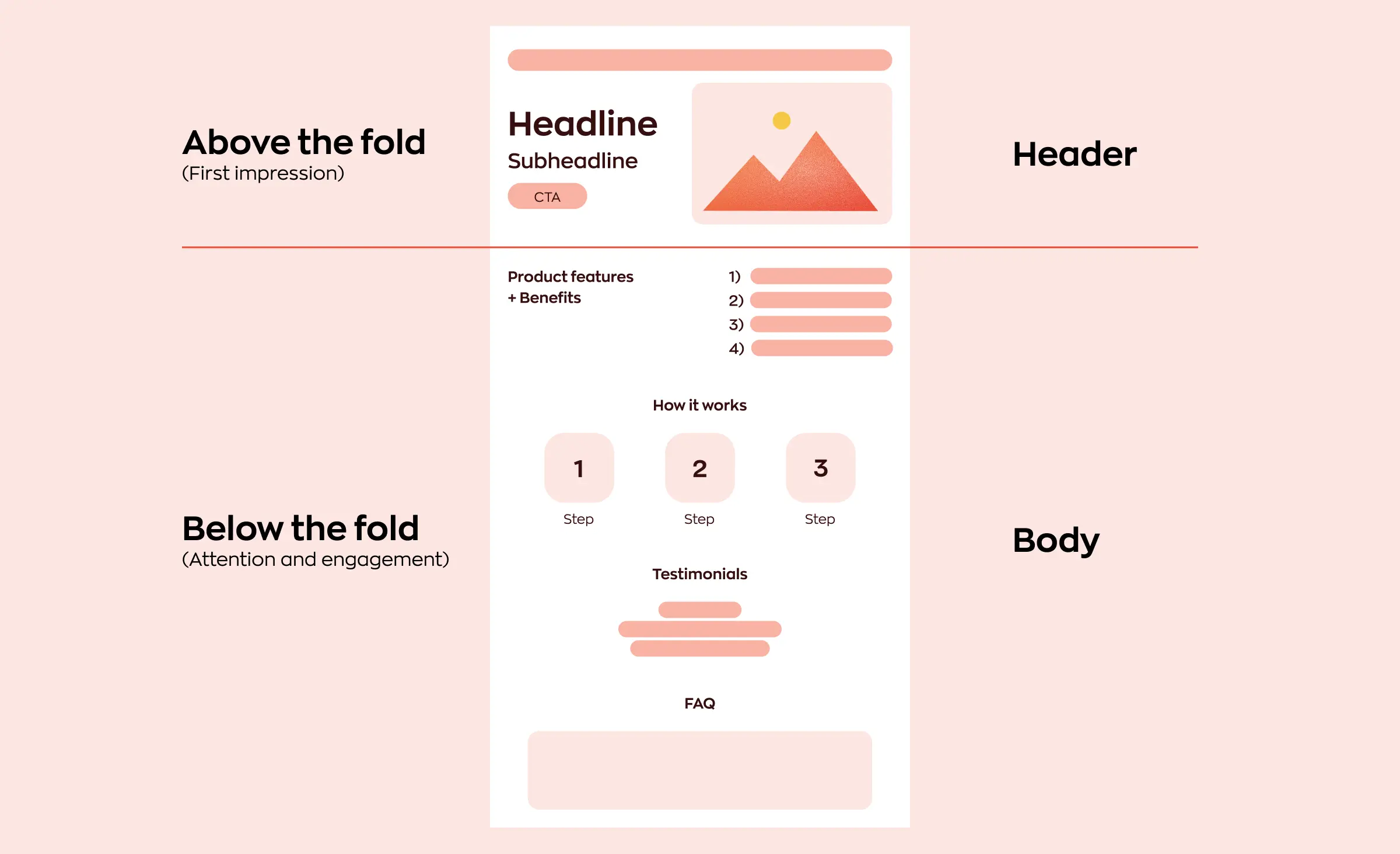
Most financial websites need the same core pages, whatever the product: a home page, product pages with rates and fees, an about page with your licenses, a security page, calculators, help and contact pages, and the legal pages. A lender needs a rate page more than a calculator library; an adviser needs a page about the team more than a product catalog, so adjust the list to what you sell.
| Page or element | Why visitors need it | What to include |
|---|---|---|
| Home page | To see in seconds who you serve and what to do next | One main action, the key products, trust marks, and the login link |
| Product pages | To compare your offer with others | Rates, fees, conditions, and the required disclosures next to them |
| About and licenses | To check that you are regulated | Legal name, registration numbers, regulators, and the team |
| Security page | To know how you protect accounts and how to report fraud | Login protection, how you contact customers, and what you never ask for |
| Calculators and tools | To see what a loan, deposit, or plan means for them | Plain inputs, the assumptions behind the result, and a next step |
| Help and contact | To get an answer without calling | Answers to common questions, support hours, and real contact details |
| Legal pages | To read the terms before signing up | Privacy policy, terms of use, disclosures, and complaint procedures |
Write every page in plain words. A visitor who meets “APR,” “AER,” or “custodian” for the first time should find a one-line explanation on the same page.
Rules that can shape your pages
Each rule below sets something a page must show or meet, such as an official sign, the way a rate or a return is stated, or accessibility requirements. Which rules apply depends on your license, your products, and your market. The table below is a screening aid to take to your compliance team, not legal advice.
| Rule | Who it covers | What it means for the website |
|---|---|---|
| FDIC official digital sign, 12 CFR 328.5 | FDIC-insured banks in the US | The sign goes on the home page, the login page, and the page where a customer starts opening a deposit account. Pages mainly about non-deposit products must say these products are not FDIC-insured, are not deposits, and may lose value. Compliance is required by April 1, 2027. |
| NCUA official sign, 12 CFR 740.4 | Federally insured credit unions | The official sign goes on the pages where the credit union accepts deposits or opens accounts. |
| Truth in Savings, 12 CFR 1030.8 | US banks and savings associations, and anyone who advertises their consumer deposit accounts | A deposit rate in an ad is stated as an annual percentage yield (APY). |
| Truth in Lending, 12 CFR 1026.24 | Anyone in the US who advertises consumer installment credit, such as car loans | A stated rate is shown as an annual percentage rate (APR). Terms such as the monthly payment or the number of payments trigger more disclosures in the same ad. |
| SEC Marketing Rule, 17 CFR 275.206(4)-1 | Investment advisers registered, or required to register, with the SEC | Testimonials need clear disclosures, such as whether the person was paid. A gross return needs the net return shown too, with at least equal prominence. |
| FINRA Rule 2210 | US broker-dealers | A registered principal approves retail communications before use, and the main page for retail investors links to BrokerCheck. |
| FCA COBS 4.2.1R | UK firms that fall under this FCA rulebook | A financial promotion must be fair, clear and not misleading. |
| European Accessibility Act, Directive (EU) 2019/882 | Consumer banking services and e-commerce services in the EU | Accessibility requirements have applied since June 28, 2025. Microenterprises that provide services are exempt. |
Accessibility is worth planning for even where no rule demands it. In the US, the Department of Justice says the ADA applies to what businesses open to the public offer on the web, but it does not have a regulation with detailed web standards for them. WCAG 2.2 from the W3C is the current version of the accessibility guidelines, so agree with your design partner on the version and level to target.
For the design work, these rules mostly change the workflow. Decide early which pages state a rate, a return, or a testimonial, because your compliance team has to check those pages each time they change. The first step of our process, described below, is the time to do it: you tell us the rules you work under, and we agree on the list of pages. For a customer portal or a fintech product, we recommend a separate analysis phase for this step, which also fixes the budget and timeline; it is optional.
“Each rate should live in one place, and every page should take it from there. A rate change is then one edit instead of a search through the site, and no forgotten page keeps showing the old number.”
Evgeny Leonov, CTO at Ronas IT
Examples of financial websites and what to borrow
The four sites below come from different parts of finance: investing and cash, retail banking in the UK, payments for businesses, and business banking. Each one shows a pattern you can use on your own site, whatever its size.
Wealthfront: the base rate on the same screen as the best rate
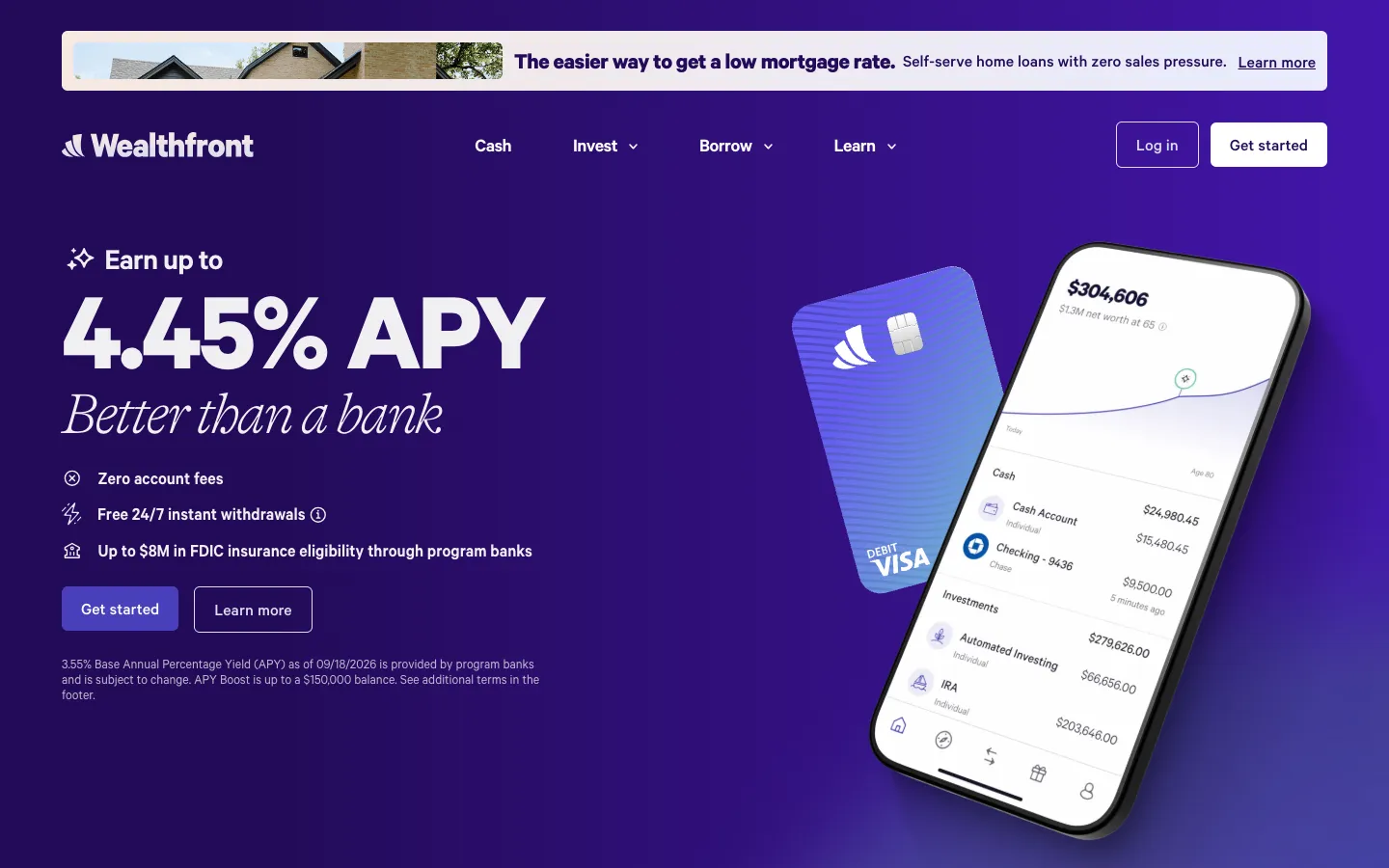
Wealthfront offers cash accounts, investing, and loans. Its home page leads with the words “Earn up to” and a large rate stated as APY. A short note right under the buttons gives a lower base rate, its date, the fact that program banks provide it and that it can change, and a balance limit for the APY Boost. For the other terms, the note points to the footer.
Borrow: if your headline shows the best rate a customer can get, put the base rate, its date, and a pointer to the full terms on the same screen.
Monzo: trust marks on the first screen
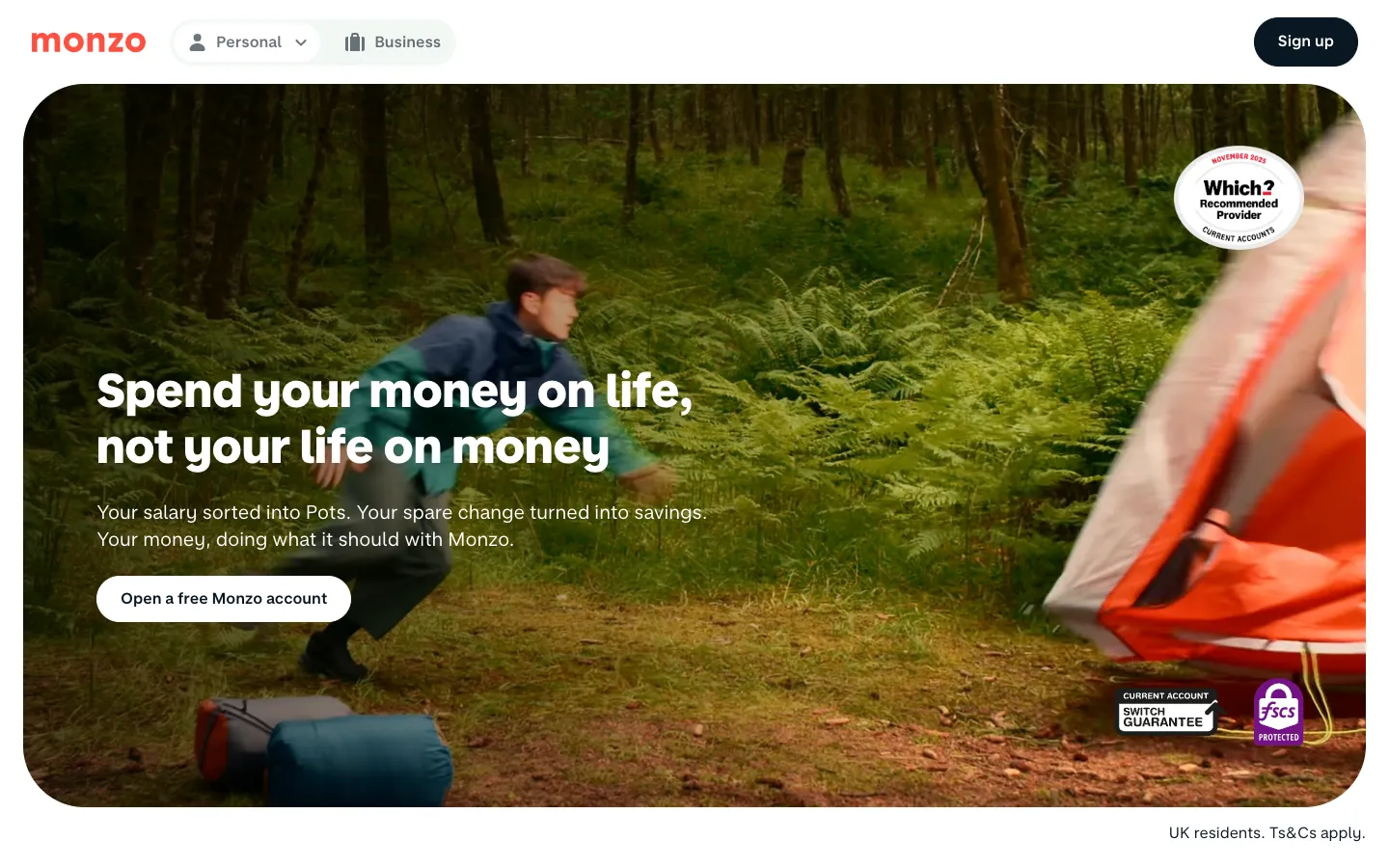
Monzo is a UK bank. The first screen has one action, opening an account. The same screen shows the deposit protection badge and a Recommended Provider badge from the UK consumer group Which? Further down, the product list carries the warning that the value of investments and pensions could go up or down.
Borrow: show trust marks where the visitor decides, as well as in the footer.
Stripe: two paths for two kinds of buyers
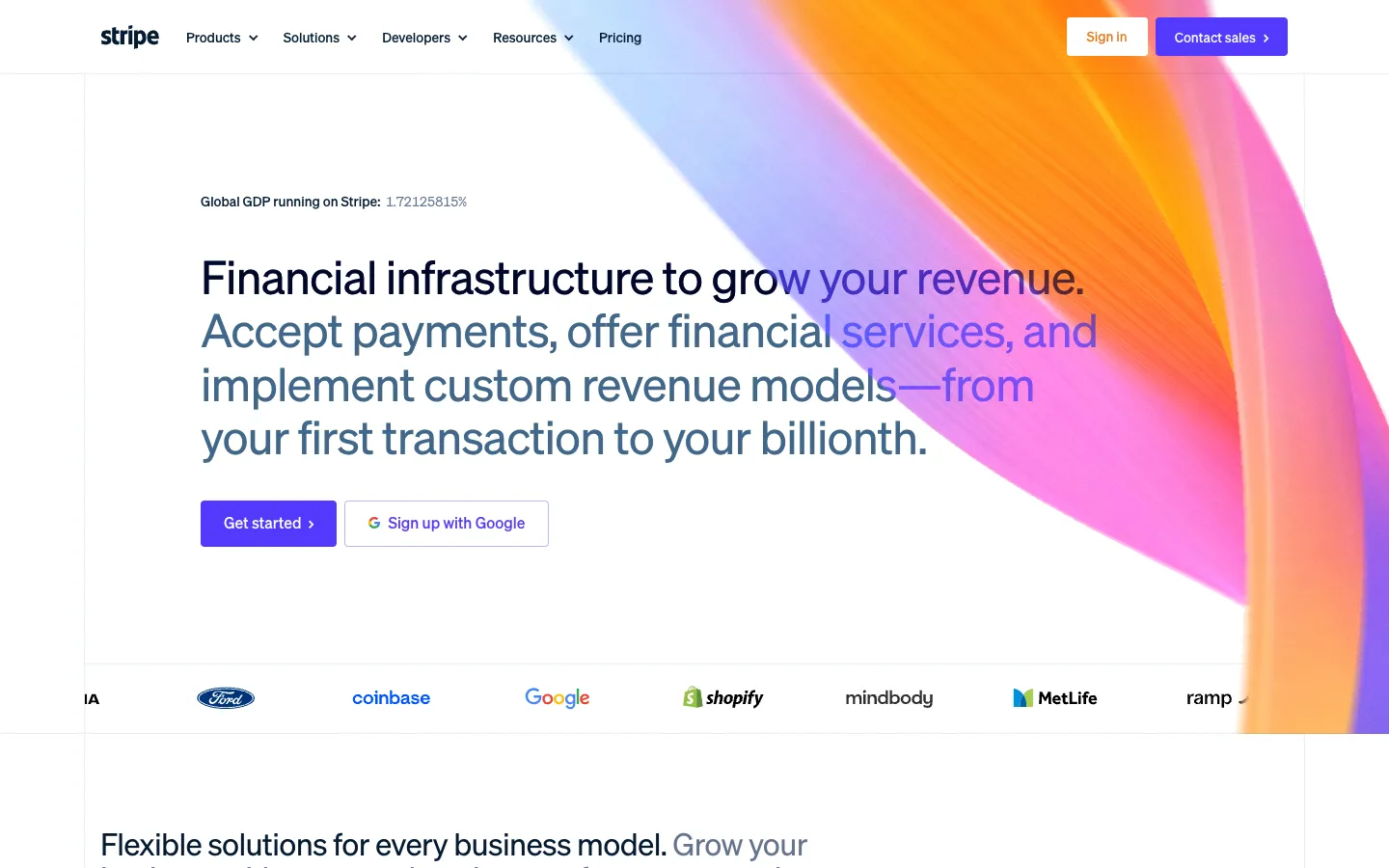
Stripe sells payment and financial services to businesses. The first screen offers two ways in: a button to get started on your own, and a button in the header to contact sales. A row of customer logos below the buttons answers the question “who else uses this?” before the visitor asks it, and pricing has its own item in the main menu.
Borrow: if both small and large clients buy from you, give each its own first step.
Mercury: a plain statement of what the company is
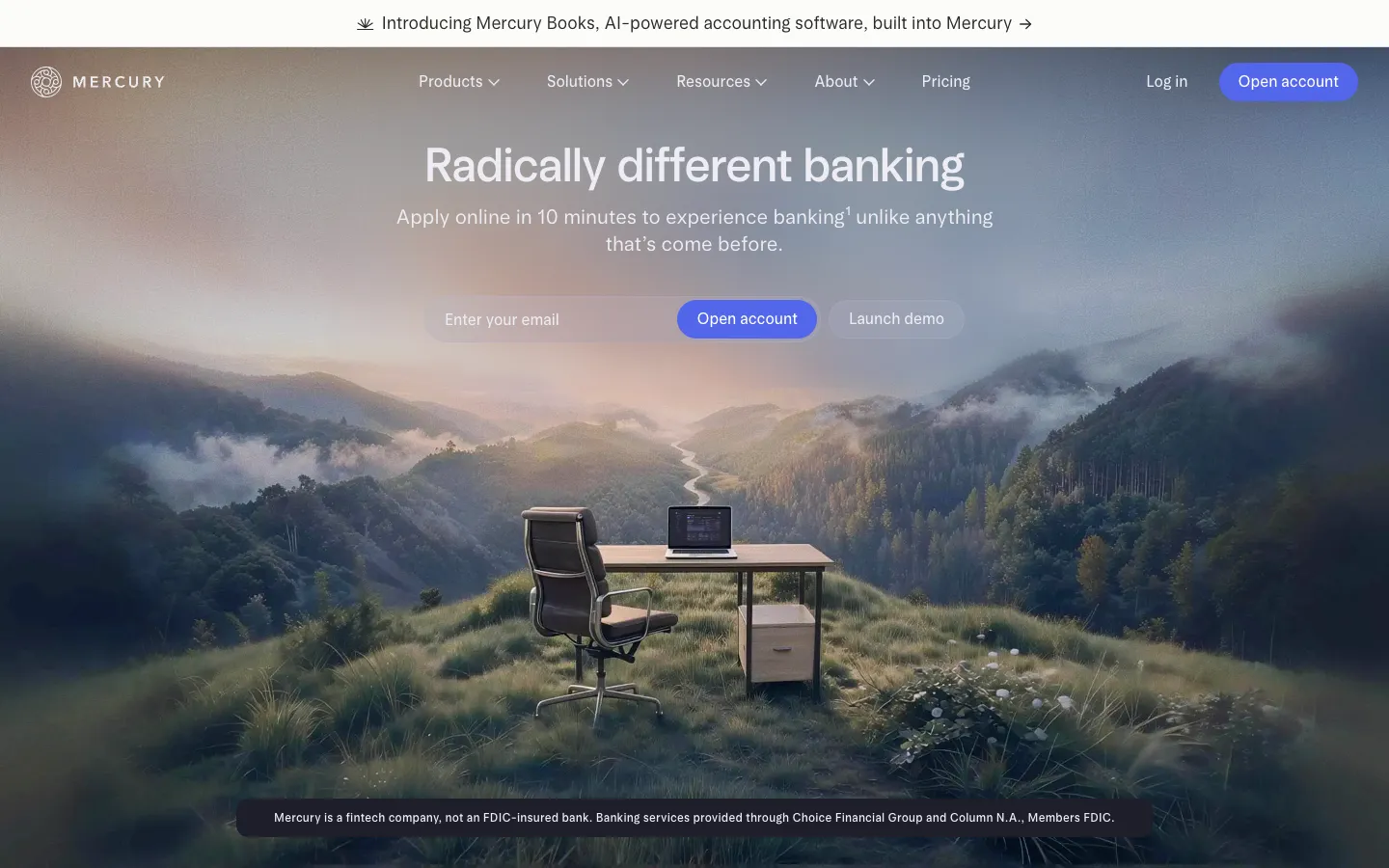
Mercury offers banking for businesses through partner banks. Below the sign-up form, the first screen says that Mercury is a fintech company, not an FDIC-insured bank, and names the partner banks. Next to the sign-up button, a demo button lets a cautious visitor look inside before applying.
Borrow: if your license or partner setup could confuse a visitor, say it in one sentence where they sign up.
A finance web platform we designed and built
We designed and built an analytics web platform for Forex traders for a client in the UK. Traders connected their MetaTrader accounts, compared strategies, and discussed them with other traders. What carries over to a financial website is a site in several languages, including right-to-left ones, and pages full of numbers that stay readable:
- A light palette with one orange accent: the color did not distract from the statistics, and a sans-serif font kept the numbers easy to read.
- Right-to-left layouts: the client wanted the platform to suit English, Arabic, Hebrew, and Persian speakers, so we made sure the text runs in the correct direction when a user switches to a right-to-left language.
- A UI kit: a set of ready components let the team add new screens later and keep the design consistent.
Marketing website or customer portal: what you are building
A marketing website explains your products and brings in applications; a customer portal is where clients log in to see balances, documents, or loans. A portal for regulated accounts starts at ten times the price of a corporate website and takes five times as long, so name the one you need before you ask for quotes.
| What you build | What it does | Starting price | Timeline |
|---|---|---|---|
| Landing page | Presents one product or campaign with one action | From $1,000, design included | At least 1 week |
| Corporate website | Products, rates, company details, help, and contact pages | From $3,000, design included | At least 2 weeks |
| Customer portal or fintech product | A portal with core actions on regulated accounts or loans, or a neobank, trading, or payment platform with identity and anti-money-laundering checks (KYC and AML) and banking integrations | From $30,000 for one web or mobile app, design included | At least 10 weeks |
A portal that only shows data from the banking system you already run, without regulated operations of its own, is priced as a basic MVP and starts from $5,000. Many companies start with the marketing website and link it to the online banking system they already have. The portal is a separate project with its own backend, and it can follow later without a redesign of the site.
If you also plan a mobile app, our guide on how to create a mobile banking app covers the product side.
How the design process runs
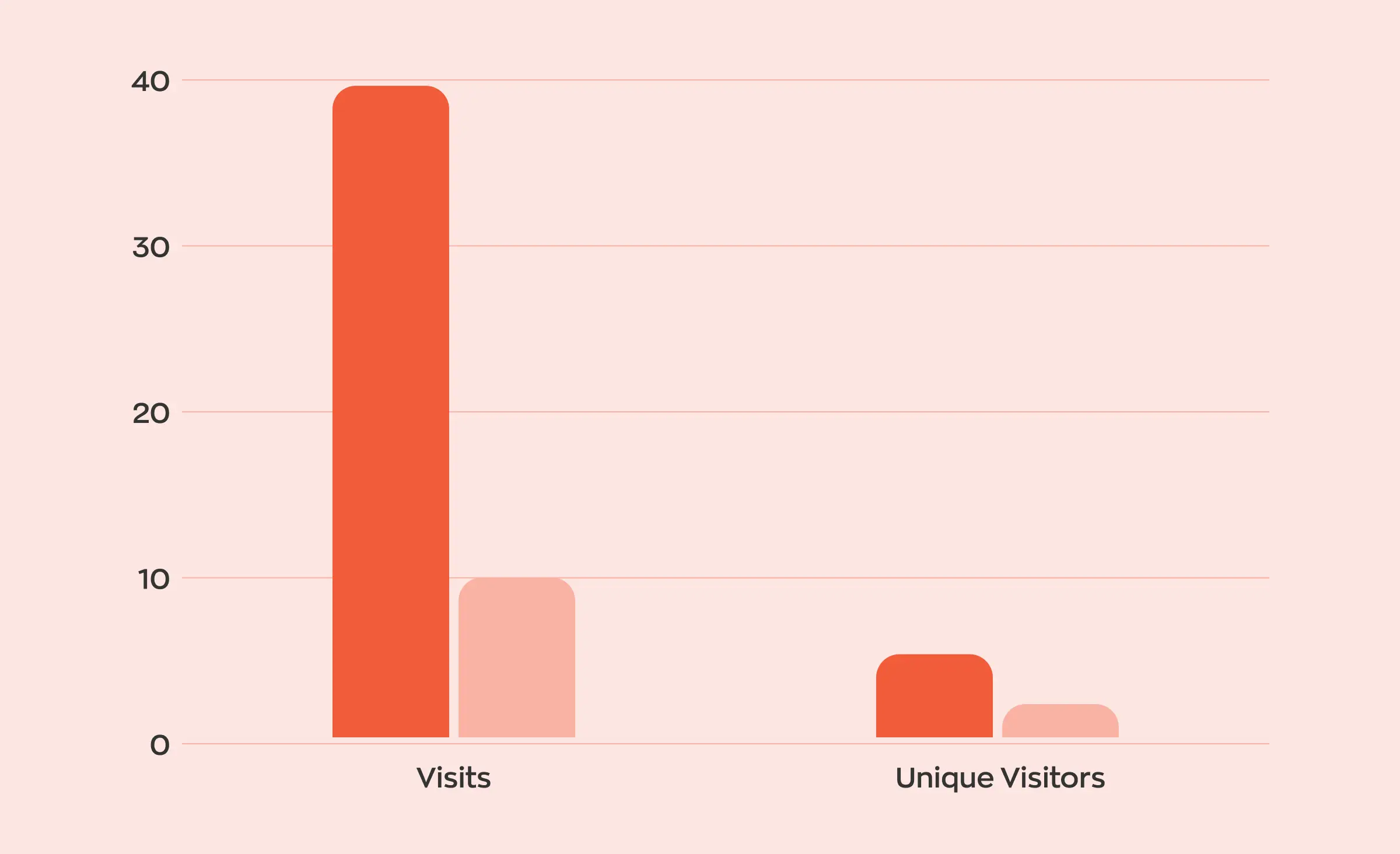
A financial website goes from scope to structure to visual style to finished pages, with a review by you at the key steps. Here is how we run it at Ronas IT; your compliance team joins at the full design step. Our designers work in Figma together with AI agents that can read and change the design file. With the agent, they build components, set up typography and the UI kit, think through the path a visitor takes, and carry one disclosure change to every page that shows a rate. The designers direct this work and make every design decision.
- Scope: you share your products, audiences, and the rules you work under, and we agree on the pages, the integrations, and the budget. For a portal, we recommend doing this in a separate, optional analysis phase.
- Structure: the designer maps every page and the path from the first visit to the main action, so nothing is left out.
- Visual concept: a few key screens set the colors, fonts, and style. You approve them before the rest is drawn.
- Full design: the designer draws all pages for desktop and mobile and gathers the components into a UI kit. Another designer reviews each part before your compliance team checks the pages with rates, returns, and testimonials. The clickable prototype can be exported as a web page, so reviewers click through the pages in a browser.
- Development: developers build the pages from the mockups and the DESIGN.md file that comes with every design delivery, and connect forms to your CRM or other systems.
- Review and launch: the designer compares the built pages with the mockups, we check them for speed and accessibility, you review the site on a test server, and it goes live.
Work runs in sprints, usually one to three weeks long, and each ends in something you can open, such as the designs in the mockups or a page on the test server. If you ask to change an approved mockup, we tell you what it adds to development before the change is made.
What a financial website costs
At Ronas IT, the build starts from $3,000 for a corporate website, and the price includes the full design step above, with every page and a UI kit, along with project management and the connections the site needs. If your own developers build the site, design-only work costs from $800 when the site is a single landing page and from $1,500 when it is a multi-page corporate site. You receive the Figma file with its UI kit and a DESIGN.md file in your repository, so your developers and their AI coding tools follow the same rules. A customer portal's design starts from $2,000 and depends on the number of screens and their complexity. The budget grows with the number of pages, the custom tools such as calculators, the connections to other systems, and whether you need a brand identity first.
| Item | Starting price | When you need it |
|---|---|---|
| Website design only, without our build | Landing page from $800; corporate site from $1,500 | When your in-house team codes the site from our mockups |
| Customer portal design only | From $2,000 | When your developers build the portal and need every screen drawn |
| Brand book | From $3,000 | When you have no colors, fonts, or visual rules yet |
| Analysis phase | $1,000–$2,000 | Optional, before a customer portal or a fintech product, to fix the scope, budget, and timeline |
For example, a corporate website for a lender with a contact form that sends leads to its CRM starts from $3,000, and that sum already covers the complete design, the CRM connection, and project management. After launch, support for the site starts from $300 per month; once a customer portal and its backend join it, support for the whole system starts from $2,000 per month. For a deeper look at website budgets, see our guide to how much a website costs, and for an existing site, the guide to website redesign cost.
How to choose a design partner for a financial website
Choose the partner who can show finance work and explain how your compliance team fits into their process. Five questions separate a finance-ready partner from a general web studio, and all five fit into an introductory call:
- “Which finance projects have you designed?” Ask for case studies that describe the problem, the design choices, and the result.
- “How will our compliance team review pages?” Listen for a named review step in the process.
- “Which accessibility standard will our site meet?” The answer should name a WCAG version and level for your site and say how the pages are checked.
- “What will we see at the end of each stage?” Expect designs or working pages you can open every few weeks.
- “How are the code and access handed over?” The transfer of the code and access should be written into the contract.
What to do next
- List your products and the rates, fees, or returns each page will state.
- Take the rules table above to your compliance team and mark the rules that apply to you.
- Decide whether you need a marketing website, a customer portal, or the website now and the portal later.
- Pick the patterns from the examples that fit your audience.
- Ask each partner the five questions, and for a corporate website, budget from $3,000 for the build with its complete design, project management, and connections to your other systems.


Frequently Asked Questions (FAQs)
What is financial website design?
Financial website design is the planning and building of a website for a bank, credit union, lender, fintech, or investment adviser. The goal is a site visitors trust, where they can understand the products and fees and take the next step, such as opening an account or booking a call. It covers the page structure, the visual design, the disclosures that sit next to rates and returns, accessibility, and security.
How much does a financial services website cost?
At Ronas IT, building a corporate website starts from $3,000, and a landing page for one product starts from $1,000. Both prices include the custom design for desktop and mobile, project management, and connections such as a CRM form. If your in-house team will code the site, a landing page design costs from $800 and a corporate site design from $1,500. A customer portal for regulated accounts or loans starts from $30,000; a read-only portal on top of your existing banking system is priced as a basic MVP, from $5,000.
How long does it take to design and build a financial website?
At Ronas IT, expect at least 1 week for a one-product landing page and at least 2 weeks for a corporate website. A portal for regulated accounts or loans takes at least 10 weeks, and a read-only portal at least 2 weeks. The design comes before development, and a design-only project takes from a few days, set by the number of screens. Plan extra time for your compliance team to review the pages that state rates, returns, or client testimonials, because each round of comments moves the launch date.
What should a financial services website include?
A home page that states who you serve and the main action, product pages with rates, fees, and conditions, a page with your licenses and registration details, a security page, help and contact pages, and the legal pages: privacy policy, terms, and disclosures. Many sites add calculators, and most need a clear link to the customer login.
Does a bank website have to meet WCAG?
It depends on the market. In the EU, the European Accessibility Act has covered consumer banking services since June 28, 2025, and microenterprises that provide services are exempt. In the US, the ADA reaches the websites of businesses open to the public, though the Justice Department has set no detailed technical standard. Either way, the current W3C guidelines, WCAG 2.2, are a sound target to agree on.
What colors should a financial website use?
No color is required. Pick colors from your brand and check the contrast: WCAG 2.2 asks for a contrast ratio of at least 4.5:1 for normal text at level AA. One accent color for the main actions keeps rates and buttons easy to find, and a restrained palette keeps attention on the numbers.
Can we redesign our website without changing our online banking system?
Yes, if the marketing website and the online banking or customer portal are separate systems. The new site then links to the login you already have. Keep the login link in the same place on every page and check that the portal still looks like the same brand after the redesign.
How do I choose a web design company for financial services?
Ask to see finance projects the company has designed, how your compliance team will review pages before they go live, which WCAG version and level your site will meet, and what you will receive at the end of each stage. A good partner answers each question with a concrete example rather than a promise.