

Outsource mobile app development as seven steps: choose an engagement model, set a budget, write a project brief, build a shortlist of vendors, evaluate them against the same criteria, agree the contract, then stay in control of delivery after kickoff.
- Choose an engagement model.
- Set a budget you can defend.
- Write a project brief.
- Build a shortlist of vendors.
- Evaluate the shortlist against the same criteria.
- Agree the contract.
- Stay in control after kickoff.
Skip steps three and five and the risk shows up later, not sooner: a team picks a vendor from a directory, signs a one-page agreement, and finds out three months in that nobody agreed what "done" means.
We write this from the vendor side of the table. Ronas IT has been building web and mobile products for clients since 2007, so the numbers, timelines, and red flags below come from our own price list, our projects, and the questions clients ask us during selection. If you have already decided on the technology and want the framework-specific version, read our guide to outsourcing React Native app development.
Why businesses outsource mobile app development
Because building an app needs five or six skills at once, and few companies need all of them permanently. A single mobile release usually requires design, mobile development, backend work, DevOps, and project management.
IT outsourcing revenue worldwide is projected to reach $634.18 billion in 2026 and to grow at 6.20% a year to $806.55 billion by 2030, according to Statista. Deloitte's 2024 Global Outsourcing Survey found that 80% of executives plan to maintain or increase investment in third-party outsourcing.
The practical arguments for handing mobile development to an outside team are narrower than the market numbers suggest:
- No hiring cycle. A vendor with an existing team can start in weeks. Recruiting a mobile developer, a designer, and a backend engineer separately takes months, and you carry the cost of every empty week.
- You fund scope, not headcount. When budget runs out you stop the scope. With employees you keep paying salaries whether or not there is a release to work on.
- One team covers the whole release. Design, mobile, backend, and infrastructure sit inside one contract, so nobody has to coordinate three suppliers who blame each other for a broken API.
- Access to narrow specialists. Payment integrations, KYC flows (the identity checks a regulated app has to run on every new user), and offline-first mobile architecture are skills you use for a few weeks and then not again for a year.
One honest caveat: outsourcing is not automatically cheaper. It is cheaper than staffing a permanent team for a product that ships once or twice a year. Against an existing in-house team that already knows your domain, an outside vendor usually loses on speed for the first month while it learns your business.
What can go wrong, and how to reduce the risk
Most outsourcing failures trace back to five recurring problems. Each one has a countermeasure you can put in the contract or the working agreement before development starts.
- Lost visibility. A team you cannot see is a team you cannot correct. Fix it with a fixed demo cadence and your own login to the task tracker, not with weekly status emails written by a sales manager.
- Hidden scope. Unfamiliar integrations, mid-project changes, and stakeholders who never agreed on the product all inflate the bill. A feature-level estimate you can read line by line surfaces this before you sign.
- Vendor lock-in. If the product runs on your vendor's private framework or its cloud account, leaving becomes a rebuild. Ask what the stack is and whose name the repositories and infrastructure sit in.
- Communication gaps. Time zones and language differences are manageable; an undefined decision-making chain is not. Name one person on each side who can approve scope changes.
- Security and confidentiality. An NDA is the easy part, and every vendor will sign one. The harder question is how the vendor limits internal access to your code, data, and infrastructure.
Here is how we answer those five on our own projects. Every project team includes a project manager who owns the reporting cadence and is the one named contact for scope decisions, so nobody has to guess who can approve a change. Our analysts break the estimate down by feature before development starts, so scope changes are visible as line items instead of surprises. We build on open-source frameworks, mainly React Native and Laravel, and the code becomes the property of the client, so there is no licence only we can renew. Internally, access to a project is granted per role and reviewed rather than given by default, so no single engineer can reach every part of it.
Step 1: Choose an engagement model
Pick one of three engagement models before you decide who does the work: an in-house team, freelancers, or an outsourced product team. They differ less in price than in how much management sits on your side.
| Model | Best for | What you manage | Main risk |
|---|---|---|---|
| In-house team | The app is your core product and ships continuously | Hiring, retention, process, and every technical decision | Fixed monthly cost that does not scale down |
| Freelancers | A single skill or a short, well-defined task | Coordination between people you hired separately | No shared process, so integration work lands on you |
| Outsourced product team | A full release from design through launch and support | Priorities and acceptance, not day-to-day execution | Weak vendor selection, which is expensive to undo |
In-house team
Keep development inside when the app is the product itself and the roadmap never stops, or when it is built alongside a confidential hardware design that an outside team should not see early. The cost structure is the trade-off: a working mobile team means several developers, a designer, and someone managing the process, paid every month regardless of release schedule, plus the months of recruiting before any of them writes code.
Freelancers
Freelancers fit narrow, self-contained work: one platform, one integration, one design system, at a cost you can switch off between tasks. A group of freelancers who have never worked together, though, has no shared review process, no shared definition of done, and no one accountable when the mobile app and the backend disagree.
Outsourced product team
An agency with an established team suits longer builds where you want to buy an outcome rather than manage people. The team arrives with its own lead, its own process, and specialists across design, mobile, backend, and DevOps, so you spend your time on priorities and acceptance instead of standups.
This is our default model: we take on projects with our own managed team, and when you already have a mobile lead and want extra hands under them, we offer team augmentation as a separate format. Owning delivery end to end is why our dedicated development team engagement starts at $12,000 per month and includes built-in leadership and process. For a single defined release, our cross-platform app development service is usually the better fit, because you pay for a scope with a start and an end.
Step 2: Set a budget you can defend
A budget you can defend does not have to be an exact number; it has to be a range you are willing to commit, with a stated priority between scope, speed, and cost. Set it before you talk to vendors, because it decides your model, your platform strategy, and your shortlist.
Published starting prices are the fastest way to calibrate. Ours look like this, and current figures always live on our pricing page.
| What you are buying | Price | Timeline |
|---|---|---|
| Cross-platform app (React Native, iOS and Android), validation scope | $20,000–$40,000 | 4–6 weeks |
| Native iOS app, single user role | From $25,000 | 8–12 weeks |
| Full-featured MVP | From $25,000 | From 6 weeks |
| Proof of concept | From $8,000 | From 2 weeks |
| Analysis phase | $2,000–$3,000 | 1–2 weeks |
Those prices also settle the platform question. One cross-platform build reaches both app stores from $20,000, while a native iOS app starts at $25,000 and reaches one. Going native for Android as well means a second codebase to build, test, and maintain, which is why Android is not a line on our price list: it ships inside the cross-platform build by default. We still build native Android when a project has a specific reason to go native, and we quote that work per project. Native earns its premium when the app leans on platform-specific hardware or on OS features released this year; otherwise a single codebase wins on both cost and release speed.
The starting timelines in the table assume a scope that is already defined. Our breakdown of how long app development takes shows which stages stretch, and by how much, once design revisions and integrations enter the picture.
Three cost lines get missed in early budgets, and all three are separate line items, not overhead:
- Project management from $400 per week, which pays for the reporting cadence that keeps the project visible to you.
- Design from $8,000 for a mobile app, or from $50 per hour when you already have a design system to extend.
- Infrastructure and support after launch, with DevOps from $50 per hour and a maintenance subscription from $1,000 per month.
Larger products scale past the entry tiers quickly. Our ShipMe shipping service needed two mobile apps for different user roles plus a web admin panel, and the approximate cost of that project was $80,000 to $150,000. If your product has more than one type of user, budget for more than one app.
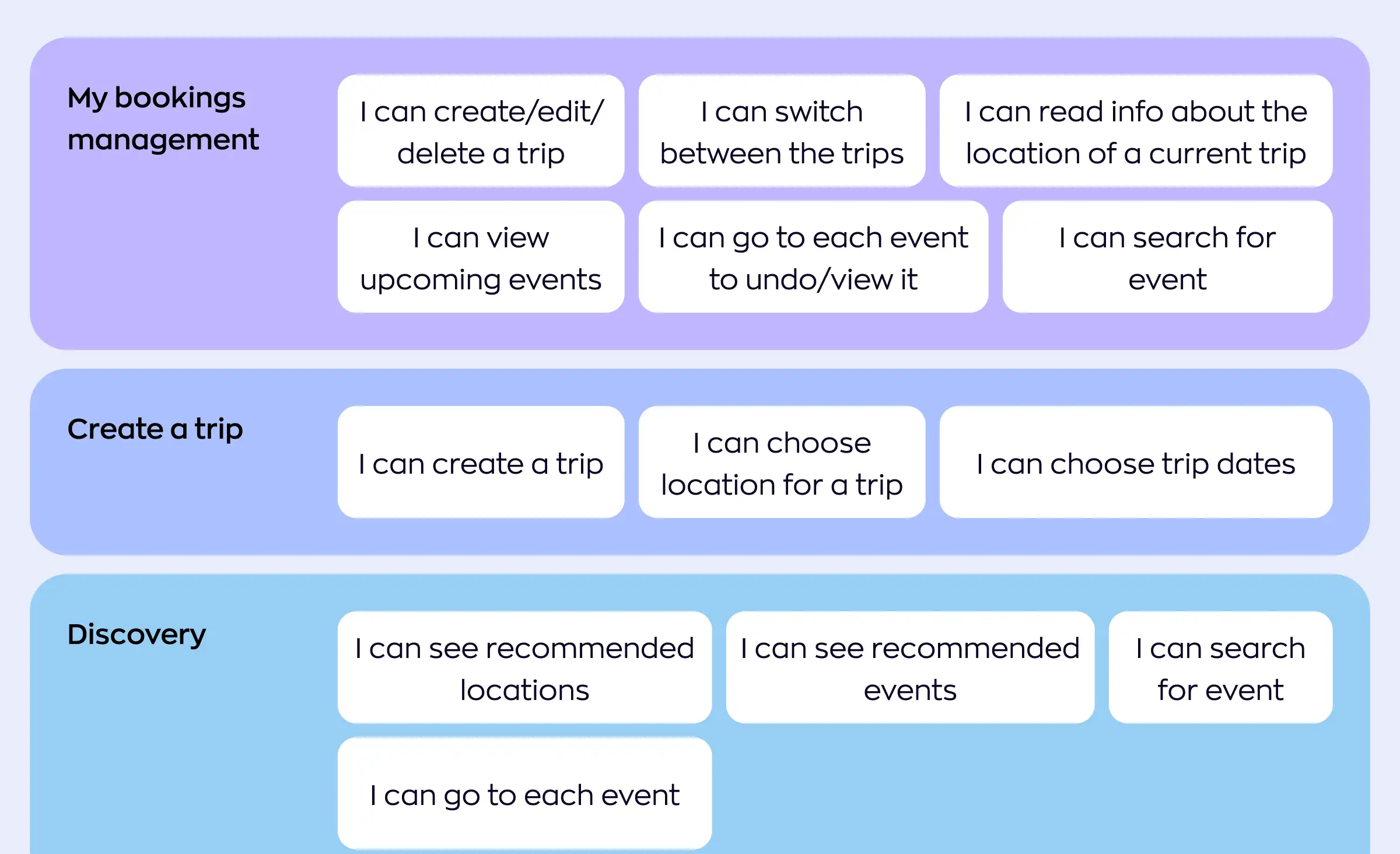
A vendor estimate you cannot read is not a budget. Ask for the breakdown behind the total, at the level shown above, and for the assumptions attached to it. Our guide to estimating web and mobile app development covers how those numbers get built.



Step 3: Write a project brief before you contact vendors
Write the brief first, because the same document lets you compare proposals against each other. Vendors answering an undefined request will each scope a different product, and you will end up comparing three incomparable prices.
A brief that gets useful proposals covers seven things:
- The business goal and one success metric. "Cut order processing time in half" produces better proposals than "build an app".
- Users and roles. Every additional role usually means additional screens, sometimes an additional app, as the ShipMe budget above shows.
- Platforms. iOS, Android, both, or web too, and whether any decision is still open.
- Must-have against nice-to-have features. We use MoSCoW prioritisation for exactly this, sorting every feature into must, should, could, or will not have, both during presales when we help a client fit features into a budget and later on the project itself.
- Integrations and data. Payments, identity checks, maps, existing systems, and where the data lives today.
- Compliance obligations. GDPR for personal data in the EU, HIPAA for US health data, PCI DSS for card payments, ISO/IEC 27001 for information security management, or industry rules that constrain architecture from day one.
- Budget range, deadline, and decision-maker. Withholding the budget does not get you a lower price; it gets you a proposal for a different product.
It is normal to have open questions on half of that list before development is scoped; that is what a paid analysis phase is for. Ours costs $2,000 to $3,000, runs one to two weeks, and turns those open questions into user stories, flow maps, a technical feasibility review, and a scope document with budget and timeline estimates. That artifact is yours, and you can take it to any vendor. Our walkthrough of writing an IT project description covers the same ground if you prefer to draft it yourself.
Step 4: Build a shortlist of vendors
Aim for three to five companies to evaluate seriously. Fewer leaves you without a comparison; more turns selection into a project of its own. Our own roundup of software outsourcing companies shows what a comparable longlist looks like before it gets cut down.
- Search, read the site properly. Queries like "mobile app development company" will fill a longlist in minutes. What separates candidates is whether the site carries detailed case studies with named technologies and outcomes. A gallery of screenshots tells you nothing about how the work was run.
- Referrals and competitor sites. Ask peers who built their app and what went wrong. Companies often credit their development partner publicly, so the products you admire can tell you who built them.
- Review platforms. Clutch, GoodFirms, and similar directories are useful for one thing: reading verified client reviews and checking that a vendor has a track record. Treat their price averages as background noise, not as a quote.
- Developer communities. LinkedIn groups and subreddits about mobile development surface candid opinions that never make it into a directory listing.
- Conferences. Recurring industry events, including Apple's WWDC, the Droidcon series, and general startup conferences, put you in front of teams in person.
Step 5: Evaluate the shortlist against the same criteria
Score every candidate on the same eight criteria, and score them on evidence rather than on how the sales call felt. Ask for the artifact behind each answer: a repository, a report, a case study, a named project.
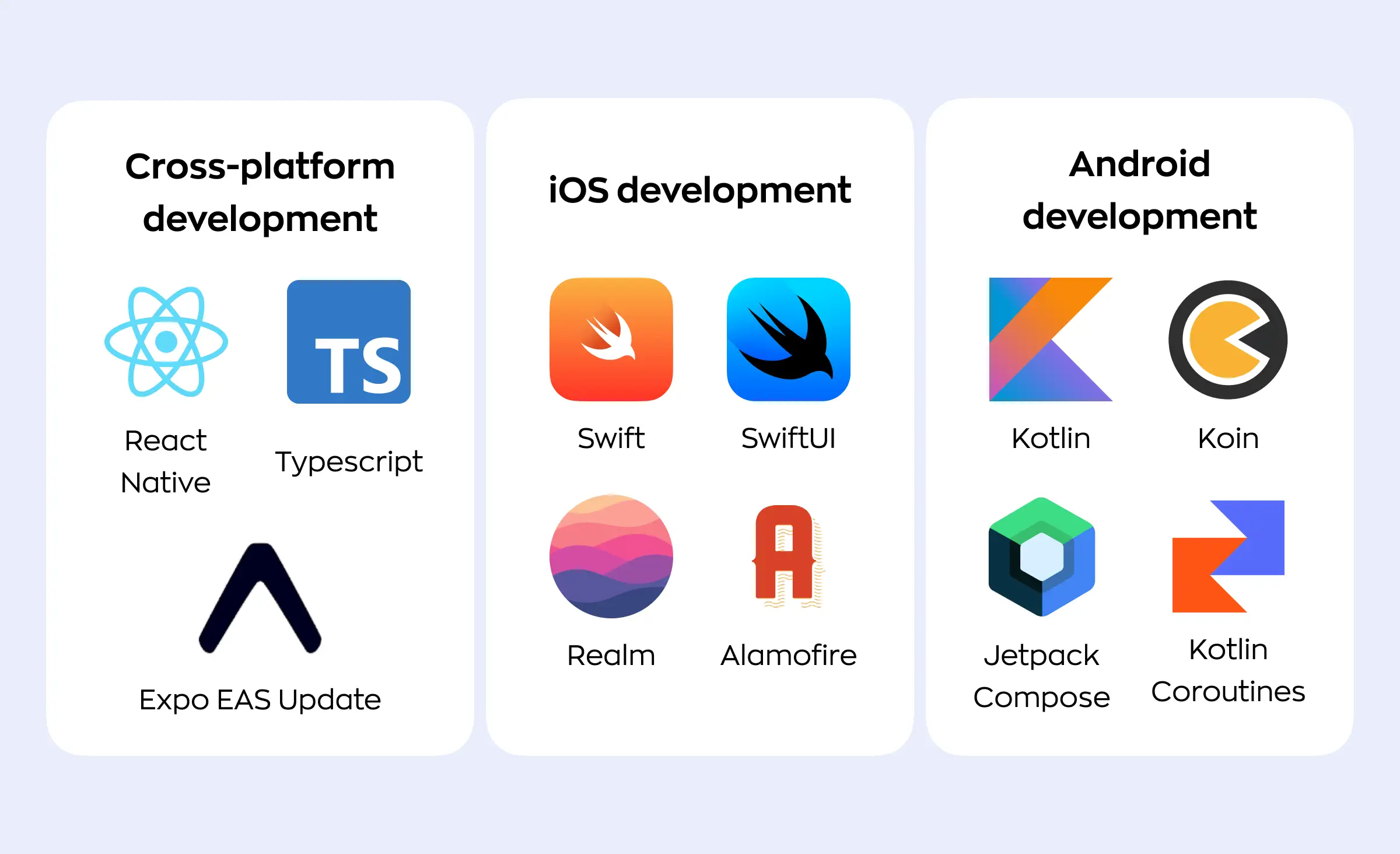
- Platform and stack decision. A vendor should be able to explain why your app should be cross-platform or native and what that costs you later, not just list technologies it knows. Our breakdown of choosing the right technology for a mobile app covers the same trade-off from the buyer's side. Ask which stack the vendor uses by default and which one it falls back to when hardware access is required.
- Design capability. Look for clean, current mobile interfaces that a developer can actually build, and for UI/UX design work delivered in Figma or an equivalent editor. Portfolios on Dribbble or Behance show this faster than a slide deck.
- Security and access control. Move past the NDA and into internal access: who on the vendor's side can reach your project, which cloud and CI providers are involved, and how secrets are stored. On our projects that means Google Cloud, AWS, and GitLab rather than home-made infrastructure.
“The question I would ask a vendor is not whether it will sign an NDA, because everyone signs. Ask who on the team can reach your production database, and how that is enforced. We work on a least-privilege basis, so even our own engineers do not hold access to every part of a project, and we build on providers that are already audited instead of writing our own infrastructure layer. When we inherit someone else's codebase, we combine a manual review with automated analysis before we promise anything about it.”
Evgeny Leonov, CTO at Ronas IT
- Testing. Ask what is covered by automated tests and what is not, and ask to see coverage numbers rather than a promise of quality. On our projects the backend is always covered by automated tests as part of development, coverage is checked during code review, and mobile builds get tested on physical devices. We do not keep a standing manual QA department, and we say so up front rather than implying a test team that does not exist; on regulated payment and identity work we do staff dedicated QA, because that is where a missed edge case is not just a bug.
- Review layers before your users. “We do code review” is one answer from a team with one senior developer and another from a team where work passes several sets of eyes. Ask what the chain actually is. On our projects automated tests gate every commit, then the change goes through code review, a team lead, and a manager checking it against the agreed scope, and you see it on a staging build before it reaches production, where errors are tracked. Each of those steps catches a different class of problem, and the one buyers most often lack is the check against scope: nothing else notices when working, well-reviewed code is not the thing you asked for.
- Delivery process and reporting. Which methodology does the team use, and how often will you see working software? We mostly run Scrumban, a mix of Scrum sprints and a Kanban board, because it handles both a fixed design with a known scope and a project where scope shifts along the way. When a client needs exactly one defined deliverable and nothing more, we switch to a waterfall model instead; our comparison of agile against waterfall delivery sets out when each one earns its place.
- AI in the delivery process. This criterion did not exist in most 2023 vendor checklists. In its 2024 Global Outsourcing Survey, Deloitte found that 83% of executives already use AI as part of their outsourced services, so assume your vendor does too and ask the follow-up questions: which tools, who reviews generated code before it merges, whether test coverage is enforced on it, and whether your contract puts ownership of AI-assisted output in your name. Our own answer is public: the instructions we give AI assistants ship inside our project generators, so the rules arrive with the codebase rather than living in somebody's habits, and generated code goes through the same review chain as everything else.
- Communication. Judge responsiveness during selection, because it rarely improves after signature. Note how long answers take, whether an engineer joins the call or only a salesperson, and whether working hours actually overlap with yours. Overlapping hours count for more than the country the vendor bills from, which is the argument in our piece on why team skills outweigh the nearshore or offshore label.
Step 6: Agree the contract
Put the seven clauses below in the agreement, because each one maps to a dispute that happens often enough to be predictable. None of them needs a custom legal exercise; they need someone to write down what both sides already assume.
- Scope as an annex. Goals, deliverables, and deadlines belong in an attached document that can be updated without renegotiating the contract. We work on a Time and Material model, where you pay for the hours actually worked rather than a single fixed sum, and attach the estimate with the feature breakdown, so the agreed scope and the price are visible in the same file. When a client needs a fixed scope for a fixed price instead, we scope it as a waterfall project and say so in the contract.
- A change procedure. Scope moves on almost every project. Define how a change gets documented, who reviews it, who approves it, and how it lands in the estimate before work starts.
- Ownership. State who owns the code, the design files, the databases, the hosting accounts, and any third-party licences. Ownership is rarely all on one side: an engine you build on stays with its provider while the work built on it should be yours.
- NDA. Sign one, and check first whether the vendor already works with a direct competitor. A signature is cheap; a conflict of interest is not.
- Payment terms. Milestones, invoicing dates, and what happens on late payment from either side. Tie payments to demonstrable deliverables, not to calendar dates alone.
- Data protection. Name the regimes that apply, such as GDPR in the EU or HIPAA in the US, and the standards the vendor works to, such as PCI DSS or ISO/IEC 27001. Get specific about where personal data is stored and who may access it.
- Exit and handover. The clause buyers skip most often. Write down what you receive on the final day: repository ownership, infrastructure credentials, deployment documentation, and a handover period long enough for another team to take over.
Step 7: Stay in control after kickoff
Control comes from cadence and access, not from status reports. If you can see working software regularly and pull the current code and designs whenever you like, the project stays yours even when the team sits in another country.
“Ask for a demo every two or three weeks. Not two or three months, weeks. And insist from the start that you can get whatever you are paying for at any moment: download the code, open the designs, look into the task tracker yourself. When a client tells me the team keeps saying everything is fine but nothing gets shown, that is the point where the project is already in trouble.”
Roman Surikov, CEO at Ronas IT
What to set up in week one, while goodwill is high
- A demo every two to three weeks, showing software that runs, not slides describing it.
- Your own access to the task tracker, the repositories, and the design files, in your own accounts, not through a shared vendor login.
- A named owner of priorities on your side. Someone has to answer "which of these two features first" within a day, or the team picks for you.
- A visible plan for the next two demos, so you agree the sequence of work in advance instead of discovering it.
Warning signs to act on before the next milestone
- A month passes with no working demo, and every update still says the work is going well.
- Features that used to take a few days start taking weeks, with no change in complexity.
- You ask to see the current code or designs and get a manager's summary instead of access.
What we track on our own mobile projects
These signs are easier to catch when somebody is counting. Instead of a dashboard, we watch a short list of numbers:
- Commit frequency, and the size of the average merge request.
- Whether issues are closing faster than they arrive.
- The share of work that turns out to be platform-specific rather than shared.
- Build duration, and how long a reported bug survives before it is fixed.
- The number of errors production monitoring records, and how long each one lives.
- How often the design changes after development has started.
None of these numbers is a target to hit; each is an early indicator. Merge requests growing while demos slip means work is piling up unreviewed, and a rising share of platform-specific tickets on a cross-platform project means the saving you bought is leaking. The same list works as a question for any vendor, ours included: ask which of these they already track, and ask to see the actual numbers monthly. A team that cannot show you these numbers cannot tell you whether the project is on track either.
On our side a dedicated project manager owns this cadence, priced from $400 per week, and priorities get set with MoSCoW, so the next demo always contains the highest-value items still open. There is more on that working routine in how we work.
Three mobile projects clients outsourced to us
The three projects below took different routes through the steps above: one traded scope for budget, one chose native over cross-platform, and one had compliance constraints from the first sprint.
Lainappi, a peer-to-peer renting app
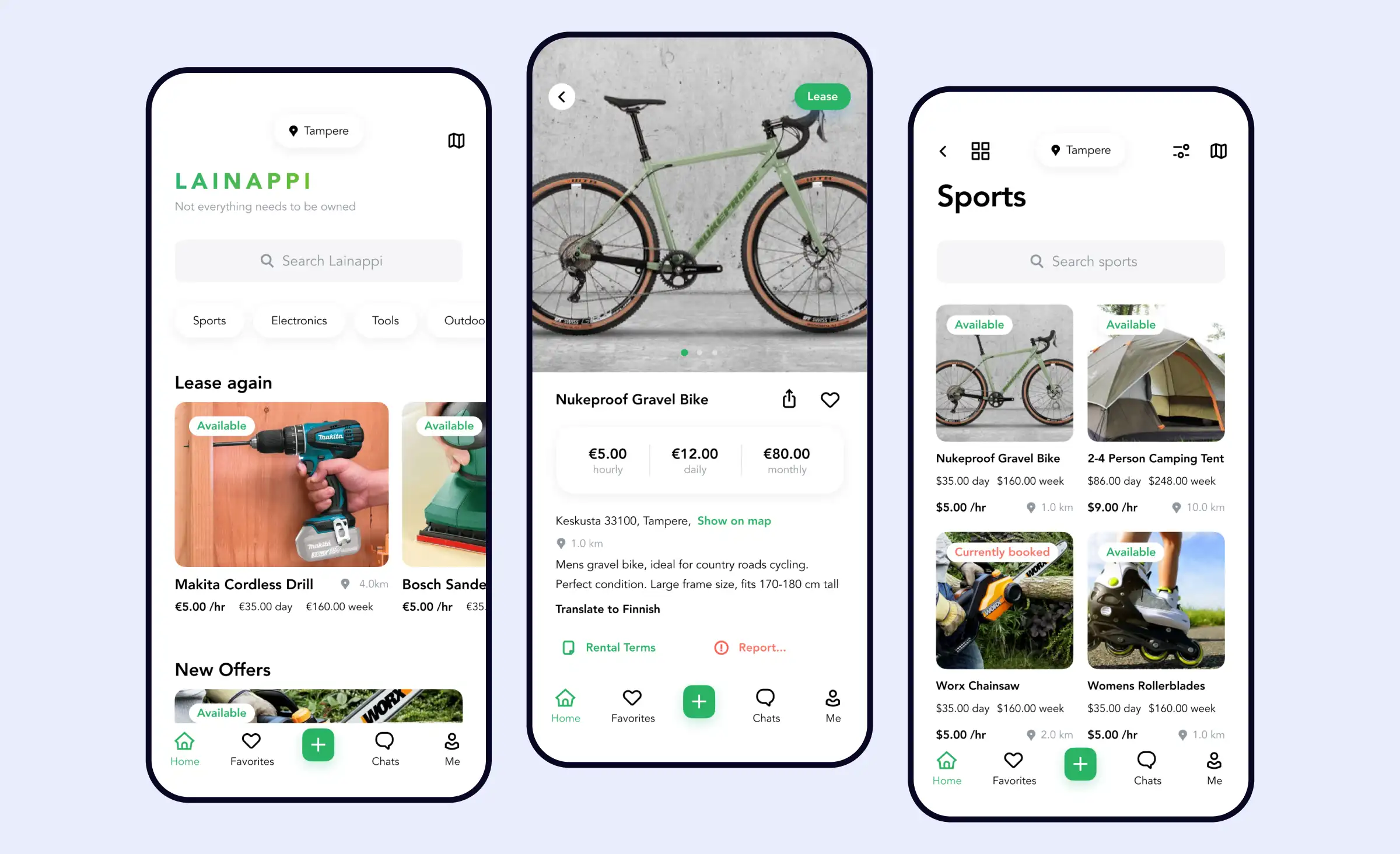
A Finnish team came to us to build a service for renting items between neighbours. They arrived with an interface design of their own, which we reviewed and reworked, and with a firm budget limit. Cutting the budget shaped the product for the better: it forced both sides to think every decision through and stay inside the core features, which is why the app launched quickly and why later features were the ones users asked for.
We built it with React Native so that iOS and Android shipped from one codebase, using react-native-maps and expo-location for the map and location features. The app recorded 5,685 launches and 2,397 registered accounts, with 3,096 first downloads on Android and 3,088 on iOS. Lainappi stayed on as a partner afterwards, and we kept adding features and design improvements. The full story is in the Lainappi renting app case study.
“Ronas IT is a highly professional team of excellent software developers with a large variety of all kinds of skills ranging from UI/UX designing to hardcore front-end and back-end development. Ronas IT always finds a way in delivering what you need.”
Kimi Siefen, Co-founder at Lainappi, in a review on GoodFirms
ShipMe, a shipping service with four user roles
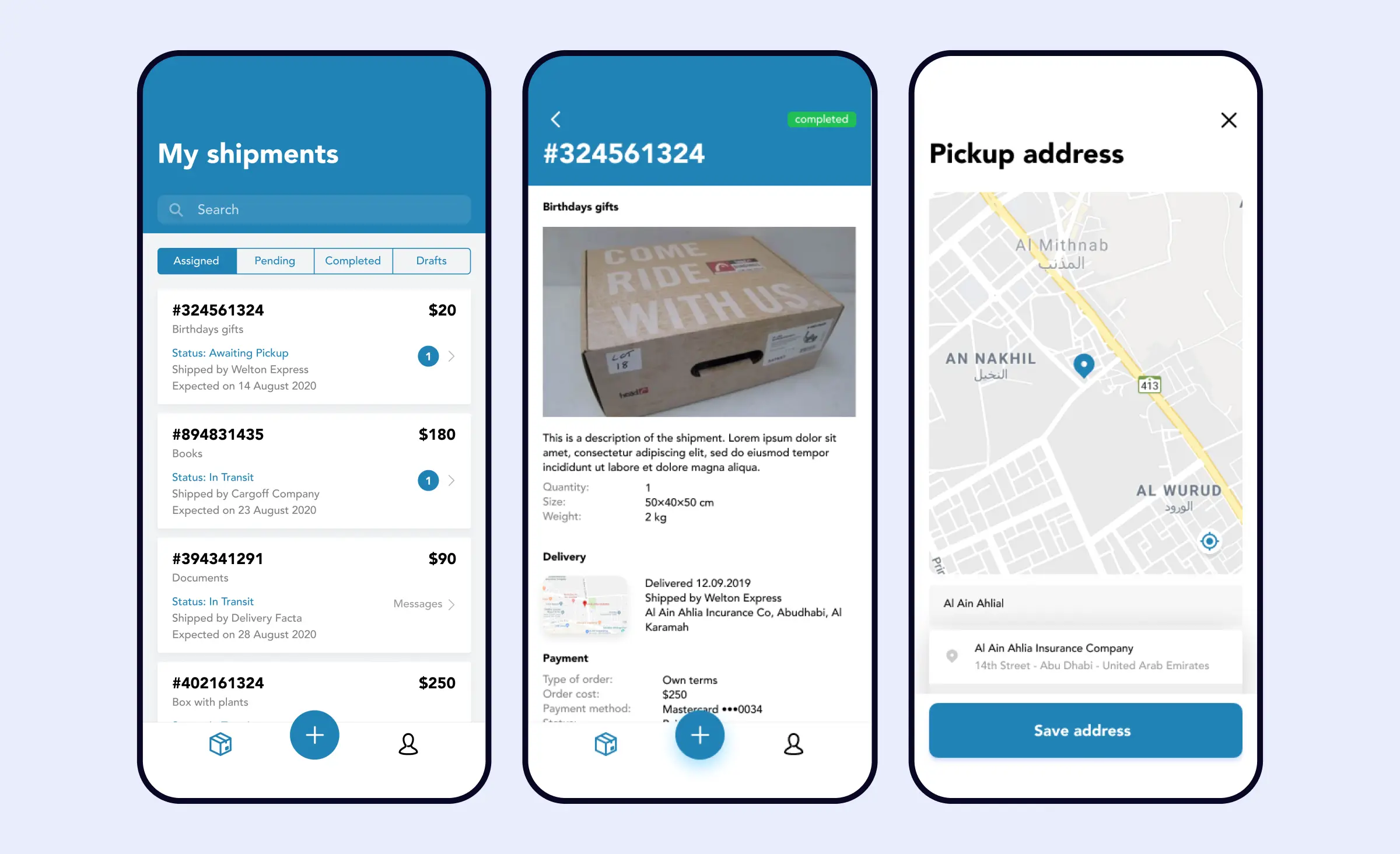
A client building a delivery auction for the Saudi Arabian market asked us for a service connecting customers who need goods shipped with carriers who can ship them. The service had to work for four roles: customers, individual shippers, corporate shippers, and the managers who assign their deliveries. That meant separate mobile apps for customers and shippers plus a web dashboard for administrators, three products under one project. Our client chose native development for the mobile apps, using Swift for iOS and Kotlin for Android, while we built the backend on Laravel and the administrator dashboard in Angular.
The approximate cost of the project was $80,000 to $150,000. The details are in the ShipMe shipping app case study.
A neobank app for building credit in the US
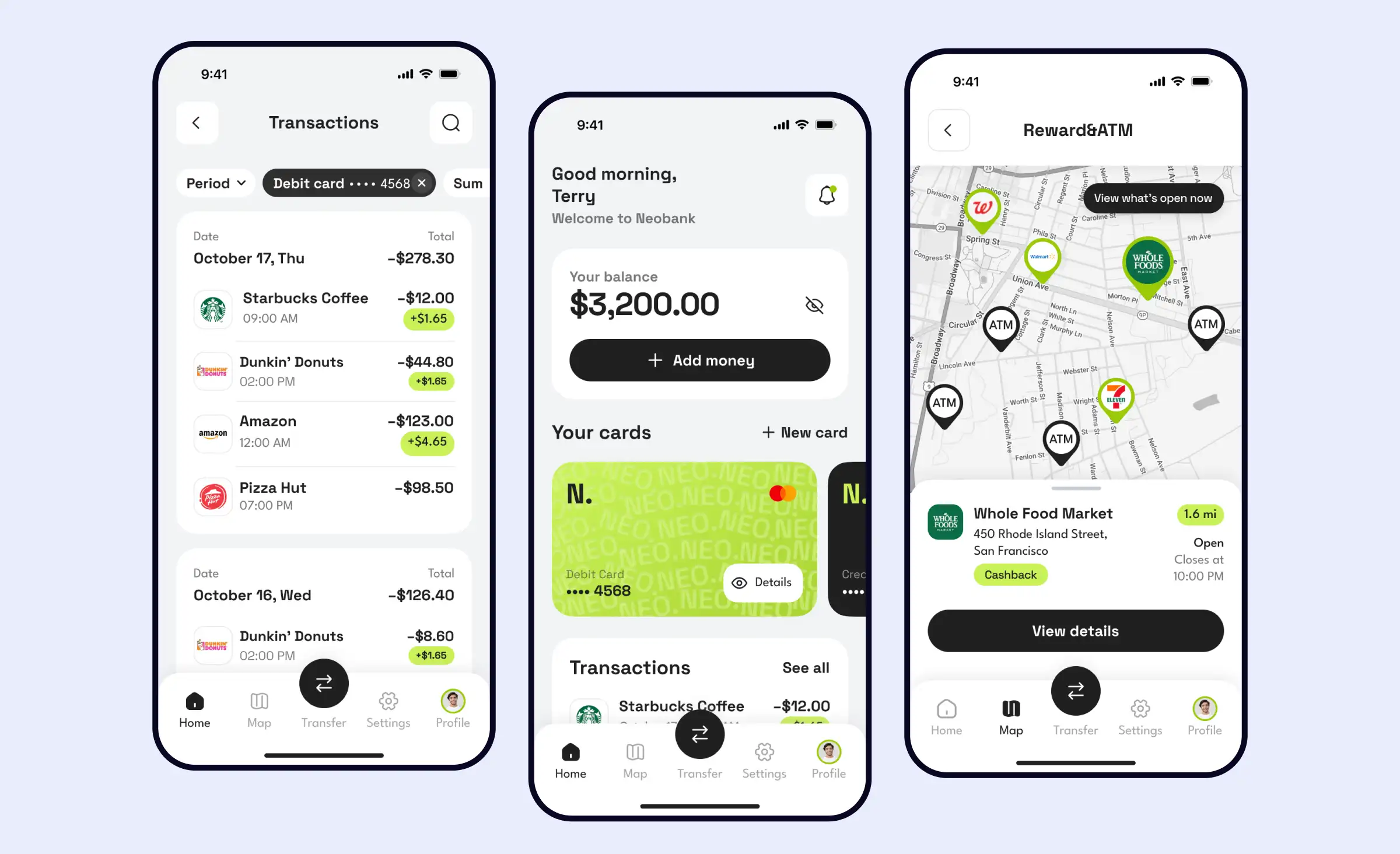
A US entrepreneur outsourced a neobank app to us, aimed at people who cannot get a credit card because their credit score is too low. Regulation shaped the architecture from the start. We built the app with React Native and the backend on Laravel across 7 microservices, integrating 8 third-party SDKs, including Bond (now part of Atelio by FIS) as the banking-as-a-service gateway, Persona and Sardine for identity verification and fraud checks, and Plaid for linking financial accounts.
Our team passed the SOC 2 audit required for the engagement. We also considered PCI DSS and ISO/IEC 27001 requirements when building the product, but the app did not hold separate certifications for those two standards. The team included three mobile developers, four backend developers, three DevOps engineers, two designers, a team lead, and a project manager. After the App Store review, 1,285 accounts were opened by verified users. The app was later removed from both stores. See the neobank app case study for the architecture.
What to do next
If you are starting a selection process this quarter, work through it in this order:
- Decide the engagement model first, based on whether you are buying a release or building a permanent capability.
- Fix a budget range and check it against published starting prices, so your shortlist is realistic before the first call.
- Write the brief, including the success metric, the roles, and the must-have features. Buy an analysis phase if you cannot fill half of it.
- Shortlist three to five vendors from referrals, review platforms, and their own case studies.
- Score all of them on the same eight criteria, including how each one uses AI in delivery and who owns the generated code.
- Get all seven contract clauses in writing, especially ownership and the exit and handover terms.
- Set the cadence in week one: a demo every two to three weeks, your own access to the tracker and the repositories, and one named decision-maker on your side.
Done in that order, outsourcing stops being a bet on a vendor and becomes a process you can audit at every step. The teams that get burned almost always skipped steps three and five.
Frequently Asked Questions (FAQs)
How do you outsource mobile app development?
How much does it cost to outsource app development?
Should you outsource app development or hire an in-house team?
Is it cheaper to outsource cross-platform or native app development?
What should be in an app development outsourcing contract?
How do you keep control of an outsourced development team?
Who owns the code when you outsource app development?
How long does it take to launch an outsourced mobile app?
What are the biggest risks of outsourcing app development?
Related posts







Related Services
React Native App Development Services
Save time and costs with Ronas IT's React Native app development, allowing cross-platform capabilities for iOS and Android. Our team has built 20+ React Native apps since 2020, ensuring rapid development, flexible maintenance, and cost-effective solutions.
MVP Development Services
Need to launch your startup quickly? Ronas IT offers urgent MVP development services, allowing you to get a fully-functional app in 4 to 12 weeks, depending on scope. Ideal for testing business ideas, presenting to investors, or entering the market swiftly. Benefit from our extensive experience and accelerated development process.
Cross-platform App Development
Ship to iOS and Android from one React Native codebase instead of funding two native teams. Ronas IT handles UI/UX design, development, and the releases to Google Play and the App Store, delivering high-performance, secure apps within 2 to 4 months.
Dedicated Development Teams
Ronas IT’s dedicated development teams consist of skilled specialists — including developers, designers, and project managers — who focus exclusively on your product. Get fast onboarding, flexible team scaling, transparent workflows, and ongoing support. Skip hiring hassles and keep your attention on business growth while we deliver quality results on time and within budget.