Right-to-left (RTL) UI design: a guide for web and mobile products


RTL UI design adapts an interface for languages written from right to left, such as Arabic, Hebrew, Persian, and Urdu. The layout is mirrored: reading starts at the top right, and navigation, back arrows, and progress bars follow that direction. Media controls, clocks, and logos keep their direction, and so does the order of digits in a number. Photos stay as they are unless they depend on reading direction. The work touches design, code, and testing, so it is easier to plan before the first screens are drawn than to add to a finished product.
This guide covers what to mirror and what to keep, text and numbers, layout and forms, how RTL is built on the web and in mobile apps, how to test it, and what adds to the cost.
What RTL design changes in an interface
An RTL layout is close to a mirror image of the left-to-right (LTR) one. According to Material Design, elements that sit on the left in an LTR layout align to the right, and the reading flow starts from the top right corner. The W3C lists Adlam, Arabic, Hebrew, N’Ko, Syriac, and Thaana among the right-to-left scripts, used for languages such as Arabic, Hebrew, Persian, Urdu, Pashto, and Yiddish.
Some elements keep their direction because they do not describe reading order: a clock turns clockwise everywhere, and a phone number is read the same way in every language.
What to mirror and what to keep in an RTL layout
Mirror what shows reading order, direction, or the passage of time along a line. Keep what shows a real object, a fixed sign, or content with its own direction. The table sums up the rules from Apple's Human Interface Guidelines and Material Design.
| Element | In an RTL layout | Why |
|---|---|---|
| Page layout, navigation, tabs, and lists | Mirror | Content starts where the reader starts, at the right |
| Back and forward arrows, next and previous buttons | Mirror | Forward points to the left, and back points to the right |
| Progress bars, sliders, and rating controls | Mirror, with the numbers on the scale in reverse order | Progress moves in the direction people read |
| Icons that show text or forward motion, such as a speaker with sound waves | Mirror | The waves come from the right in RTL |
| Swipe gestures and carousels | Mirror | A swipe from the right in LTR becomes a swipe from the left |
| Digits inside a number, phone numbers, and card numbers | Keep | A number reads the same way in every language |
| Untranslated text: URLs, email addresses, and brand names | Keep left to right | Text follows the direction of its own language |
| Media playback buttons and the media progress bar | Keep | They show the direction of a tape, not of time |
| Clocks, circular refresh icons, and circular progress | Keep | Clocks turn clockwise in every language |
| Logos, checkmarks, and other universal marks | Keep | People expect them to look the same everywhere |
| Icons of real objects and right-handed tools, such as a keyboard or a search magnifier | Keep | Most people in RTL countries are also right-handed |
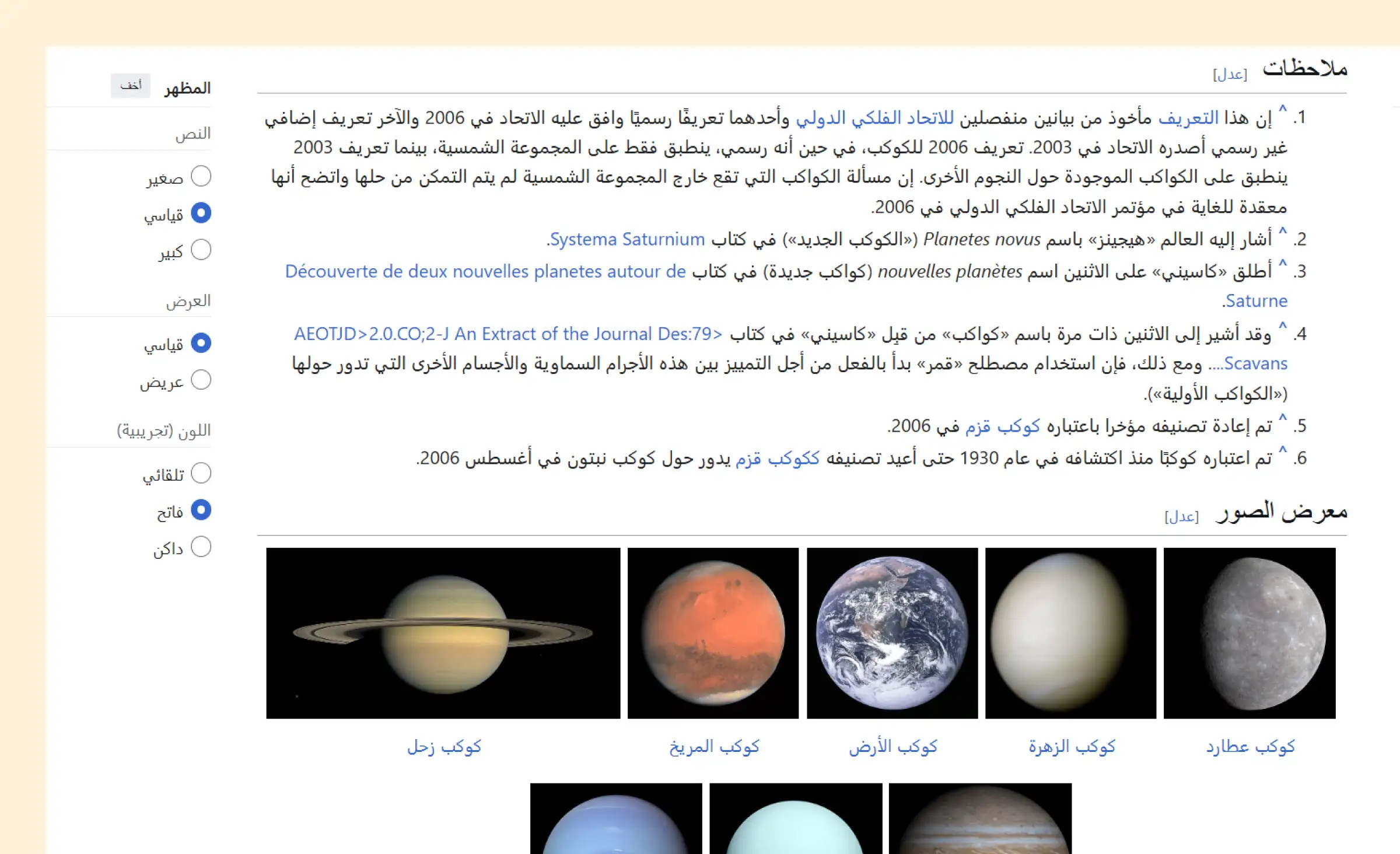
| Photos and illustrations | Keep; draw a new version if the picture depends on reading direction | A flipped image can change its meaning |
Languages differ inside the RTL group. Material Design says that in Hebrew, timelines, media controls, and linear progress indicators keep a left-to-right direction, and that graphs and charts stay left to right for Persian and Urdu. Decide these cases for each language you support and apply one rule across the product.
“Write the exceptions down as part of the design, next to the screens they apply to. When a developer meets an icon or a chart that nobody marked, the decision gets made in code, and screens end up with different rules.”
Alexander Kontsevoy, Art Director at Ronas IT
Text, fonts, and numbers in RTL
Right-align text in an RTL interface, but align each paragraph by its own language. Apple's guidelines point out that in a right-aligned paragraph of LTR text, the beginning of each line is hard to see. Short labels follow the direction of the interface; paragraphs of three or more lines follow their language.
- Fonts: pick a typeface family with a designed Arabic or Hebrew version, so both scripts look like one product. Arabic and Hebrew have no uppercase letters, so next to uppercase Latin text they can look too small. For that case, Apple suggests making the RTL text about 2 points larger.
- Mixed text: real Arabic content often contains English brand names, product codes, URLs, and email addresses. These parts stay left to right inside the RTL sentence, and the domain of an email address always stays to the right of the user name.
- Digits: Hebrew uses Western Arabic digits (0-9). Arabic text can use Western or Eastern Arabic digits (٠-٩), and the choice varies by country and even within one country. Check it with each market, and let the locale format dates, prices, and phone numbers.
- Other number systems: Material Design notes that Bengali, Marathi, Nepali, and some Arabic-speaking locales use their own forms of numbers, so icons with numbers inside need localized versions too.
Layout, navigation, and forms
In an RTL layout, the main navigation, menus, and side panels move to the right edge of the screen, and each row of content starts at the right. Material Design places the navigation rail on the leading edge: the left side in LTR and the right side in RTL. Some parts are easy to miss:
- Breadcrumbs and steps: the first step or the home link sits on the right, and the trail moves to the left.
- Carousels and horizontal lists: the first item is on the right, and new items come in from the left.
- Text fields: the leading and trailing icons swap sides, so the clear icon or the dropdown arrow ends up on the left.
- Badges: a badge on an icon moves from the top right to the top left.
- Forms: keep fields for email addresses, URLs, and card numbers left to right even on an Arabic form, and let names and addresses follow the language the user types in.
A list-detail layout on a large screen is mirrored too: the list pane moves to the right, and the detail pane opens to its left. Design both directions of each key screen side by side, so developers see the RTL version before they build it.
How RTL is built on the web and in mobile apps
The code should know the direction of the interface in one place and describe the layout in terms of start and end, not left and right. Then a mirrored layout comes from the platform instead of a second set of styles.
On the web
- Direction on the html element: the W3C advises adding dir="rtl" to the html tag when the whole document is right to left, as in <html dir="rtl" lang="ar">, and never setting the base direction in CSS.
- Logical properties: CSS logical properties such as margin-inline-start and padding-inline-end follow the direction of the text, so one stylesheet serves both layouts.
- User-generated text: when the direction of inserted text is not known in advance, such as a user name or a chat message, the W3C recommends dir="auto" on the element around it, or a bdi element when there is no markup.
In Next.js, the root layout renders the html element, so it can set dir and lang from the locale of the page.
In mobile apps
- iOS and Android: Apple says system-provided UI components flip automatically in the RTL context. On Android, the app declares android:supportsRtl="true" and replaces left and right with start and end in its layouts.
- React Native: I18nManager tells the app whether the layout is RTL, and style properties such as marginStart and borderEndWidth follow that direction. Changes to the RTL settings take effect only on the next app start, so an in-app switch between Arabic and English through I18nManager needs a restart of the app.
- Expo: according to the Expo localization guide, RTL support is enabled by default in development and release builds. For SDK 58 and later, the guide adds that on iOS the device language must also be one of the locales the app declares with the supportedLocales option.
With React Native app development, iOS and Android share one codebase, so the start-and-end rule and the list of mirrored icons are written once for both platforms.
“The start-and-end rule only works if code review enforces it. One hard-coded left in a pull request is easy to miss, and it comes back later as the one screen that does not mirror.”
Alexander Storozhevsky, Lead developer at Ronas IT
RTL on our client projects
We have designed and built RTL interfaces for mobile apps and web platforms. The list below shows one app we built and shipped with Arabic and two products we designed for switching between English and RTL languages:
- A dating app with Arabic: we built Buke, a React Native dating app for people in Arab countries and Europe, and shipped it in English and Arabic. Arabic support needed right-to-left behavior across onboarding, chat, navigation, and carousels, beyond translating the strings.
- A marketplace for the UAE: for a plant marketplace built under an NDA, we designed the app so that users could switch between English, which reads left to right, and Arabic, which reads right to left.
- A trading platform with three RTL languages: a Forex analytics website for the UK market had to work for English, Arabic, Hebrew, and Persian-speaking users. We took the text direction into account in the design, so the text had the correct orientation when users switched to these languages.
How to test an RTL interface
Test every screen in both directions with real translated content, then have a native speaker use the product. Mirrored English text with placeholder strings hides the problems that matter: long Arabic labels that break a button, mixed English and Arabic in one line, and numbers in the wrong format.
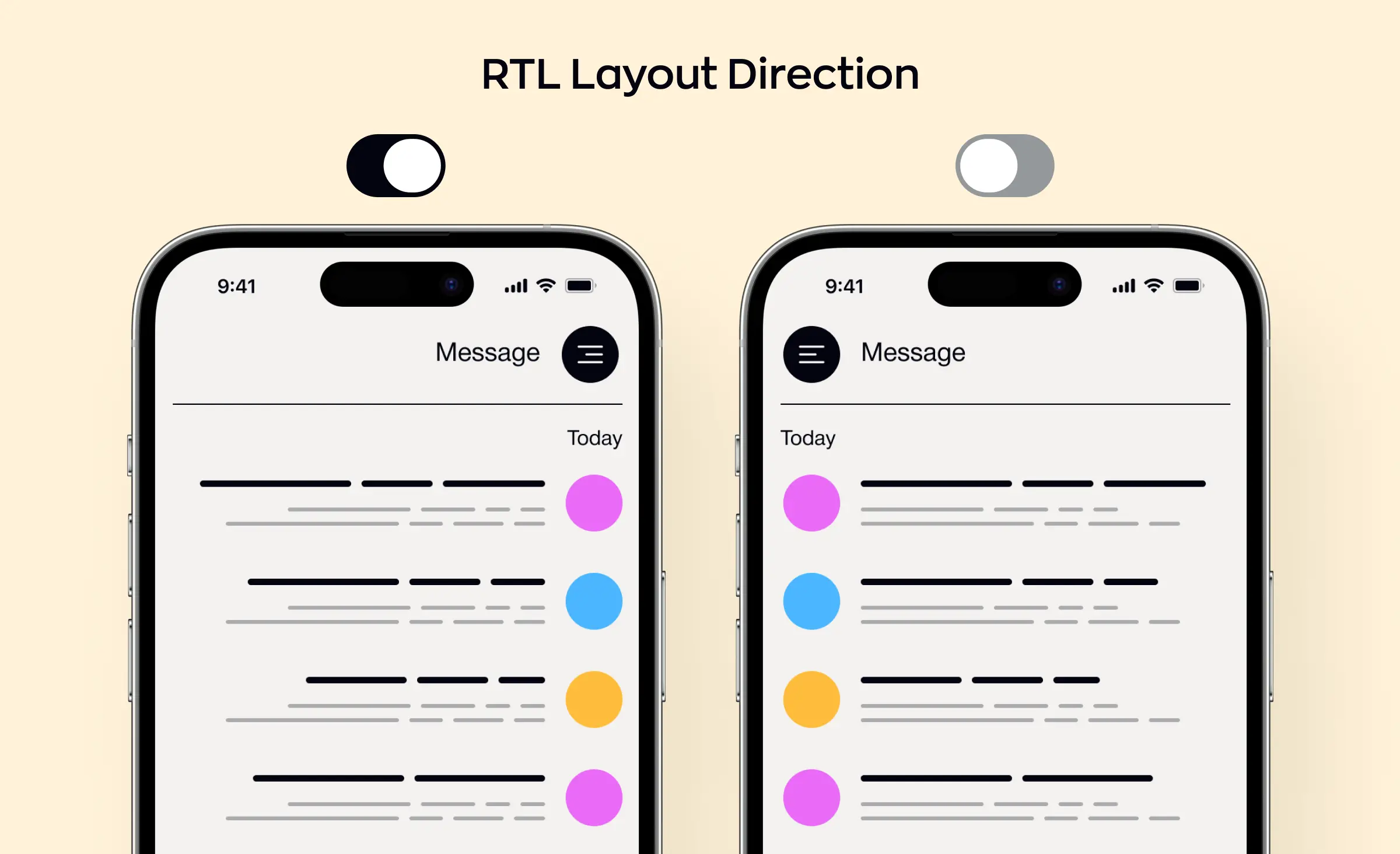
- Force RTL during development: Android developer options include Force RTL layout direction, which shows even English text in RTL mode. In React Native, I18nManager.forceRTL does the same, and its documentation says it is only meant for development and testing.
- Review the exceptions: go through the list of elements your team decided to keep, such as media controls, charts, and logos, and confirm that none of them flipped with the layout.
- Test input: type Arabic, English, and numbers into the same fields and watch the cursor, punctuation, email addresses, and phone numbers.
- Check gestures: swipes, carousels, and back gestures should move in the mirrored direction.
Localization is part of our QA checklist, next to keyboard navigation, back-button behavior, and window resizing. Still, plan a review by a native speaker before release: a checklist does not catch a phrase that reads wrong.
What adds to the cost of RTL design and development
RTL is part of the design and development scope of a product. When Arabic is planned from the start, its screens are designed together with the rest of the interface: design of a new product on its own starts from $2,000, for web or mobile alike, and grows with the number of screens. If we also build the product, the design is part of the development price: a first version on one platform, a web app or a cross-platform app for iOS and Android, starts from $5,000, and each extra platform costs from half of the first, so a web app with a mobile app starts from $7,500. The right-to-left version adds design and testing work to every screen, so it raises the final price, as the number of screens and languages does.
The Figma file is open to the AI agent each of our designers works with: the agent reads it and can make edits. On an RTL project the agent works on the design with them: it builds the mirrored versions of components, sets up the Arabic or Hebrew type styles, extends the UI kit to both directions, and helps think through how each flow reads from right to left. The designers lead that work and make the decisions: what mirrors, what stays, and how mixed text reads.
For an existing product, RTL is design and development work on top of what is already built, so we estimate it for your code, by the screens and states it touches and the custom components that need their own RTL version. As a reference point, reworking the key screens of a live product is a product redesign, from $2,500, and the development of the mirrored screens is added to that by the same scope.
| What you need | Starting price | Timeline |
|---|---|---|
| Optional analysis phase before the work starts: the screens and languages in scope, with a budget and timeline estimate | $1,000-$2,000 | 1 week |
| Design of a new web or mobile product in both directions, without development | From $2,000 | At least 1 week |
| RTL design and development for the screens of an existing product | By scope; the design reference point is a product redesign, from $2,500 | Depends on the number of screens |
| New product on one platform, a web app or a cross-platform app for iOS and Android, design included | From $5,000 | At least 2 weeks |
| New web app plus a cross-platform mobile app, design included | From $7,500 | Set in the estimate |
Each price in the table already includes project management, and the build prices also include the backend and admin panel the product needs. A rough estimate is free, so the analysis phase is optional.
Where RTL adds the most work
- Custom components: standard platform components flip on their own in most cases, while a custom calendar, chart, or player needs its own RTL version.
- Mixed content: in chats, user names, and product codes that mix Arabic and English, the code has to set the reading direction of each part, and testing needs more cases.
- AI-generated answers: an AI assistant's answer in Arabic often mixes in English product names, code, and numbers, and it appears piece by piece while the model writes it. With dir="auto", the browser takes the direction from the first strong character, so an Arabic answer that opens with an English word is laid out left to right. Set the base direction from the language the user chose, and test answers that start in the other script.
- Code written with left and right: an existing app or website has to be converted to start and end before it can mirror, and every screen needs a new check.
- Number of RTL languages: Arabic, Hebrew, and Persian differ in digits, fonts, and some exceptions, so each language adds its own review.
For an existing product or more than one RTL language, we recommend the analysis phase: it checks what is technically feasible and reviews the architecture, and its budget and timeline estimate accounts for these points.
What to do next
- List the RTL languages and markets you need, and check whether each market expects Western or Eastern Arabic digits.
- Go through your interface and mark what mirrors and what stays: arrows, progress, and carousels on one side; media controls, clocks, and logos on the other.
- Pick a typeface family with Arabic or Hebrew versions and check the sizes next to Latin text.
- Set the direction in one place in the code and use start and end instead of left and right.
- Test each screen in RTL with real translated content, and plan a review by a native speaker.