Enterprise application integration services: patterns, platforms, and cost


Enterprise application integration (EAI) services connect the systems a company already runs, such as an ERP, a CRM, a warehouse system, and accounting, so that a record entered once reaches every system that needs it. At Ronas IT, linking one pair of systems that has no ready-made connector costs from $2,500, and every system you add raises the estimate; the analysis phase is optional.
This guide is for the person who has to decide how to connect those systems and whether to hire someone for it. It explains when an integration platform is enough, which pattern fits which situation, how a project runs, and what it costs. If you are still choosing or building the ERP itself, our guide to custom ERP software development covers that decision.
What is enterprise application integration?
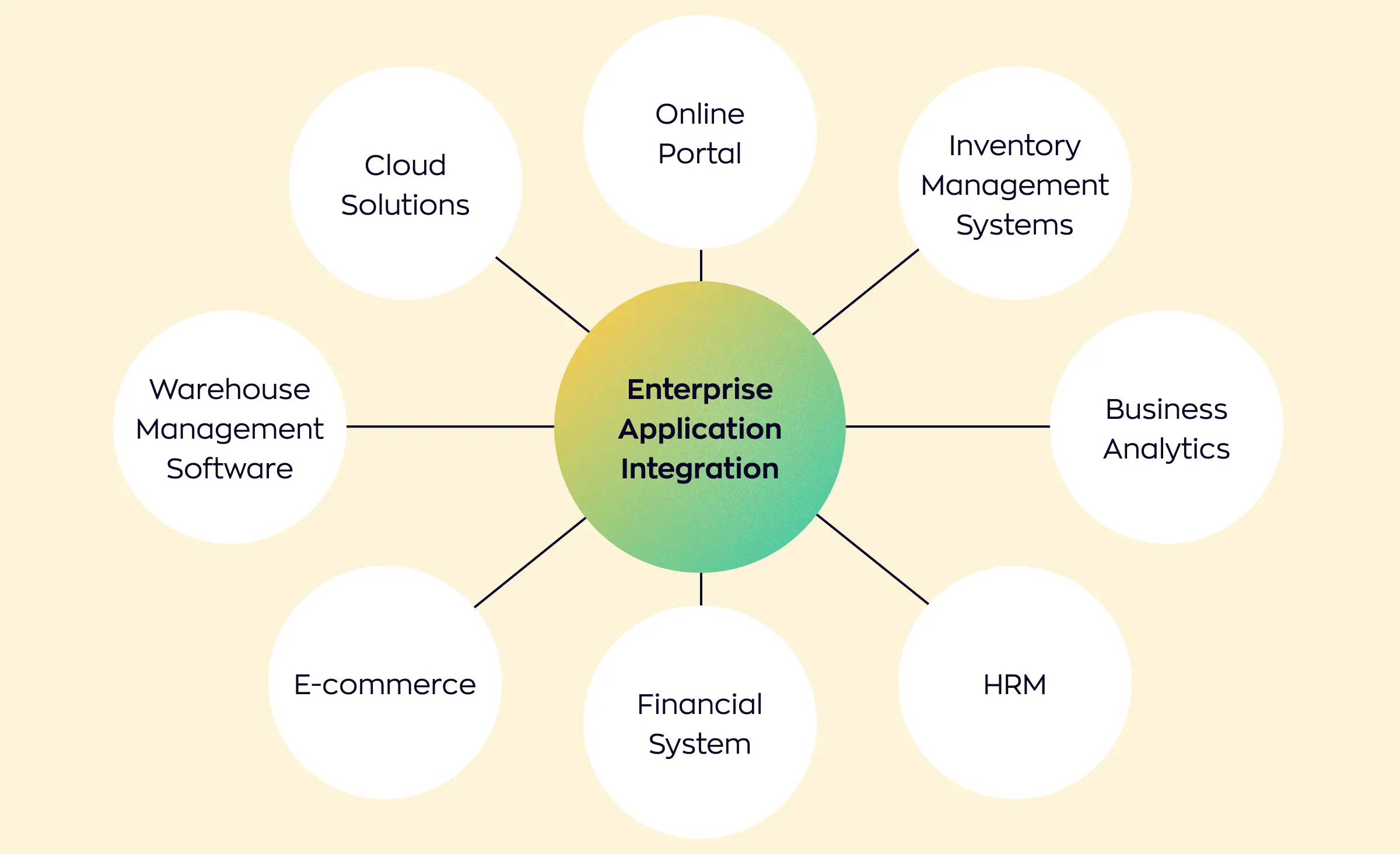
Enterprise application integration is the practice of connecting a company's own applications so they share data and start each other's processes. The applications stay as they are. The integration layer between them moves the data, translates it into the format each system expects, and checks that it arrived.
In its 2026 Connectivity Benchmark Report, MuleSoft, a company that sells an integration platform, puts the average organization at 957 applications, with only 27% of them connected.
Benefits of enterprise application integration
Copy errors drop because each record is entered once instead of being retyped. An update in one system can start work in another: a paid invoice, for example, can release an order for picking. When every report reads the same version of each record, the figures of different departments match.
Types of enterprise application integration software
The tools you will compare fall into three groups. Integration platforms as a service (iPaaS), such as MuleSoft, Boomi, Workato, or Azure Integration Services, are hosted products with ready-made connectors. Message brokers and queues, such as Google Pub/Sub, Amazon SQS, Azure Service Bus, RabbitMQ, or Kafka, carry events between systems. Workflow automation tools, such as Zapier, Make, or n8n, handle simpler flows between SaaS products. Some large companies also run an enterprise service bus, which the patterns section below describes. An API is not a separate group: it is one of the ways these tools reach a system.
What enterprise application integration services include
An EAI engagement covers six kinds of work. Your project may not need all six, but a proposal that skips one should say why. The first two decide the budget of the rest, so they come before any connector is built.
- Systems and data inventory: every application, the records it holds, the one system that owns each record, and the messages that have to move between them.
- Architecture and platform choice: the pattern that carries the messages, and whether a platform, custom code, or a mix of the two runs it.
- Connectors and APIs: the code or platform configuration that reads from one system and writes to another, plus an API layer where several systems need the same data.
- Data mapping and migration: translating fields, status codes, and units between systems, and moving existing records once when a system is replaced.
- Testing: scenarios for retries, duplicate messages, and a system that answers late, as well as the normal path.
- Monitoring and support: watching the flows after launch, so a stopped flow is noticed, and a support agreement that sets the terms.
Logistics companies add carriers, third-party logistics providers (3PLs), and electronic data interchange (EDI) to this list.
“Two systems can both have a field called status and mean different things by it. In one, shipped means the parcel left the dock. In the other, it means the invoice went out. A connector can copy that value exactly and still be wrong, and nothing breaks when it does: the mistake turns up later, far from the connector. The people who use each system know what its fields mean, so the mapping starts with them.”
Alexander Storozhevsky, Lead developer at Ronas IT
Integration platform or custom integration?
Use a platform when ready-made connectors exist for your systems and your process works the way those connectors expect. Build custom integration when the logic is specific to your business, the volume is high, or a system has no connector. You can also mix the two: a platform or a workflow tool for standard flows between SaaS products, and custom code for the process that makes the business different.
| Option | Fits when | Watch out for |
|---|---|---|
| Integration platform (iPaaS) | Many SaaS systems with existing connectors, and an IT team that will own the platform | A recurring subscription; flows stored in the vendor's format; custom fields and rules that the connector does not handle |
| Workflow automation tool | A few simple flows between SaaS tools at low volume | Flows built by different people without shared rules; a poor fit for large data sync |
| Custom integration code | Business-specific logic, high volume, systems without connectors, or strict control over where data goes | You own the maintenance, so tests and monitoring belong in the first release |
| A mix of both | Standard SaaS flows plus one core process that needs its own logic | A written rule for which flow lives where, or the two halves drift apart |
The number of systems matters less than how much of your process is standard. Syncing new contacts from a web form into a CRM is a standard flow, and a connector handles it well. Allocating stock between a warehouse and three sales channels by your own rules is specific to your business. Forcing it into a connector means writing the rules inside a vendor's tool, where they are harder to test and to move.
“Judge a platform and custom code on what they cost to keep, not on what they cost to launch. You pay for a flow for as long as the business uses it. On a platform, that is the subscription and the team that runs it. With custom code, it is hosting, support, and the developer time each change in a connected system takes. Do that sum for each flow separately, and the choice is usually clear.”
Roman Surikov, CEO at Ronas IT


Enterprise application integration patterns
EAI work uses five main patterns: point-to-point, hub-and-spoke, enterprise service bus, API-led, and event-driven. The choice depends on how many systems you connect and how many of them react to the same change. Companies often combine several of them, so treat the table as a way to name what you have and what you need.
| Pattern | How it works | Fits | Main risk |
|---|---|---|---|
| Point-to-point | Each pair of systems has its own connection | Two or three systems | Connections multiply: six systems that all talk to each other need 15 of them |
| Hub-and-spoke | A central hub receives messages, translates them, and routes them to the right systems | Many systems around a shared data model | If the hub stops, every flow through it stops, unless a standby takes over |
| Enterprise service bus (ESB) | A shared bus handles routing, data transformation, and protocol conversion, often as part of a service-oriented architecture | Large companies with many older systems and protocols | Changes can queue up behind the team that owns the bus |
| API-led | Each system exposes an API, and a process layer combines those APIs for each use case | Data that products, partners, and internal tools reuse | Versioning and access control for every API |
| Event-driven | Systems publish events to a message broker, and other systems subscribe to the ones they need | Changes that several systems must react to quickly | Duplicate events, events in the wrong order, and events nobody consumes |
For events, the managed queues we choose by default are Google Pub/Sub and Amazon SQS. Amazon SQS typically hands each message to a single consumer, so when several systems on AWS must react to the same event, Amazon SNS in front of it sends a copy to a queue for each system. We support Kafka and Debezium, a change data capture tool that turns database changes into events, when a client already runs them. Our public tech radar places both one level below Pub/Sub and SQS.
Integration work from our projects
One case links systems a client already ran. A European beauty retailer had smart lockers in its stores and its own e-commerce platform with a mobile app, and we built the admin platform between them. A Python FastAPI service handles the communication between the lockers and the platform, and an API connects the platform with the retailer's systems to automate access codes and pick-up alerts. We handed over the API documentation, so the client's team can connect further systems.
In a neobank app we built for a US client, the service boundaries followed a business rule about who may see what: support agents had no access to users' financial information, and the services exchanged data through Google Pub/Sub. That is the EAI lesson: decide the boundaries from ownership and access rules before you choose the tools.
How an EAI project runs
The systems and their records have to be mapped before we quote the build, because the number of connectors and the rules inside them only become clear once someone has written down which system owns what. Our analysis phase does that mapping; if your team has already done it, we quote from your map.
- Analysis phase, when the systems are not mapped yet. We list the systems, the owner of each record, and the messages between them, check what is technically possible, and review the architecture. The result is a scope document with a budget and a timeline.
- Estimate with its conditions. The estimate comes with a page that states what it assumes: the proposed stack, the team shape, and the third-party services involved, so you can see what the number depends on.
- Build in sprints. A sprint usually takes one to three weeks and closes with a working result, such as a flow running on the development server. Our engineers agree the field meanings with the people who use each system, write the mapping rules, and make the architecture decisions. They write the connectors and their tests from those rules with AI agents and review every pull request; an engineer accepts every change and answers for each link moving the right data. During the build, a project manager answers your messages within 24 hours on business days.
- Tests that do not depend on vendors. The tests run against simulated vendor responses, so a vendor outage does not block your release. Before release, you check the work on a staging build.
- Launch and support. The environment runs in your own cloud account, split into production and development, with automated releases and monitoring on Grafana and Prometheus. The setup is part of the build; hosting and monitoring after launch are a monthly DevOps service. Any message you send gets an answer within one business day, even if that answer only says when the team will get to it; how fast a fix starts is set in your support agreement.
How much enterprise application integration costs
One link between two systems you already run, such as an ERP and a CRM, with no ready-made connector between them starts from $2,500. Each further system, or an API layer that several systems use, adds to that and is priced in the estimate. Project management, testing, and the release setup are part of the price; hosting and support after launch are monthly services.
A larger integration costs more because of the decisions our engineers make: whether every system ends up with correct data, how conflicts between records are resolved, and what the vendors' APIs allow.
The table gives the starting price and timeline of each part of the work.
| Work | Starting price | Timeline |
|---|---|---|
| Analysis phase, optional, when the systems are not mapped yet | $1,000 to $2,000 | At least 1 week |
| One link between two systems with no ready-made connector; each further system or an API layer used by several systems adds to the estimate | From $2,500 | At least 2 weeks |
| Hosting, environments, releases, and monitoring after launch | From $200 per month | Ongoing |
| Keeping the integration layer running: monitoring, fixes, and updates | From $1,000 per month | Ongoing |
We quote the combination of these parts once the systems and records are mapped, together with the conditions it holds under. The terms and response times of support are agreed in the support agreement. Three costs are not in these figures, and you pay them to their providers: the subscription of any integration platform you choose, any fee your ERP or another vendor charges for API access, and the cloud resources in your own account.
How to choose an enterprise application integration partner
Judge a partner by what they ask before they commit to a total. A partner who fixes the total before listing your systems and the owner of each record is guessing, and the guess can come back later as change requests. These questions show the difference.
- What is the first deliverable? It should be a map of systems, record owners, and messages, not a list of connectors.
- What does the estimate assume? The stack, the team, and the third-party services should be written down next to the number.
- Whose cloud account will the environment run in? Ask for the answer in writing.
- How do the tests handle a vendor outage? If the test suite calls live vendor systems, a vendor problem can block your release.
- What runs after launch? Ask who monitors the flows and where the response times are written down.
- How does the team use AI agents? Find out who signs off on agent-written connectors, which AI services can read your API keys and records, under whose accounts those services run, and whether the time agents save is visible in the quote. Our engineers accept every piece of agent work. For a wider list of AI questions for any partner, see our guide to choosing a software development company.
When you do not need an EAI project
An EAI project makes sense when stable systems exchange records often and have no working link between them. When one of those conditions is missing, a simpler step is enough, and in these three situations we would point you away from custom work.
- The connector already exists: when two or three SaaS tools already integrate natively, the work is to switch that integration on and configure it.
- There is no system of record yet: if the data sits in shared spreadsheets, first choose the system that will hold it, because until then there is nothing stable to integrate with.
- The volume is tiny: a file exported by hand once a week can cost less than a flow that someone has to maintain.
What to do next
- List your systems and, for each important record such as customer, order, stock, and invoice, the one system that owns it.
- Check which pairs of systems already have ready-made connectors, and switch on the ones that fit.
- For the rest, choose a pattern from the count of connected systems and the number that must respond to a single change.
- Ask for the estimate of the build together with its conditions, and budget the analysis phase if your list from the first step still has gaps.
Integration is less about the tools than about agreement: one owner for each record and one meaning for each field. Once those are written down, the choice of platform and pattern becomes a smaller decision.
First published 2025-02-28 by Roman Surikov, CEO at Ronas IT. Rewritten by Evgeny Leonov.