How to reduce operational costs with IT solutions


To reduce operational costs with IT solutions, find the one process where money leaks in a way you can measure, then build the smallest piece of software that closes it. In practice that means auditing software licenses first, connecting the tools you already pay for second, and replacing a system last. In the projects we get called into, that order is usually reversed, and the biggest budget goes to the smallest saving.
Below are seven levers, what each one costs to start, two Ronas IT projects where they worked, and the situations where software will not help you at all.
What are operating costs?
Operating costs, or operating expenses, are what a company spends to keep running, separate from what it spends to produce what it sells. Rent, salaries, software subscriptions, accounting and legal fees, utilities and repairs are operating costs. Materials, production labor and factory rent are cost of goods sold. Interest on loans is neither, since it counts as a non-operating expense.
The reason to track them apart is that operating costs are the ones you can act on this quarter without touching what you sell. They are also the number a bank or an investor reads when comparing you against similar companies, so a business that cannot break its own operating costs down by process usually finds that out at the worst possible moment.
The split matters here because software work almost always moves the operating cost line, not the cost of goods sold. A routing feature cuts how much fuel your drivers buy without changing what fuel costs.
Seven ways IT solutions reduce operational costs
The first six levers below are ordered by what it costs to start, cheapest first. The seventh is a recurring monthly cost rather than a one-time build, so it sits at the end on its own terms and does not compare directly with the rows above it. That order is deliberate: the levers at the top are the ones we most often find untouched when a client calls us, and the one at the bottom is what an agency has the strongest reason to sell you.
| Lever | What it removes | Typical starting cost, one-time unless marked monthly |
|---|---|---|
| Software license audit | Seats nobody logs into | Your own time |
| Integration between existing tools | Manual re-entry between systems | From $3,000, about 1 week |
| Reporting dashboard | Over-staffing and blind scheduling | From $10,000, about 3 weeks |
| Cloud migration and right-sizing | Servers you pay for around the clock and use for three hours | From $12,000, about 4 weeks |
| Driver or field app with routing built in | Wasted mileage, fuel and idle time | From $20,000, about 4 weeks |
| Internal platform, one role | Coordination by phone and spreadsheet | From $30,000, about 6 weeks |
| Outsourced delivery instead of hiring | Fixed payroll for variable work | From $12,000 per month, recurring |
All figures come from our software development pricing page. Each row shows the starting figure for the closest matching service; a real quote depends on how much of the process you replace.
1. Audit software licenses before you build anything
The cheapest way to cut licensing fees is to stop paying for software you already bought and stopped using. In its 2026 SaaS Management Index, Zylo found that organizations leave an average of 36% of their SaaS licenses unused, against a median SaaS spend of $9,455 per employee. That report covers more than 40 million licenses and $75 billion in spend under management, so treat the dollar figure as a large-company benchmark and check the share against your own account. That takes a spreadsheet and an afternoon.
Pull every recurring software charge from the last 12 months, match each one to a named owner, and ask that owner how many people opened it last month. The tools with no owner are the first cut. The usage numbers you collect are also negotiating material for the tools you keep, since a vendor facing a renewal on 40 seats instead of 100 will usually rework the rate rather than lose the account. We put this lever first because it is the only one on the list with no build cost, and because it tells you which systems are actually load-bearing before you start integrating them.
2. Connect the tools you keep instead of replacing them
Once you know which systems people really use, the money leaks in the gaps between them. Someone exports orders from one tool and types them into another. Someone reconciles two lists by hand every Friday. Each handoff costs hours and produces errors that cost more hours later.
A third-party API integration starts at $3,000 and takes about a week. Custom API development, when the systems have no usable interface of their own, starts at $10,000 over three weeks. Compared with replacing a working system, this is the smallest amount of software that can remove a recurring manual task. Our guide to implementing business workflow automation covers how to map those handoffs before you brief anyone to build them.
“When a client asks us to replace a tool, we ask what the tool gets wrong. Half the time the tool is fine and the problem is that nothing talks to it. Connecting two systems takes about a week, which is a fraction of what rebuilding one of them costs, so we try that first and only rebuild if it fails.”
Evgeny Leonov, Chief Technology Officer at Ronas IT
3. Give schedulers the numbers to stop over-staffing
Labor is usually the largest operating cost in a service business, and most of the waste in it comes from scheduling without data rather than from staff who work slowly. If you run a cafe, a spa or a repair shop, some hours are busy and some are dead, and the roster tends to get built from memory.
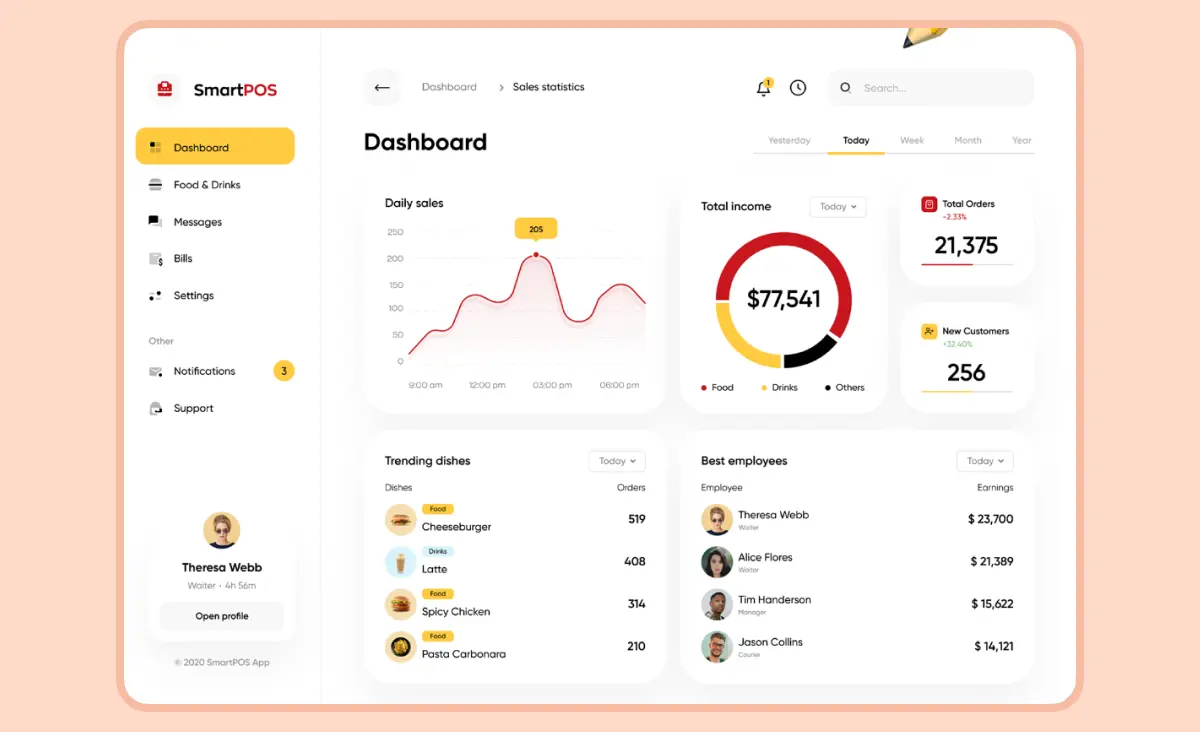
A reporting dashboard fed by your point-of-sale or booking system turns that memory into a chart: which hours carry the volume, which days need a second person, which shifts are covered twice. Managers then cut the shift that never had customers instead of cutting everyone by ten percent. A dashboard of this kind, wired into a system you already run, starts at $10,000 and takes about three weeks.
4. Stop paying for infrastructure you use three hours a day
Servers and hosting are the operating cost we most often find untouched since the first year of a project. Capacity gets sized for the busiest hour of the busiest week, and in the setups we are handed it then runs at that size permanently, including at three in the morning. Moving that workload to managed cloud services with autoscaling means you pay for the peak only while the peak is happening.
Cloud migration starts at $12,000 and takes about four weeks; ongoing DevOps work is $50 per hour. We are a Google Cloud Partner, so this is also the lever where we can tell you fairly quickly whether the saving is real or whether your bill is already close to the floor.
5. Take the guesswork out of routes and dispatch
For any business that moves vehicles, fuel and driver hours are the operating cost that grows fastest with volume. Drivers who do not know the area take longer routes, and every wrong turn is paid for twice, in fuel and in a late delivery.
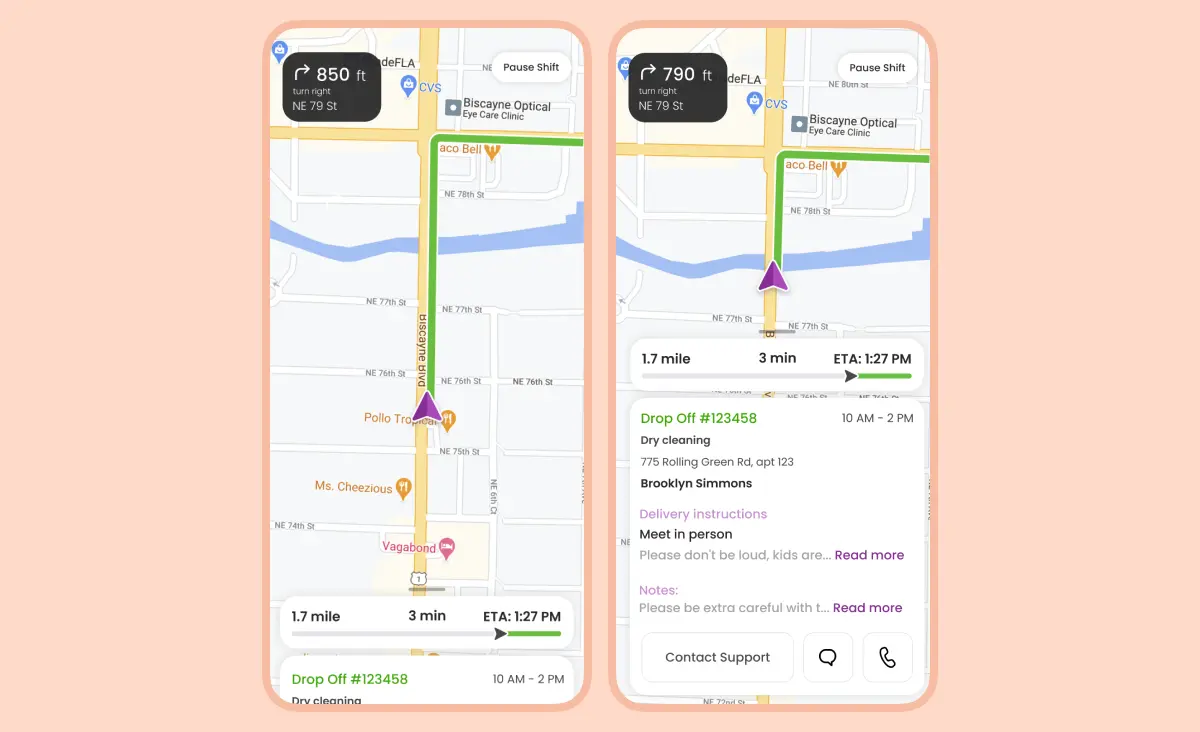
This is the problem we solved for Hamperapp, a Florida laundry and dry cleaning service. Hamperapp serves both households and commercial clients such as hotels and restaurants, and its drivers move clothes between customers and around 80 partner laundries. Drivers who were new to an area got lost and wasted gas, which the client saw in bad customer reviews and lost revenue.
We built routing into the driver app itself, so the optimal route from customer to laundry is chosen for the driver rather than by the driver. The feature is designed to remove the wasted mileage rather than to make drivers faster, which is a different and much harder promise. Building routing into an app at this level starts at $20,000 and takes about four weeks. The apps are still in service: the iOS version holds 918 ratings at 4.4 stars as of September 2026 and was last updated in August 2026.
One thing we deliberately do not publish for this project is a fuel-saving percentage. The client did not ask us to instrument that measurement, and the number would belong to them rather than to us. If a vendor shows you a clean figure like “30% lower fuel spend” without saying who measured it and over what period, ask both questions before you believe it.
6. Replace phone-call coordination with one shared view
Coordination is the next cost after fuel. When a manager has to call three drivers to find out who is free, the expensive part is the order sitting still while the calls happen, plus a manager who spends the morning doing nothing else.
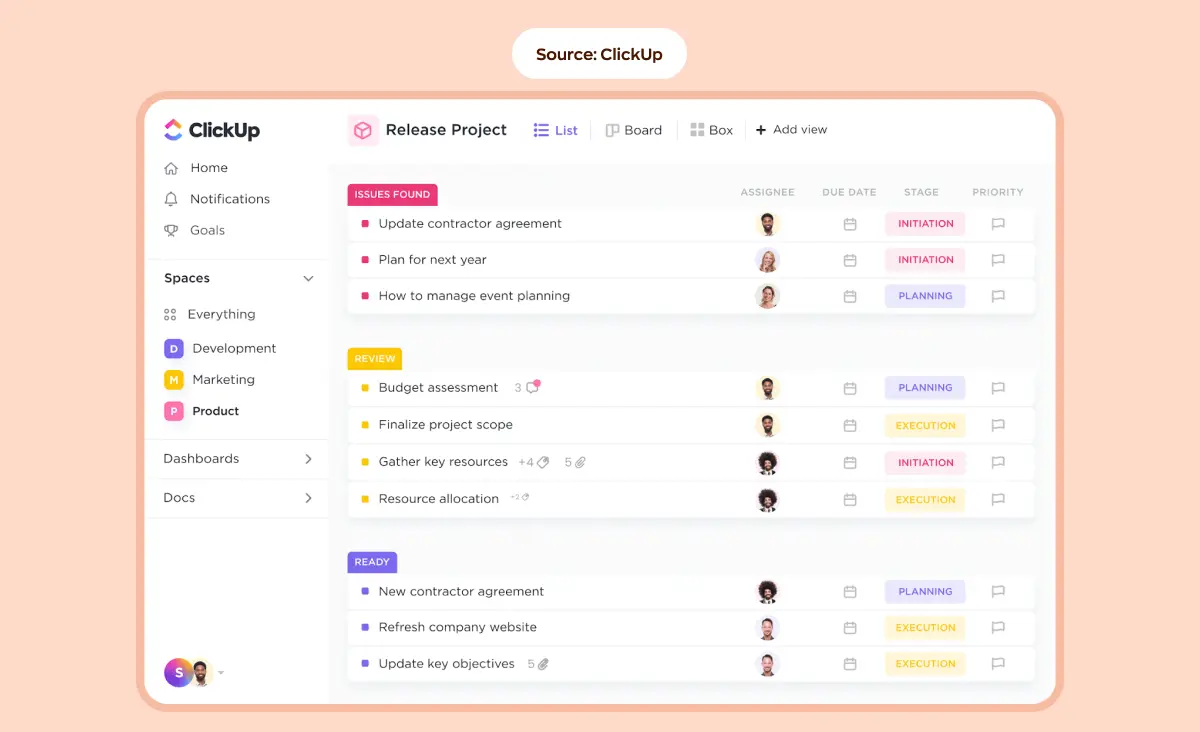
On ShipMe, a parcel delivery service in Saudi Arabia, we built for four roles at once: customers requesting a delivery, individual shippers, corporate shippers and corporate managers. The manager side is a web dashboard where every driver appears in a list, available drivers marked green and unavailable ones red, with each carrier's calendar one click away. Our case page credits that single view with letting managers make quick assignment decisions.
Scale changes the price here more than anything else. A single-role internal dashboard is the $30,000 line in the table above. ShipMe covered four roles across a mobile app and a web app, and our case page puts that build in the $80,000 to $150,000 range. If you are budgeting from this article, budget from the number of roles you need on day one, not from the number you can imagine.
The backend runs on Laravel, which is our default for this kind of system because its authentication and permission features cover the role rules internal platforms need. The dashboard itself is a separate build on top: on ShipMe it is an Angular app.
7. Move team-shaped costs onto a delivery contract
Keeping developers on payroll for work that arrives in bursts is expensive in a specific way: you pay the same amount in the months when there is nothing to build. For maintenance, occasional features and support, a delivery contract converts that fixed cost into a variable one.
Our own figures give the shape of it. A dedicated development team starts at $12,000 per month, team augmentation is $60 per hour, technical support starts at $5,000 per month, and CTO as a service starts at $1,500 per month for companies that need technical judgment more than technical hands.
This lever has a real limit worth stating. If your software is the product and it changes every week, an in-house team is cheaper and faster, and any agency that tells you otherwise is selling. Outsourcing works best on the parts that are stable, well-defined and not where your advantage lives.
When software will not reduce your operating cost
Three situations come up often enough that we now raise them before an estimate rather than after.
The first situation is a saving smaller than the build. Custom ERP system development starts at $150,000 and 16 weeks, and it brings hosting and support costs the subscriptions never had. Consolidating five tools that cost $1,800 a month clears $150,000 in about seven years at the absolute best, and that division ignores the hosting and support, which come off the monthly saving and push the real figure further out. Build an ERP when the process itself is your competitive advantage, not when the subscription line looks annoying.
The second situation is a process nobody owns. Two departments disagree about who approves an order, and an approval workflow turns that disagreement into a support ticket instead of settling it. Software makes an owned process faster and an unowned process faster at being wrong, so the management decision has to come first.
The third situation is the one we see most. Nobody can say what the current process costs per month, so nobody will be able to say afterwards whether the software worked. The project still might be worth doing, but the first paid step should be measurement rather than development.
“We turn work down when the client cannot name the number that should change. It is not caution, it is self-interest: a project with no baseline has no way to succeed, and six months later everyone remembers that the software did not help. We would rather sell a two-week analysis and find out the answer is a spreadsheet.”
Roman Surikov, Chief Executive Officer at Ronas IT
How to choose the first process to automate
Work through these five steps in order. Each one is meant to disqualify candidates, so most of the list you start with should not survive to step five.
- List every recurring cost above 1% of monthly operating spend. Fuel, overtime, subscriptions, third-party fees, rework. Ignore anything smaller, because a saving you cannot see in the bank statement is a saving you cannot defend.
- For each one, name the process behind it. Not “fuel” but “drivers choose their own routes”. If you cannot name the process in one sentence, you do not understand the cost well enough to automate it yet.
- Ask whether the process has a single owner. A process with two owners needs a management decision before it needs software.
- Estimate the monthly leak in currency. Precision matters less here than having a number at all, so a rough figure from the person closest to the process is enough.
- Divide the likely build cost by the net monthly saving. That is the leak from step four minus whatever stays manual and whatever the new system adds in hosting and support. Anything under a year of payback goes to the top of the list. Anything over three years goes back to the license audit in the first lever above.
If step four is where you get stuck, that is normal and it is also cheap to fix. Our analysis phase starts at $2,000 and runs one to two weeks. It produces an impact map of the business goals behind the work, the requirements written as user stories, a costed estimate and a Clear Vision document, and you keep all four whether or not we build anything afterwards.



Where this fits in logistics and field operations
The levers above show up most sharply in businesses that move goods and people, because the waste there is physical and countable. If that is your situation, these pages go deeper than this one can:
- Logistics software development services covers what we build for transport and delivery operators and how those projects are scoped.
- The role of RPA in logistics and transportation looks at the back-office half of the same problem: documents, invoices and customs paperwork.
- AI for supply chain optimization covers demand forecasting and routing at a scale where the rules stop being writable by hand.
If the answer really is one big system rather than several small ones, our guide to custom ERP software development sets out what that project involves before you commit to it.
What to do this week
The five steps above are the selection method. The three below are the data you need in front of you before that method gives you anything useful, and none of them costs a development budget:
- Export 12 months of recurring software charges from your accounting system, assign an owner to each line, and cancel anything with no owner.
- Ask the three people closest to your biggest operating cost what they do by hand every week. They will name the handoff faster than any audit will.
- Pull one month of whatever your operational system already records: hours worked against hours booked, miles driven against deliveries made, orders entered twice. That comparison is your baseline.
With those three things in hand you can run the five steps in an hour, and whatever survives is a brief an agency can actually price.
Frequently Asked Questions (FAQs)
How can businesses reduce operational expenses with software?
What tools help in reducing IT operational costs?
How much does custom software that reduces operating costs cost to build?
How long does it take for automation to pay for itself?
Is a custom ERP a cheaper way to cut subscription fees?
How can enterprise software reduce operational costs?
Are there examples of companies reducing costs with your software?
How does business information software reduce operational costs?
Related posts





Related Services
DevOps Services
Accelerate your software delivery with Ronas IT's DevOps services. We streamline development and deployment through CI/CD automation, proactive monitoring, and secure cloud infrastructure. Enjoy faster releases, minimal downtime, and scalable solutions — letting you focus on growth while we handle seamless operations.
Custom Web App Development Services
Build secure, scalable web applications with Ronas IT’s custom web app development services. Our team covers the full cycle — from concept and UI/UX design to development, testing, and ongoing support — using leading tech like React and Laravel. With 200+ custom apps delivered across various industries, we ensure intuitive interfaces, smooth integration, and solutions tailored to your business goals.
CTO as a Service for Startups
Accelerate your startup’s growth with Ronas IT’s CTO as a Service. Get expert tech guidance, architecture design, comprehensive audits, and ongoing strategic support — without hiring a full-time CTO. We help align technology with your business goals, ensure secure and scalable systems, and optimize your development processes so you can focus on launching your product and gaining market traction.
Dedicated Development Teams
Ronas IT’s dedicated development teams consist of skilled specialists — including developers, designers, and project managers — who focus exclusively on your product. Get fast onboarding, flexible team scaling, transparent workflows, and ongoing support. Skip hiring hassles and keep your attention on business growth while we deliver quality results on time and within budget.