Advanced UI/UX analytics: User behavior analysis beyond clicks and scrolls


Teams building digital products need to move beyond surface-level user engagement metrics. Advanced UI/UX analytics help designers and product managers to track far more than clicks or scrolls — they make it possible to conduct detailed user behavior analysis and discover exactly how people navigate interfaces, encounter pain points, or drop off during critical tasks.
With robust UI/UX insights, teams can pinpoint what motivates users, where friction occurs, and which features truly support user experience goals. Combining modern data analytics and user engagement metrics makes product design optimization a measurable and continuous process — instead of a series of guesses.
In this article, we'll show how advanced UI/UX analytics transforms UI/UX design by exposing hidden user needs and guiding smarter design decisions. Whether your priority is increasing user engagement metrics, reducing churn, or building features that keep users coming back, the ability to extract actionable information from customer experience analytics is now essential.
Why move beyond basic user engagement metrics?
Standard web analytics provide a snapshot, but they rarely explain why users act the way they do. To build successful digital product design, it's important to implement user behavior analysis tools that offer deeper, actionable understanding. Here's why advanced user research methods matter:
Detect hidden user patterns: Behavior analytics identifies actions and navigation paths that surface-level UI/UX design metrics overlook, allowing teams to see exactly how users engage with features and where they encounter obstacles.
Move from observation to user insights: Using user behavior analysis and product data analytics, teams discover not only what users do, but why they do it — supporting meaningful user insights that drive real improvements.
Validate assumptions with user research: Combining traditional user research with quantitative data analytics makes sure that product decisions stem from actual user needs, rather than guesses or anecdotal feedback.
Support data-driven design: By working with detailed user metrics and data analytics, designers make informed adjustments that benefit real users, leading to higher satisfaction and adoption.
Adapt to evolving expectations: With product analytics guiding development, teams continuously update their digital product design in response to shifting user preferences and market trends.
For any forward-thinking digital product design team, this shift from basic web analytics to sophisticated user behavior analysis turns raw data into lasting value. To turn these deeper user insights into practical improvements, teams need to choose the right data analytics tools and user behavior analysis techniques — each offering unique perspectives on user experience.
Core tools and techniques in advanced UI/UX analytics
Advanced UI/UX analytics require a range of specialized solutions that help teams turn raw data into clear, actionable UI/UX insights. Here's how leading techniques and product data analytics tools are used for product design optimization.
Heatmaps and session recordings
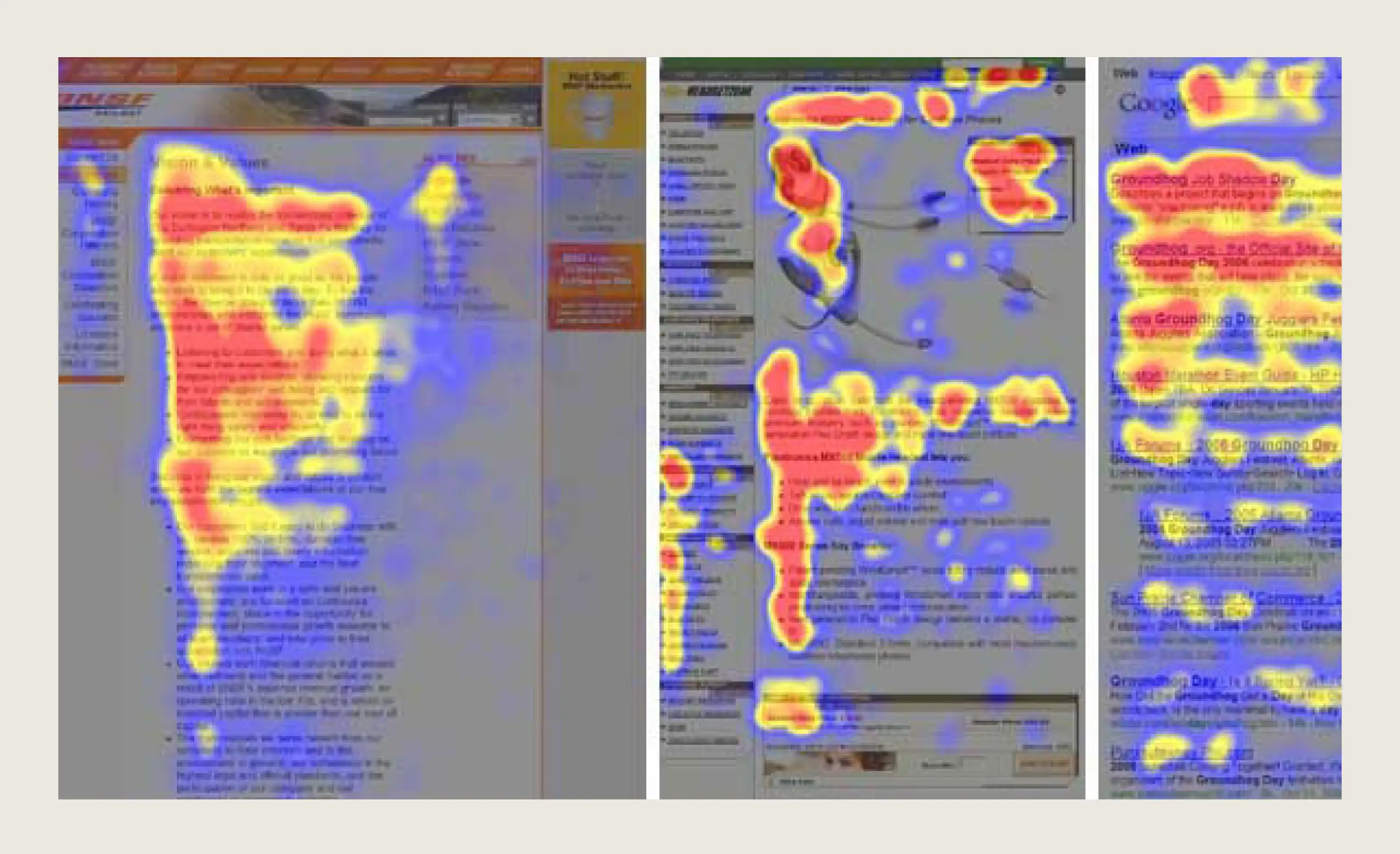
Heatmaps visually aggregate user interactions, such as clicks, taps, and scrolls, across a page or screen. They reveal “hot” areas that attract engagement, and “cold” spots that often go unnoticed. Session recordings, on the other hand, allow designers and analysts to watch actual user journeys and conduct behavior analytics, providing a first-hand look at confusion points, rage clicks, or navigation errors. All in all, both heatmaps and session recordings are essential for understanding user engagement metrics that basic mobile or web analytics reports can't capture.
Funnel analysis
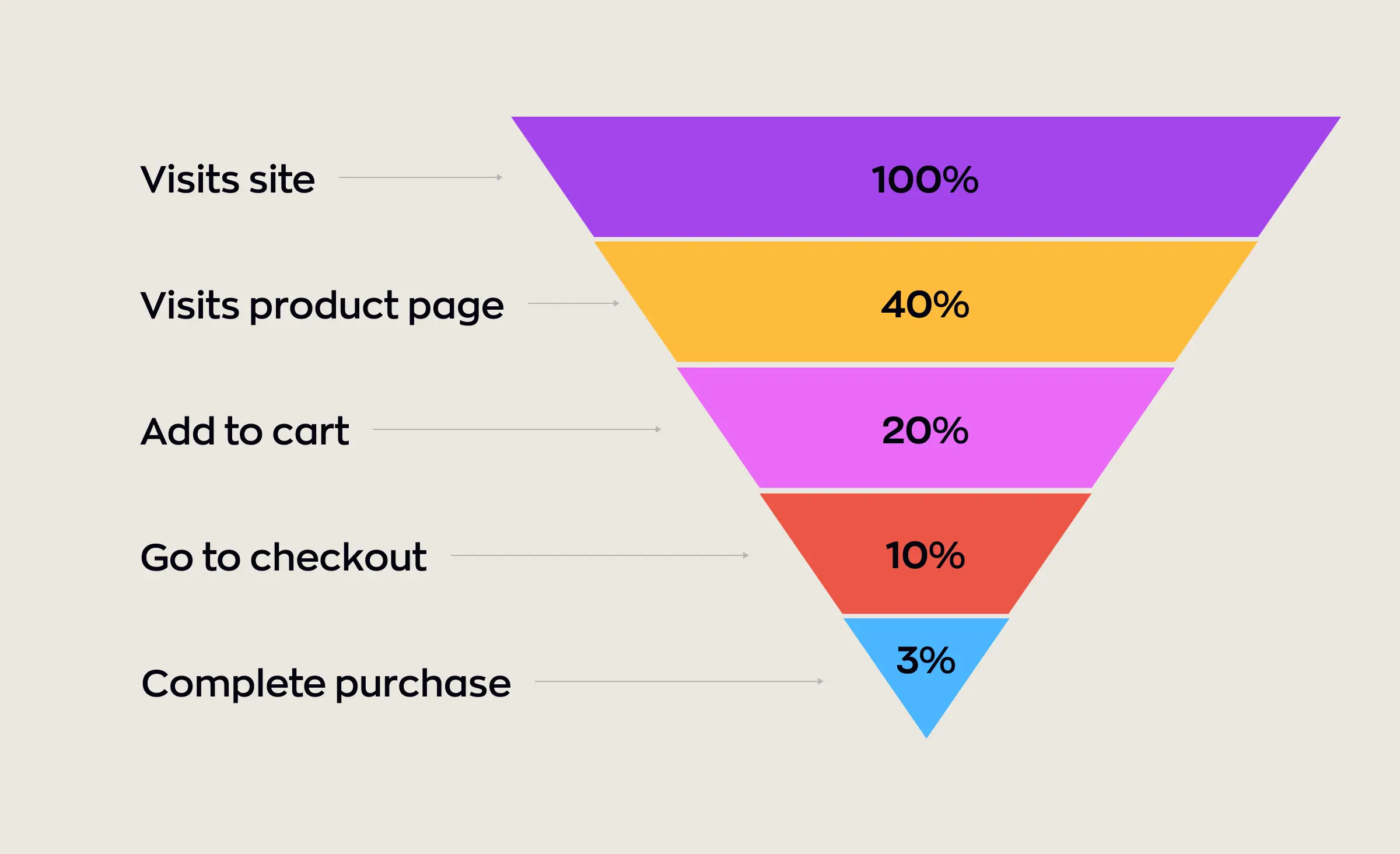
Funnel analysis tracks the step-by-step journey users follow to achieve a specific goal — like signing up or completing a purchase. This technique shows exactly where users drop off, helping teams identify bottlenecks and opportunities for Conversion Rate Optimization (CRO). By adjusting design and messaging at key stages, product teams can significantly improve completion rates. We'll pay attention to this method in the following sections.
User journey mapping analytics
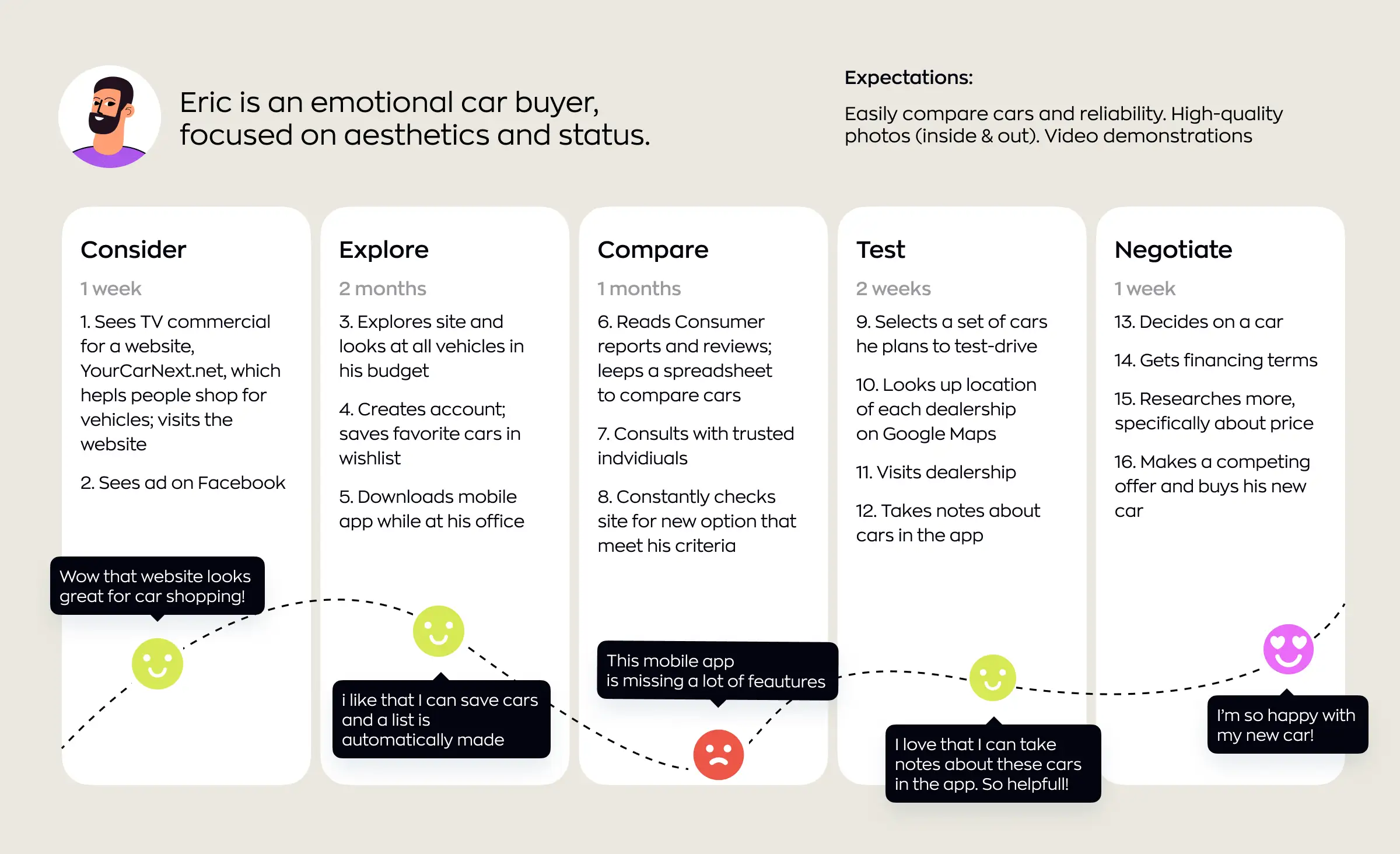
Modern user journey mapping analytics create detailed, visual representations of every touchpoint a user has with a product across multiple channels and devices. This user behavior analysis approach helps teams link fragmented interactions into a cohesive experience, highlight pain points, and uncover where users may need more support or guidance. It leads to strong UI/UX insights that are essential for personalized user experience and engagement.
Product analytics tools
Product analytics tools, such as Mixpanel, Amplitude, and Pendo, collect, aggregate, and report on crucial user engagement metrics such as feature adoption, retention, and drop-off rates. Also, a custom data analytics platform can be developed specifically to aggregate all required metrics in one place.
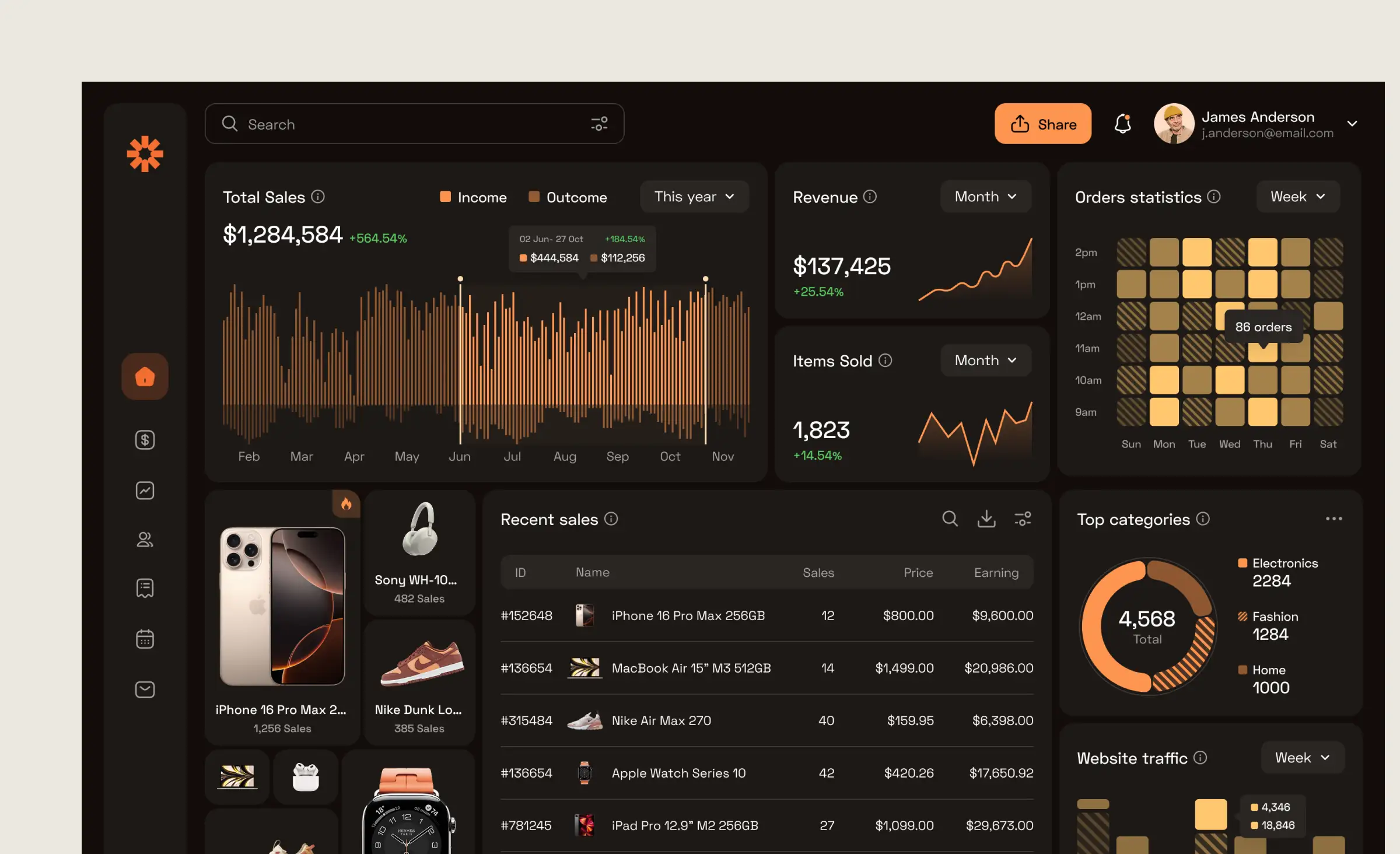
Using platforms, teams can quickly spot trends, validate new features, and measure the impact of design changes. Many tools now offer dashboards that integrate data from both mobile app analytics and web analytics, giving a holistic picture of user experience.



A/B Testing UI/UX
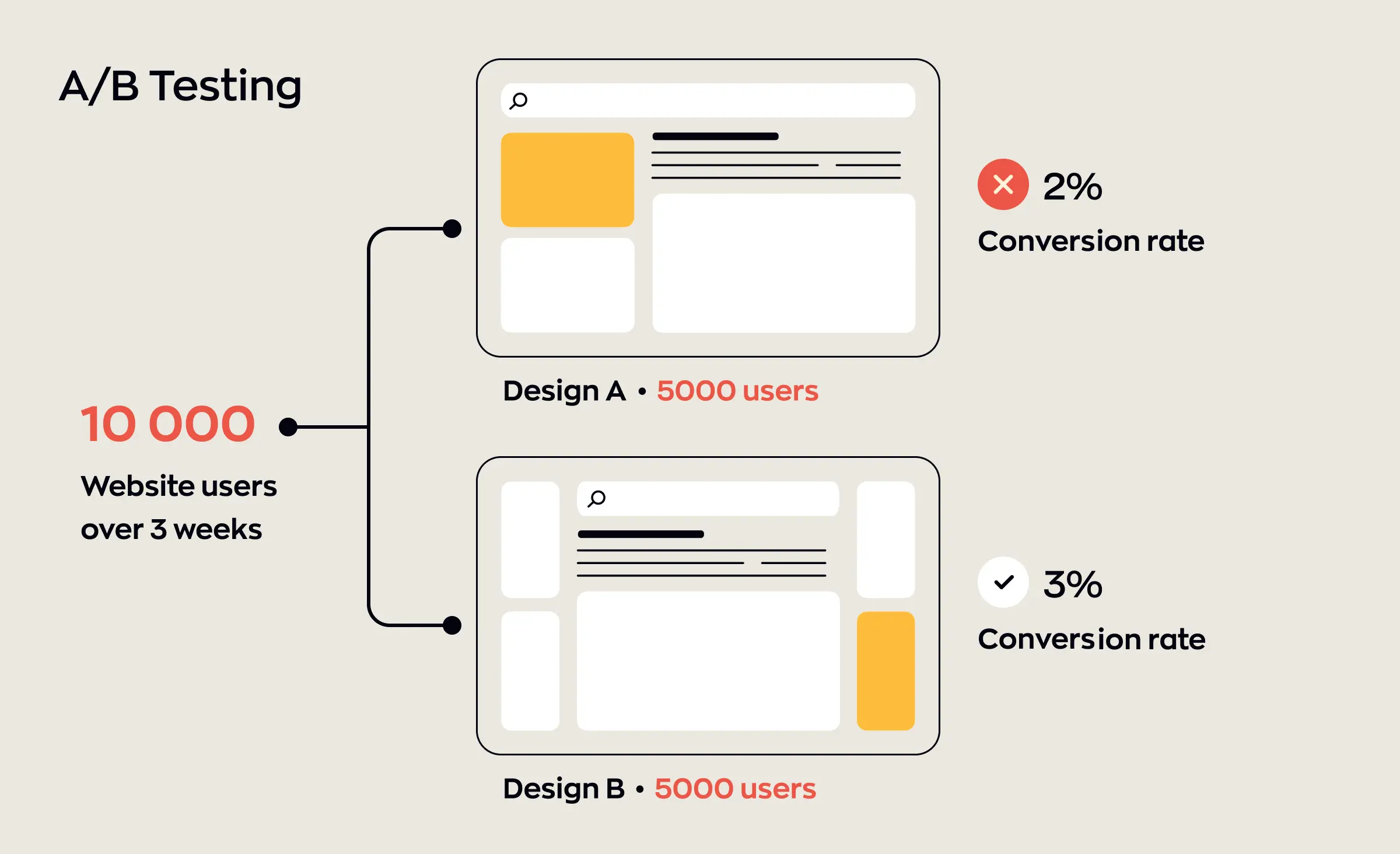
A/B testing UI/UX methodologies allow teams to experiment with two or more versions of a page, feature, or interface element. By presenting real users with the variations and tracking which performs best, organizations can make user research-driven decisions about layout, copy, and functionality. When combined with product analytics tools, A/B test results guide iterative design improvements that have measurable impact.
Mobile app analytics and web analytics
Mobile app analytics are specialized for tracking unique behaviors within apps — like tap targets, swipe gestures, app crashes, and session durations. Web analytics, meanwhile, monitor browser-based activity, referral sources, bounce rates, and user flows across entire websites. Both mobile and web analytics are indispensable for collecting data that fuels advanced UI/UX analytics and supports ongoing product design enhancement.
AI for UX analytics
AI for UX analytics uses artificial intelligence and machine learning to analyze massive volumes of user data, detect patterns, and surface new opportunities. These advanced algorithms can suggest unexpected improvements, provide personalized user experience in real-time, and even automate aspects of user research. Incorporating AI into your data analytics stack allows for more sophisticated, predictive UI/UX insights. We'll take a closer look at specific AI applications in another section.
While these tools form the technical foundation for advanced user behavior analysis, it's the combination of quantitative and qualitative UX research methods that brings depth and context to the user research data. Next, we'll explore how blending numbers with user stories creates even more meaningful user insights for product design optimization.
Quantitative and qualitative UX research methods
Understanding UI/UX design requires more than data analytics dashboards or satisfaction scores — it demands a holistic user research approach that combines quantitative and qualitative UX research.
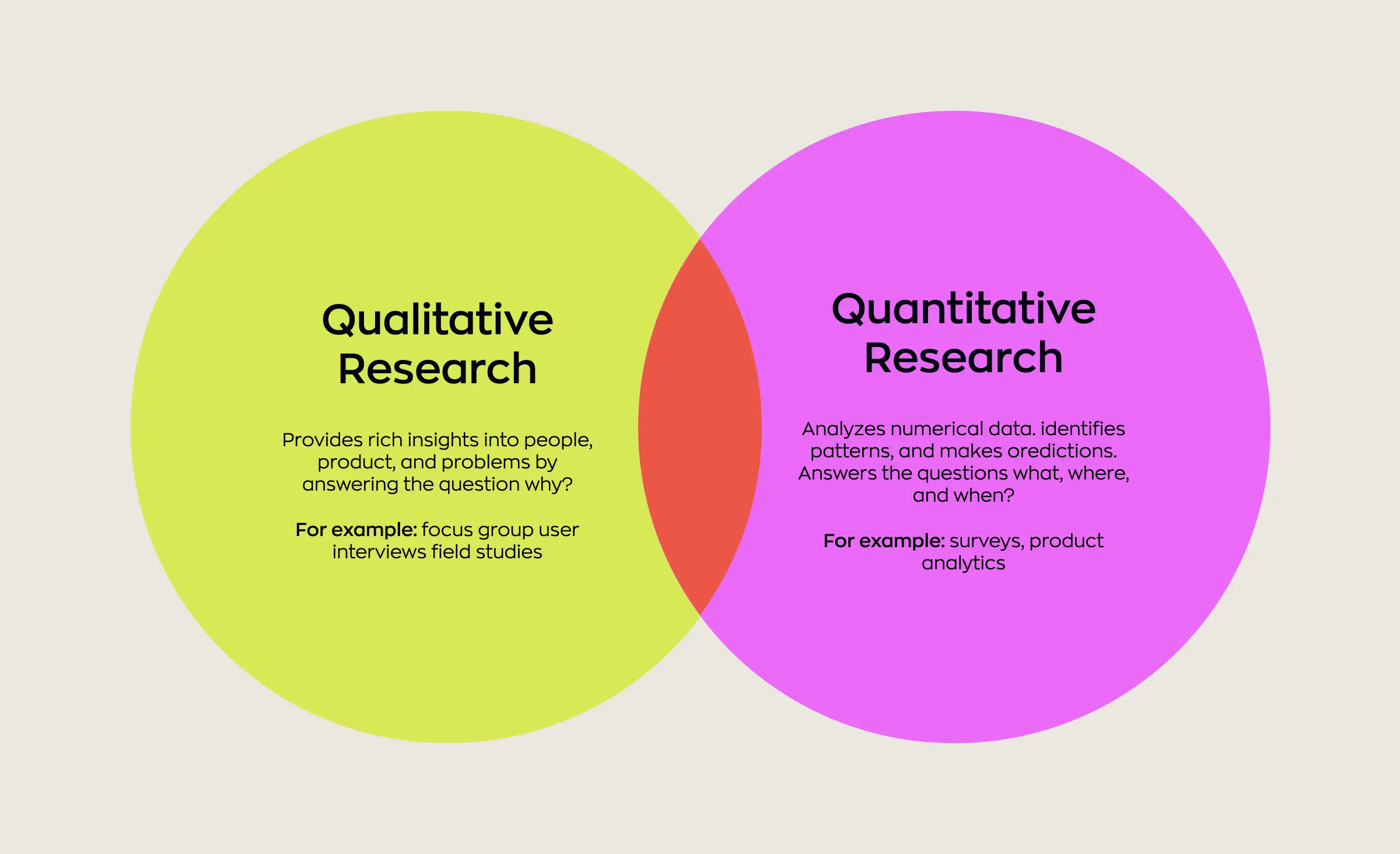
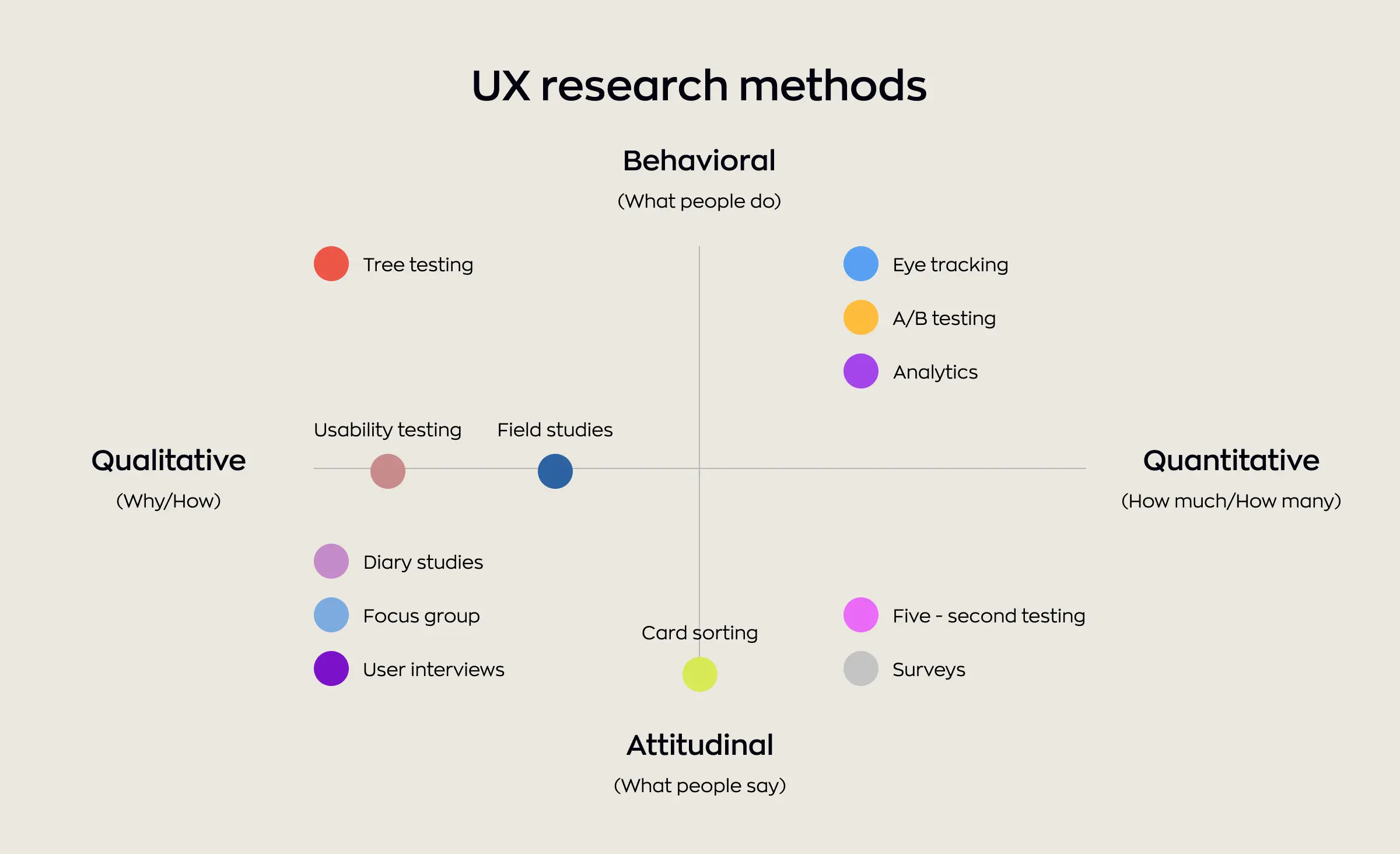
Quantitative UX research focuses on measurable user behavior analysis. It answers what happens using metrics such as task completion rates, time on task, click paths, and conversion funnels. These user insights are typically drawn from large-scale data analytics tools — like product analytics, A/B tests, or heatmaps — that highlight performance trends, friction points, and optimization opportunities across the user base.
Qualitative UX research, on the other hand, explores why users behave as they do. Direct user research methods — such as in-depth interviews, contextual observations, or moderated usability sessions — help teams uncover emotional motivators and pain points that numbers alone can't explain. This approach is essential for finding real user needs and gaining nuanced UI/UX insights you won't find in metrics alone.
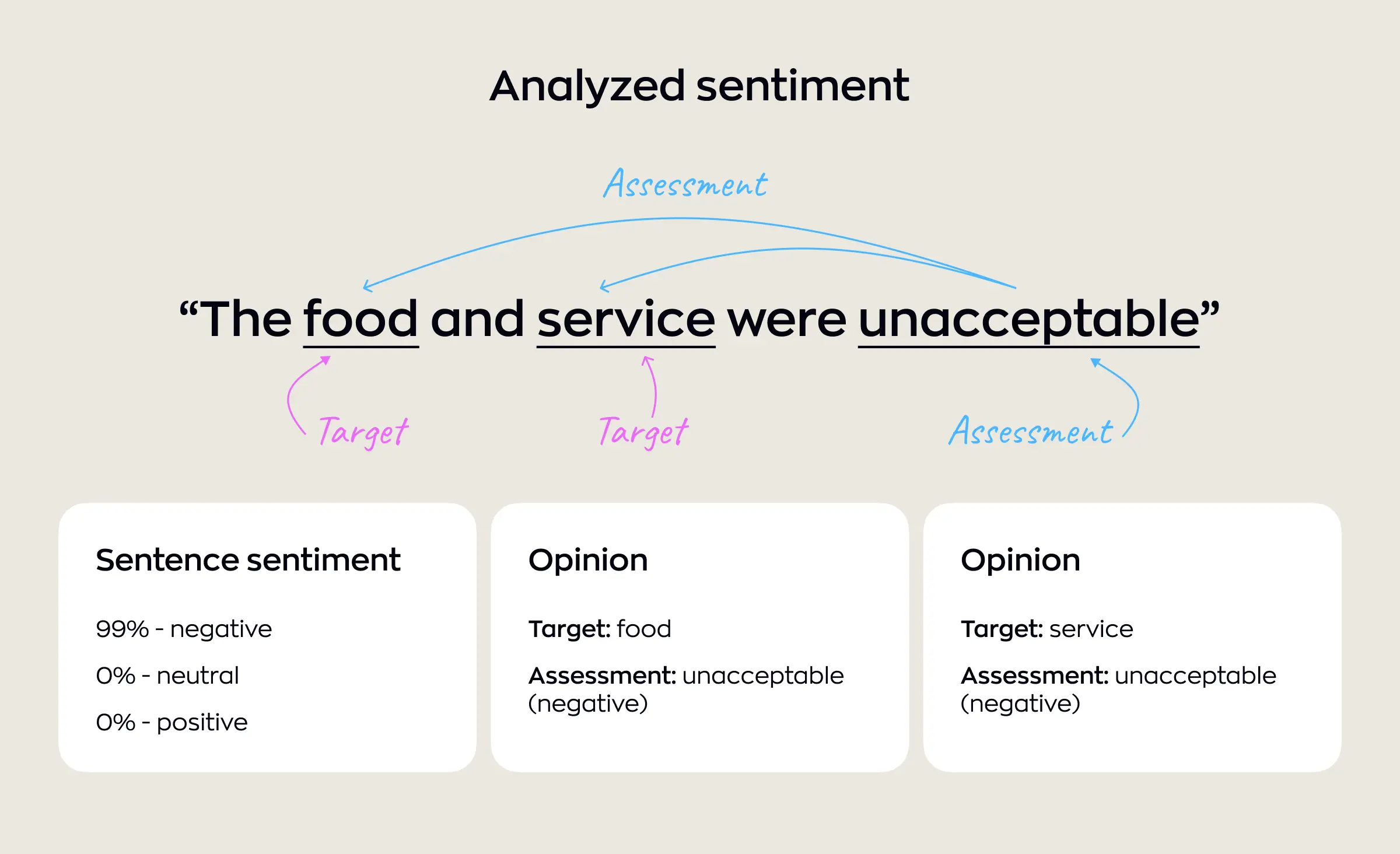
An increasingly popular technique is sentiment analysis in UX. This data analytics method uses natural language processing to analyze large volumes of user feedback, such as reviews, survey responses, and chat transcripts. Teams can efficiently gauge user satisfaction, emotional tone, and evolving concerns — bridging the gap between large-scale quantitative data and the richness of qualitative insight.
When practiced together, quantitative and qualitative user research methods provide a complete view: data reveals a problem's scope, while stories and context explain its root cause. Teams that balance both make more informed, impactful decisions on product design optimization — directly improving usability and user satisfaction at every stage.
Tracking and interpreting user engagement metrics
After gathering data, the next challenge is to interpret user engagement metrics in ways that drive product value. Modern teams must look beyond simple activity counts to understand the context and outcomes of user actions — turning data into direction.
Not all engagement is equal. High click rates, tracked through web analytics or mobile app analytics, could signal curiosity, confusion, or even frustration. Using behavior analytics within robust product analytics platforms, teams segment these metrics by feature, device, or user group, pinpointing both what works and what warrants a closer look.
To avoid assumptions, the best organizations combine customer experience analytics and UI/UX insights. For example:
- When a new feature launches, spikes in engagement might look promising. But are these users staying longer or quickly dropping off? Product analytics reveal these trends in depth.
- A surge in activity on a help page, visible in web analytics, may indicate a confusing workflow rather than healthy engagement.
- Mobile app analytics can flag high swipe counts or repeated taps; pairing this with user satisfaction scores exposes hidden frustration or unmet needs.
A/B testing UI/UX takes interpretation further by comparing how variations affect specific engagement metrics, allowing teams to connect changes to concrete outcomes.
All these layers of analysis lead toward data-driven design and personalized user experience: not just tracking every action, but understanding meaning and impact. The true goal is to foster informed decisions that steadily improve both user experience and overall engagement.
Funnel analysis and conversion rate optimization
Every digital product design aims to guide users toward desired outcomes — making a purchase, signing up, or engaging with key features. Funnel analysis breaks down these multi-step journeys, showing exactly where users proceed, hesitate, or drop off. By visualizing each phase through user journey mapping analytics, teams identify which points in a flow need redesign for greater efficiency.
Pinpointing weak spots in the funnel allows for targeted product design optimization. For example, if a significant portion of visitors abandons their cart at the payment screen, UI/UX design teams can use product analytics and user insights to investigate the cause. Are users confused by form fields? Is the loading time too long? These findings inform data-driven solutions — such as clearer instructions or streamlined layouts.
Conversion Rate Optimization (CRO) puts these user research insights into practice. By testing and refining each step of the funnel, teams move from generic fixes to changes proven to increase conversions. Conversion Rate Optimization (CRO) efforts might involve adjusting microcopy for clarity, reorganizing input fields, or simplifying navigation — all central elements of strong UI/UX design.
Sustained improvements come from iteratively combining funnel analysis and CRO. Each cycle of analysis and product design optimization boosts the effectiveness of digital experiences, turning more users into active, satisfied customers and providing a solid foundation for ongoing product growth.
Taking data analytics further: Personalized user experience, AI, and predictive approaches
Taking analytics beyond basic dashboards means using personalized user experience, AI, and predictive models to continuously adapt the experience around each user and feed smarter product decisions.
From reporting to predictive UX
Traditional data analytics tells teams what happened — clicks, funnels, and other user engagement metrics — but not what will happen next. Predictive UX analytics uses machine learning to forecast behaviors such as drop‑offs, feature adoption, or likelihood to convert, allowing teams to intervene before friction becomes churn. This shifts digital product design from reactive fixes to proactive product design optimization aligned with long‑term product strategy.
Personalized user experience at scale
Personalized user experience relies on algorithms that observe behavior, infer preferences, and adapt interfaces or content in near real time. Examples include tailored recommendations, adaptive onboarding flows, and role‑based interfaces that surface the most relevant tasks or insights for each user segment. Done well, personalized user experience improves core user engagement metrics such as session depth, feature usage, and conversion, while making the UI feel more focused and less cluttered.
Artificial intelligence for UI/UX insights
AI for UX analytics goes beyond manual dashboard slicing by automatically detecting patterns, anomalies, and micro‑segments in behavioral data. Techniques like behavioral pattern recognition and natural language processing turn clickstreams, search logs, and open‑text feedback into actionable UI/UX insights. These insights help teams pinpoint high‑impact friction points, prioritize experiments, and align customer experience analytics with business outcomes such as retention or expansion.
Predictive approaches in product strategy
Predictive models increasingly guide product strategy by highlighting which experiences drive long‑term value, not just short‑term engagement. For instance, forecasting which early behaviors correlate with successful onboarding helps teams redesign journeys and invest in features that improve lifetime value. As these models mature, they inform roadmap decisions, from which cohorts to serve with deeper personalization to where to simplify the experience for broader audiences.
Connecting insights to digital product design decisions
Turning analytics into effective UI/UX design improvements takes a systematic, evidence-based approach. Here's a step-by-step method to bridge data and action in digital product design:
Gather and analyze product analytics.
Start by collecting data with robust product analytics tools. Track feature usage, conversion rates, drop-off points, and user behavior flows. Focus on metrics that connect directly to your core KPIs for user satisfaction and business goals.
Generate deep user insights.
Go beyond the numbers — use feedback, interviews, heatmaps, and session recordings to gather user insights. Combine these with the patterns revealed through analytics to understand both what is happening and why. This foundation will guide all further work.
Map the user journey and identify opportunities.
Apply user journey mapping analytics to visualize every key touchpoint. Pinpoint areas where users encounter friction or drop-off and highlight moments of delight. This will show you where design optimization will have the greatest impact on UI/UX design.
Translate findings into product design optimization.
Turn your mapped opportunities into actionable changes. Adjust layouts, content, or flows in your UI/UX design to resolve major pain points or streamline navigation. Use your combined data and insights as justification for every digital product design update.
Test changes and iterate with a data-driven design mindset.
After implementing optimizations, monitor the impact using your product analytics platform. Run usability testing and gather new user insights. Repeat the process, using evidence to drive each subsequent iteration of your digital product design.
Align updates with product strategy.
Make sure all digital product design changes support your overall product strategy and long-term vision. Each round of improvements should fit within your roadmap, contributing to better user experience and sustained user satisfaction.
Make design optimization an ongoing process.
High-performing teams treat product design optimization as continuous. With every cycle, integrate fresh data and feedback to keep refining the UI/UX design — making sure your product meets evolving user expectations and outperforms competitors.
By following these steps and maintaining a tight feedback loop, teams can reliably turn analytics and insights into actionable, strategic decisions that drive meaningful improvements in personalized user experience.
Conclusion and actionable takeaways
Today's digital teams can't settle for surface-level metrics. Advanced UI/UX analytics bring a deeper understanding of what users actually need, why they behave in certain ways, and where products can improve. The journey to true product success is powered by meaningful UI/UX insights and a continuous cycle of research, iteration, and validation.
To put these principles into action:
- Regularly review and segment your data to uncover hidden trends and actionable user insights.
- Use a balanced mix of qualitative and quantitative research to inform your UI/UX design choices.
- Prioritize product design optimization efforts on the steps of the user journey that most affect conversion and engagement.
- Make design optimization a routine by continually testing, measuring, and refining experiences.
- Stake your roadmap and product strategy on proven patterns in user behavior, not just hunches.
- Align all improvements with your core objective: delivering meaningful enhancements to personalized user experience and genuine user satisfaction.
With disciplined processes and the right tools, any organization can transform analytics into real value. By grounding every decision in powerful UI/UX insights, teams set their products up for greater usability, stronger engagement, and long-term growth.
Since 2007, the Ronas IT team has been refining its approach to user-friendly, rapidly-developed interface design — building a comprehensive ecosystem of design variables and a step-by-step process for creating effective solutions. Fill out a short form to start your project with us.
Related posts










Related Services
React Native App Development Services
Save time and costs with Ronas IT's React Native app development, allowing cross-platform capabilities for iOS and Android. Our team has built over 30 apps across various sectors, ensuring rapid development, flexible maintenance, and cost-effective solutions.
MVP Development Services
Need to launch your startup quickly? Ronas IT offers urgent MVP development services, allowing you to get a fully-functional app in just 1-3 months. Ideal for testing business ideas, presenting to investors, or entering the market swiftly. Benefit from our extensive experience and accelerated development process.
Custom Mobile App Development
Transform your business with Ronas IT's custom mobile app development. We create tailored UI/UX designs, write clear and efficient code, and ensure seamless releases to Google Play and the App Store. Our experienced team delivers high-performance, secure apps within 3-4 months.