Taxi booking app development: features, tech stack, and cost


Taxi booking app development means building a rider app, a driver app, and an admin panel on one backend that matches each ride request with a nearby driver in real time. At Ronas IT, such a system for a taxi company with its own drivers starts at $30,000, with a timeline of at least 8 weeks. A ride-hailing platform where independent drivers sign up and get paid out starts at the same price and grows with its sign-up checks and payouts.
This guide is for taxi operators and founders who are planning a booking app. It explains what to settle before you ask for quotes: the business model, the features for each role, how matching works, the rules for drivers, the stack, and the cost. The service itself is described on our logistics software development page.
What a taxi booking system includes
A working taxi service has four parts: an app for riders, an app for drivers, an admin panel, and a backend. All three apps read the same trip record from the backend, so the design starts from the trip and its steps.
- Rider app: set the pickup and the destination, see a price estimate, book now or for later, follow the car on the map, pay, and rate the trip.
- Driver app: go online, accept or decline requests, navigate to the pickup and the destination, see earnings, and upload the documents the service needs.
- Admin panel: approve drivers, set fares and service areas, watch live trips, and handle refunds and complaints. A dispatcher view lets staff book a ride for a caller and assign a driver by hand.
- Backend: stores riders, drivers, and trips, receives driver positions, runs the matching, and connects to the map, payment, and SMS services.
Choose the business model: your own fleet or independent drivers
The business model decides who the drivers are and how money moves between the rider, the driver, and you. Those two answers shape the backend more than any screen does, so settle them before the feature list. With your own fleet, you dispatch your own drivers and earn the fares. With independent drivers, the platform checks each driver at sign-up and can keep a commission on each trip.
| Model | Who the drivers are | What the software must handle |
|---|---|---|
| Taxi company with its own fleet | Staff or contractors who drive company cars | Dispatch by staff and by the app, shifts, vehicle assignment, phone bookings |
| Ride-hailing platform | Independent drivers with their own cars | Driver sign-up and document checks, a per-trip commission, payouts to drivers, ratings |
| Pre-booked transfers (airports, events, corporate travel) | Either of the above | Scheduled rides, fixed prices, flight or event times, invoices for companies |
A platform for independent drivers is a marketplace: it has two groups of users, and it collects money from one group and pays part of it to the other. If that is your plan, our marketplace development page covers that side of the work.
Features for riders, drivers, and the admin team
The lists below cover what a first public version usually needs for each role.
Rider app
- Sign-up: a phone number confirmed with an SMS code, so the driver can call the rider.
- Booking: the pickup from the phone's location or a search, a destination, a car type, and a price estimate before the rider confirms.
- Scheduled rides: a pickup time set in advance, for airport trips and early starts.
- Live trip: the driver's name, photo, car, and plate, the car on the map, and the time until pickup.
- Payment: a saved card, cash where your market still expects it, and a receipt after each trip.
- Safety: share the trip with a contact and reach support from the trip screen.
- Rating: rate the driver and leave a comment after the ride.
Driver app
- Onboarding: upload a license, insurance, and vehicle documents, then wait for approval.
- Online status: the driver chooses when to take requests.
- Requests: a short time to accept or decline, with the distance to the pickup and the estimated fare.
- Navigation: a map inside the app, or a hand-off to the navigation app the driver prefers.
- Trip steps: arrived, rider on board, and trip finished, each with one large button.
- Earnings: trips, fares, commission, and payouts by day and by week.
Admin panel
- Drivers: review documents, approve or block drivers, and see when each document expires.
- Fares: a base fare, rates per mile and per minute, a minimum fare, and extra rules for airports or night hours.
- Service areas: the zones where the service works, drawn on a map.
- Live operations: every active trip and every online driver on one map, where a dispatcher can book a ride and assign a driver.
- Support: refunds, lost items, and complaints, with the trip record attached.
- Reports: trips, revenue, cancellations, and the reports your regulator asks for.
How a taxi app works: driver positions, matching, and payment
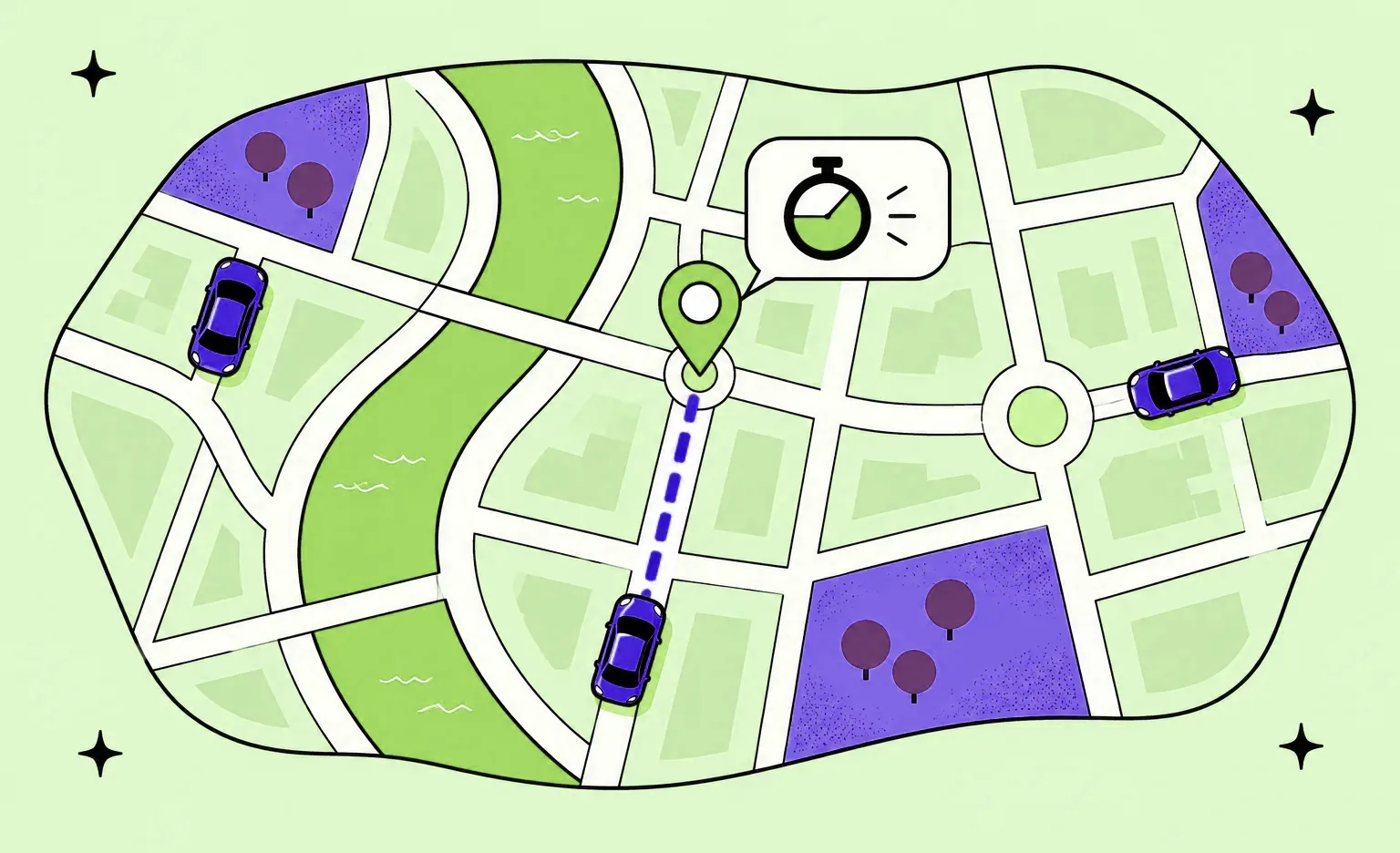
The driver app sends its position to the backend at short intervals while the driver is online. When a rider books, the backend looks for online drivers near the pickup, ranks them by the time each needs to get there, and offers the ride to the drivers at the top of that list.
Driver positions and the phone's rules
The driver app has to report its position while the phone is locked and the app runs in the background, and both mobile platforms limit that. On Android, an app that keeps using location during a long task runs a foreground service of the location type, meant for long-running tasks such as navigation and location sharing. Google Play adds its own review: under its location policy, apps that access location in the background must be approved through a permission declaration. The same policy lists ride tracking for riders among the features that could work with foreground location instead, so plan the rider app to work without background access.
On iOS, the App Store Review Guidelines allow background services only for their intended purposes, and location is one of them.
“A driver app has to keep working on a dashboard mount, with the screen off and the signal weak. Test it in exactly that state first: locked phone, poor network, low battery. The matching can only be as good as the last position the phone managed to send.”
Alexander Storozhevsky, Lead developer at Ronas IT
The matching rule
Distance in a straight line is a weak guide in a city: a driver across a river or on a one-way street may need much longer to arrive than one who looks farther away. So the backend asks a routing service for the driving time of each nearby driver and ranks them by it. Then it either offers the ride to one driver at a time with a short timeout, or to several drivers at once, where the first to accept gets it. The first way is fairer to drivers, and the second finds a driver faster. Decide which one you use before the build, together with what happens when nobody accepts: the rider gets a clear message, and in a fleet business the request goes to a dispatcher.
Every trip moves through a fixed set of states: requested, driver assigned, driver arrived, in progress, and completed or canceled. Each change is pushed to the rider app, the driver app, and the admin panel over an open WebSocket connection, so nobody has to refresh a screen.
Fare estimate and payment
Riders expect a price before they confirm, so the backend calculates an estimate from the route, the car type, and your fare rules. After the trip, the final fare comes from the actual route and time, or stays at the estimate if you sell fixed prices. Card payments can follow a hold-then-charge pattern: the app reserves an amount on the card before the trip and charges the final fare after it. Stripe calls this separate authorization and capture and gives hotels as its example: they authorize the payment before the guest arrives and capture it at checkout. On a platform with independent drivers, the payment flow also has to send each driver their share. Stripe Connect is one option built for this: a marketplace collects the payment from the customer and pays a portion out to the service provider automatically.
Driver checks, safety, and local rules
Local rules decide who may drive for your service, what insurance the cars need, and which reports you file, and they differ by city, state, and country. The software turns these rules into features: a document upload and review flow for each driver, reminders before a document expires, an automatic block when one lapses, trip records you can export, and safety tools such as trip sharing and a support button during the ride.
In New York City, the Taxi and Limousine Commission licenses and regulates yellow taxis and for-hire vehicles. In California, the CPUC regulates transportation network companies, which use an app to connect passengers with drivers in their personal vehicles for prearranged, paid rides. Its page for them lists licensing and insurance requirements, required reports, and DMV record checks on drivers. Which rules apply to your service is a question for a local lawyer. Ask it before you write the scope, because the answer changes the driver app and the admin panel.
A related system we built: ShipMe
ShipMe is a parcel delivery service in Saudi Arabia, not a taxi service, but its driver side deals with several of the same problems. Customers post shipment requests, and carriers bid on them. We built native iOS and Android apps in Swift and Kotlin, an Angular web dashboard, and a Laravel backend.
- Driver onboarding: individual carriers upload their ID and driver's license, choose a car type, and add photos of the vehicle.
- Two kinds of drivers: individual carriers choose which requests to bid on, while drivers who work for a company take only the orders their manager assigns. It is the same split as a ride-hailing platform and a fleet with a dispatcher.
- Driver management: in the web dashboard, managers see which drivers are available, assign orders to them, and check each carrier's calendar.
- Maps: Google Maps for location tracking, routes, and navigation.
A taxi version needs three parts that the ShipMe case does not show: a match within seconds instead of a bid, a fare estimate before booking, and a payout to the driver after each trip.
White-label taxi software or a custom app
White-label taxi software is a ready-made set of rider, driver, and admin apps that a vendor puts your brand on and licenses to you. It is the faster start when your service works like most taxi services: a rider books, a nearby driver comes, and the rider pays. The limits show up later, when you want to change how rides are assigned, how prices are set, or what data you keep.

Before you choose a vendor, check three things: whether you can change the matching and fare rules, who owns the rider and driver data, and what it costs to move to another system.
“A white-label launch is the cheaper way to learn whether riders come, and I would rather tell a founder that than sell a build too early. Keep a list of what the product would not let you do in the first months: that list is the brief for a custom build, if you ever need one.”
Roman Surikov, CEO at Ronas IT
Do you need to build an app like Uber?
No. A new taxi service can launch without everything a global ride-hailing app offers. A first version needs one city or service area, one or two car types, booking now and for later, card payment, live tracking, and the admin tools to approve drivers and handle problems. Shared rides, subscriptions, and prices that rise with demand can come later, once real trips show what riders use.
If your service delivers food or groceries rather than people, our guides to food delivery app development and grocery delivery app development cover those cases.
The tech stack we would use for a taxi app
By default, we would write the rider and driver apps in React Native, so the same code runs on iOS and Android, and connect all three apps to one backend.
- Rider and driver apps: React Native with Expo, and react-native-maps for the map.
- Admin panel: Laravel Backpack, our default, or Laravel Nova.
- Dispatcher view: Next.js or plain React, because a live map of rides and drivers is beyond what a ready-made admin tool offers.
- Backend: Laravel on PostgreSQL, with Redis holding the latest driver positions and the cache.
- Live updates: Laravel Reverb, a WebSocket server for Laravel, to push driver positions and trip states to the apps without polling.
- Maps and routing: a provider such as Google Maps Platform or Mapbox, picked by its coverage of your city and its price. We used Google Maps on ShipMe and Mapbox on Hamperapp, a laundry pickup and delivery service.
- Payments: a provider that supports holds and, for a platform, payouts to drivers.
- Error tracking: Sentry in production, which reports driver app crashes to the team.
How much does taxi app development cost?
At Ronas IT, a system for a taxi fleet you own, with apps for riders and drivers and an admin panel with dispatch, starts at $30,000 and takes at least 8 weeks. The rider app with the backend and admin panel is the first $20,000, and the driver app adds from $10,000, half the price of the first app. A ride-hailing platform with sign-up checks, commissions, and payouts to independent drivers starts from the same $30,000, and those flows raise the estimate. If you already run dispatch software and need only a rider app for iOS and Android, it starts at $5,000, including its connection to your dispatch software. Design, project management, and testing are part of every price below.
| Scope | Starting price | Timeline |
|---|---|---|
| Optional analysis phase before the build: user flows, matching and fare rules, and a scope with a budget | $1,000 to $2,000 | 1 week |
| Rider app for iOS and Android, connected to dispatch software you already run through its API | From $5,000 | At least 2 weeks |
| Taxi system for your own fleet: rider app from $20,000 with the backend and admin panel with dispatch, plus driver app from $10,000 | From $30,000 | At least 8 weeks |
| Ride-hailing platform for independent drivers, with sign-up checks and payouts | From $30,000 | At least 8 weeks |
| Support of one mobile app after launch, such as a rider app on your dispatch software | From $1,000 per month | Ongoing |
| Support after launch for a fleet system or a driver platform: the backend, the admin panel, the servers, and both mobile apps | From $2,000 per month | Ongoing |
With the analysis phase before the build, a fleet system starts at $31,000, and project management is already part of that price. After launch, support of one mobile app starts at $1,000 per month and covers monitoring, fixes, OS and SDK updates, and store releases. For a fleet system or a driver platform, support covers the whole system from $2,000 per month, the two mobile apps included, so a separate app plan is not needed.
Some costs grow with your trips and are billed by other companies: map and routing calls, SMS codes, payment fees, and the servers in your own cloud account. Google Maps Platform, for example, gives free monthly calls for each product and bills usage above them as pay-as-you-go.
Four things move the price of each build. The first is the number of roles and apps. Dispatch rules come next, such as scheduled rides, airport queues, or manual assignment. Then the payment flow, because payouts to drivers add a second side to every payment. Last, the local rules, which add document checks and reports.
How to build a taxi booking app, step by step
Build in the order below: the model, the rules, and the provider accounts come before the design, and a test with real drivers in one area comes before the public release.
- Choose the model and the first area. The business owner decides between a fleet system, a driver platform, or pre-booked transfers, and names the city or zone for the launch.
- Check the local rules. A local lawyer confirms which licenses, insurance, driver checks, and reports apply, so the driver flow and the admin panel include them.
- Write the scope. The product team and the developers write the flows for each role, the matching rule, and the fare rules, and turn them into a scope with a budget. At Ronas IT, this is the analysis phase, which is optional when your team already has these written.
- Open the provider accounts. The client creates accounts with the map, payment, and SMS providers, and gives the developers test access.
- Design the screens for each role. The designers start with the rider's booking screen and the driver's trip screen, the two screens every trip passes through.
- Build and review in sprints. The team works in sprints of usually one to three weeks. After each one, you can open the result yourself: an update on the dev server, an interface to test, or new mockups.
- Test with real drivers. A small group of drivers uses the driver app on real streets in the launch area, because a street test shows gaps in positions and missed offers that an office test does not.
- Release and expand. The team submits the apps to the App Store and Google Play, where the first review usually takes longer than later updates. Then the team adds areas and car types.
What to do next
Before you ask for quotes, answer three questions from this guide: which model you run, which city you launch in, and what your service does that the apps riders already have do not. Then take these steps.
- Ask a local lawyer about the rules. Find out which licenses, insurance, and driver checks apply in your launch area.
- Write down your matching and fare rules. Choose one driver at a time or several at once, fixed or metered prices, and what happens when no driver accepts.
- Compare white-label and custom against those rules. Then find the starting price for your case in the cost section.
Those answers let a development team price your service instead of a copy of Uber.
First published 2024-04-18 by Alexander Storozhevsky, Lead developer at Ronas IT. Rewritten by Evgeny Leonov.


Frequently Asked Questions (FAQs)
How much does it cost to build a taxi app?
At Ronas IT, a fleet system for a taxi company that has its own drivers, with rider and driver apps and an admin panel, starts at $30,000. The rider app costs from $20,000, and that price already covers the backend and the admin panel; the driver app adds from $10,000. A ride-hailing platform where independent drivers get payouts starts from the same $30,000, and its sign-up checks and payouts add to the estimate. A rider app for dispatch software you already run starts at $5,000, including its connection to that software through its API. An optional analysis phase before the build costs $1,000 to $2,000. Design, project management, and testing are included in these prices. Map, SMS, and payment providers bill their own fees, and so does your cloud provider.
How long does it take to develop a taxi booking app?
A fleet system and a driver platform each take at least 8 weeks. A rider app for existing dispatch software, with its connection to that software, takes at least 2 weeks. The analysis phase, if you order it, takes a week before the build. Local rules and extra integrations can add time, and the first review in the App Store and Google Play usually takes longer than the review of later updates.
What apps does a taxi booking service need?
Three apps and a backend. Riders book and pay in the rider app, drivers accept and complete trips in the driver app, and your team approves drivers, sets fares, and handles problems in a web admin panel. A company that takes phone bookings adds a dispatcher view to that panel. The backend stores every trip and connects the three.
How do I build a taxi app like Uber?
Decide first whether your drivers are your staff or independent, because that choice changes the backend. Then launch a smaller version in one city: riders book and pay by card, track the car live, and your team approves drivers. Add larger features, such as shared rides, after real trips show what your riders use.
Should I use a white-label taxi app or build a custom one?
Use a white-label product if your service works like most taxi services and the vendor lets you set the fare rules you need. Build a custom app if the product cannot handle a rule your service depends on, for example which riders you accept, which drivers you allow, or how rides are assigned. Before you sign, ask the vendor whether the rider and driver records belong to you and how much a later switch to a different platform would cost.
Should a taxi app be native or cross-platform?
Our default is React Native, so the rider app and the driver app would each run on iOS and Android from one codebase. We also build native apps in Swift and Kotlin, as we did for ShipMe, a parcel delivery service. The limits on background location come from iOS, Android, and Google Play, so they apply to both approaches in the same way.
How does a taxi app find the nearest driver?
The driver app sends its position to the backend while the driver is online. When a rider books, the backend takes the online drivers near the pickup and asks a routing service how long each one needs to get there. Then it offers the ride to the fastest driver and moves to the next one if that driver declines, or it offers the ride to several drivers at once, and the first to accept gets it.
How do taxi apps make money?
A company with its own fleet earns the fares. A platform for independent drivers can keep a commission on each trip and pay the rest to the driver. Other sources include booking fees, cancellation fees, and monthly accounts for companies that book rides for their staff. Each of these needs support in the payment flow and the admin panel, so choose them before the design starts.
Do I need a license to run a taxi booking app?
It depends on where you launch, because the rules differ by city, state, and country. In New York City, for example, the Taxi and Limousine Commission licenses and regulates taxis and for-hire vehicles, and in California the CPUC regulates companies that use an app to connect drivers in their own cars with passengers for prearranged, paid rides. Ask a local lawyer before the scope is written.